

20% OFF
ON ALL PLANS*
HSE Software Since 2025
IOSHH & SSSTS Qualified
New
JustRAMS
Learn more
Learn more

Know

who's on site
with sign-in
that checks fitness first

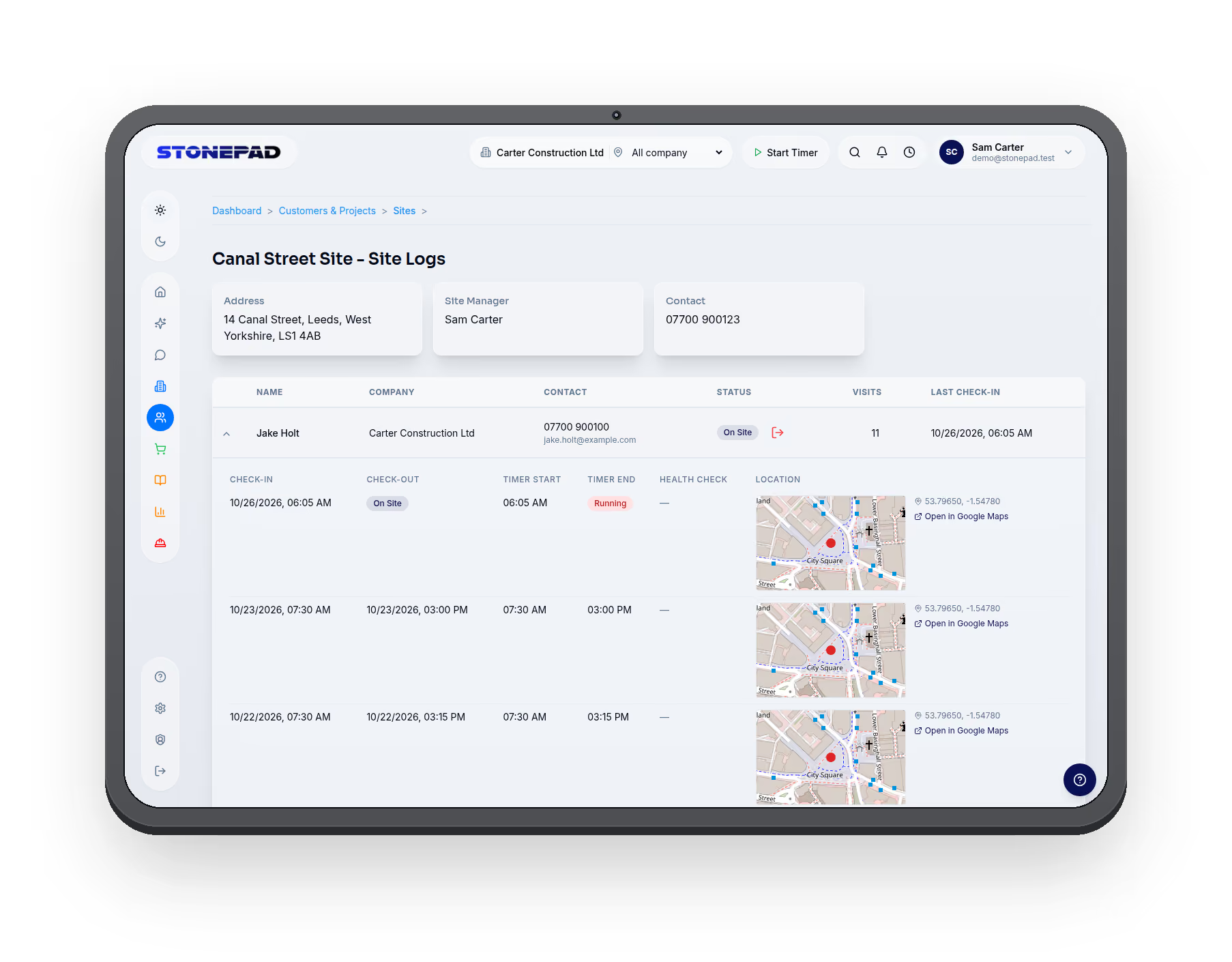
StonePad's site sign-in app replaces paper registers with a printable site QR poster, optional daily rotating QR codes and a live site visit log showing who is On Site or Off Site.

See how sites use

digital sign-in and
daily health checks

Sign in from a phone, or at the kiosk with a 4-digit PIN, a personal QR code or an NFC card. Visitors use Guest Sign In and Guest Sign Out with their name, phone, company and purpose.

Quick health questions before anyone signs in
3
Kiosk PIN to sign in on a shared tablet
4 digits
Site QR code changes every day for security
Daily
See who is on site right now
Live
StonePad Site Sign In on a tablet
Bridge saw cutting a marble slab
Working process

From paper sign-in sheets to

a live site register
Publish the site QR
01

Download a printable QR poster for each site, with optional daily rotation at midnight.

Sign in at the gate
02

Scan the site QR on a phone, or use a kiosk PIN, personal QR, NFC card or Guest Sign In.

Pass the health check
03

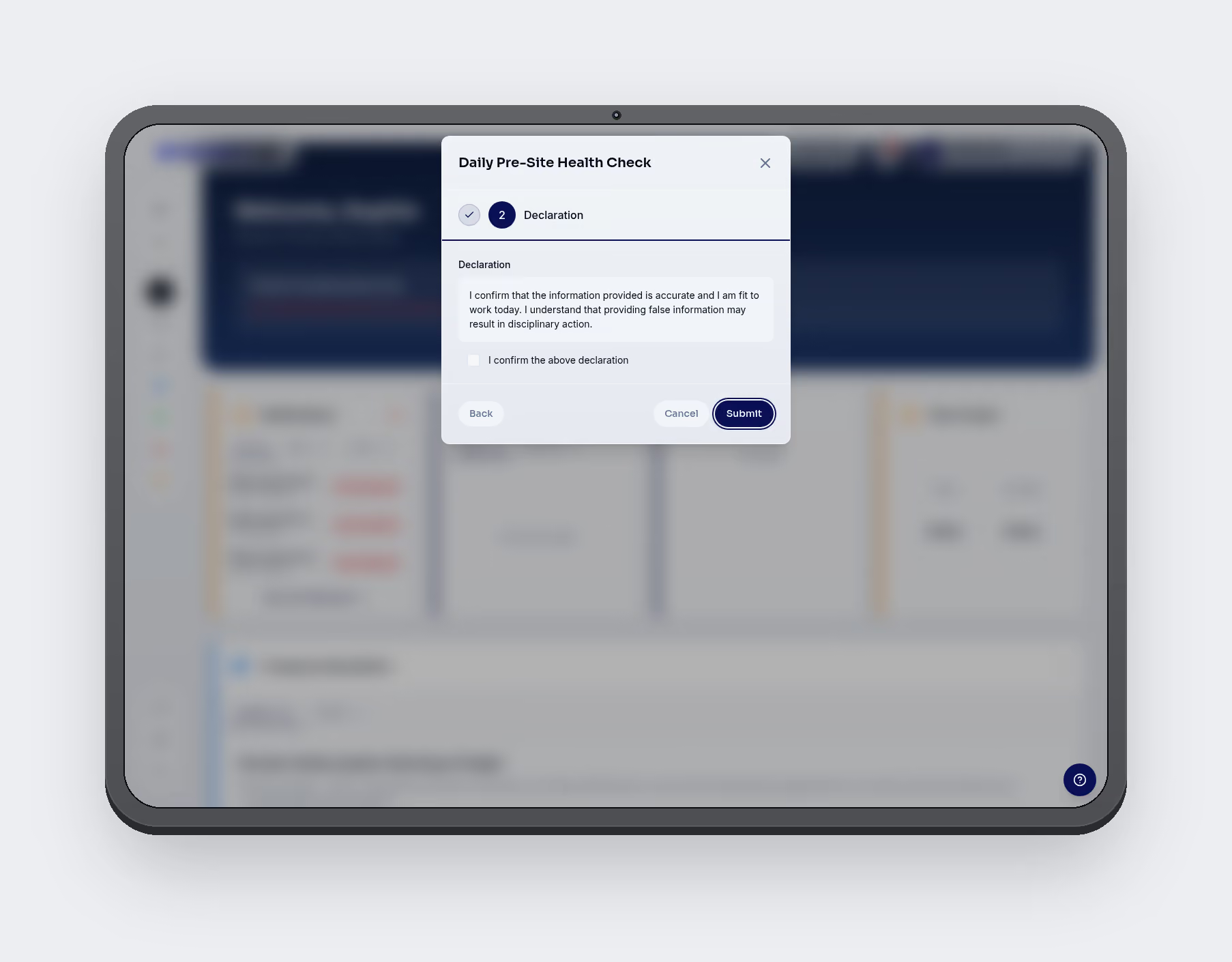
Answer three fit-to-work, medication and PPE questions, then confirm the declaration.

See who's on site
04

Follow the live visit log and Clocked In Users list, then sign out when leaving site.
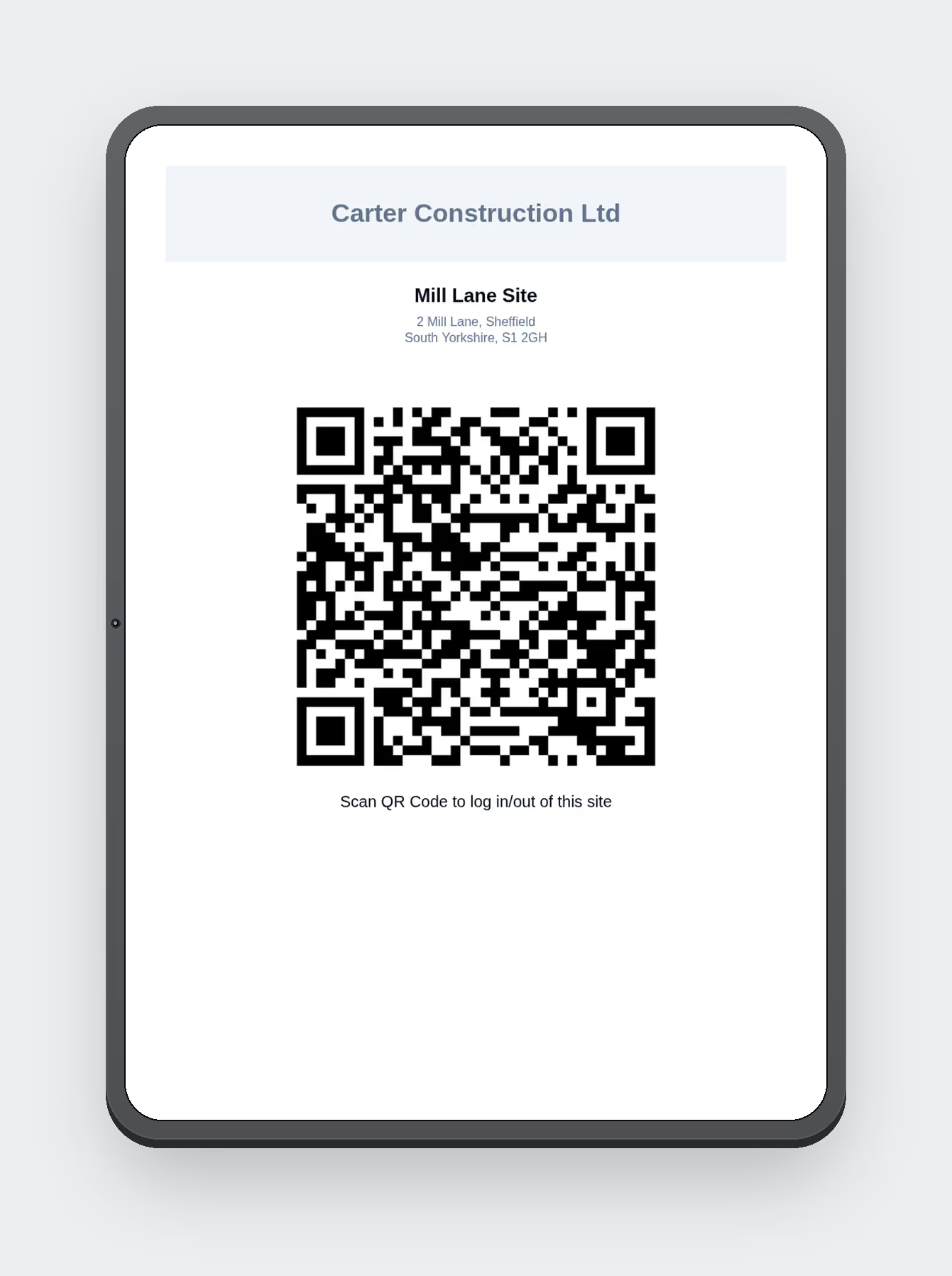
StonePad Site Sign In: site qr code poster
StonePad Site Sign In: kiosk login screen
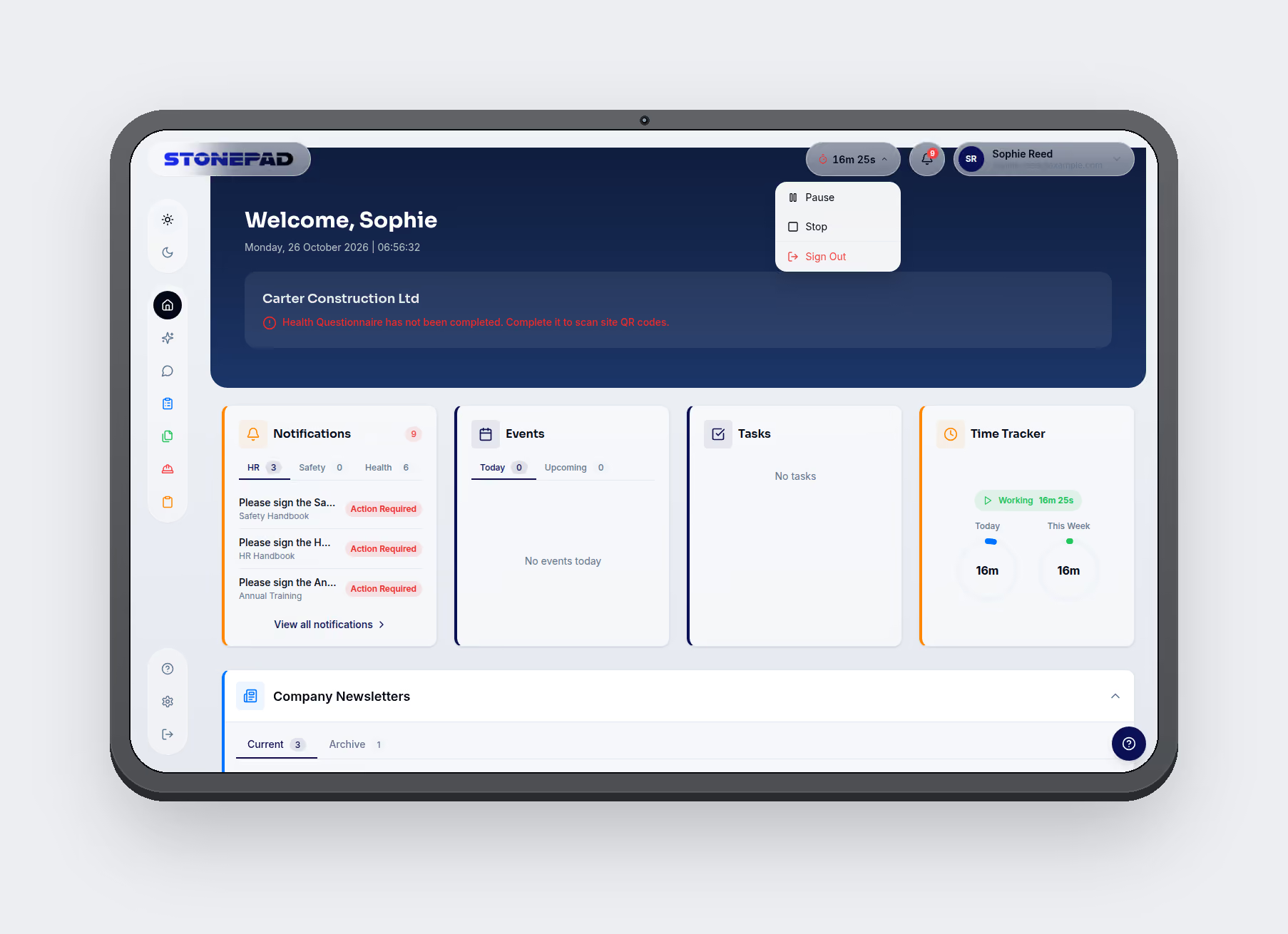
StonePad Site Sign In: daily pre site health check
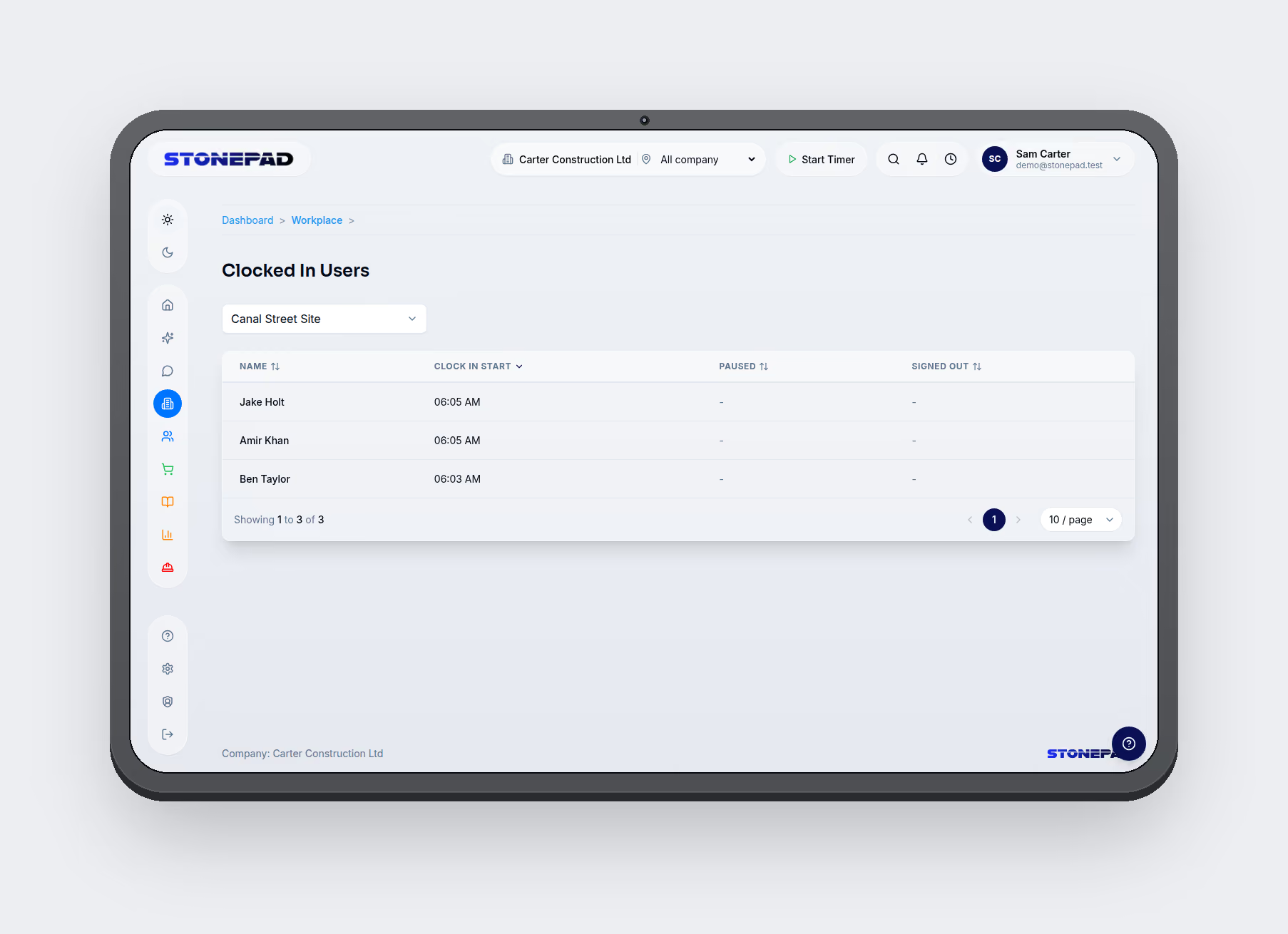
StonePad Site Sign In: clocked in users
How It Works

Everything your site gate needs,

in one place

Every sign-in can lead into the Daily Pre-Site Health Check: three questions on fitness to work, medication and PPE, then a declaration, with every answer kept in the Health Check Log.

KIOSK PIN
Sign in at the site kiosk by tapping your 4-digit PIN
GUEST SIGN-IN
Sign visitors in with the guest sign-in form on the kiosk
Forklift lifting a large stone slab in a yard
Included in StonePad
HEALTH CHECK
Answer the daily pre-site health check before starting work
SITE QR POSTER
Switch on QR rotation and download a printable site QR poster
CLOCKED IN USERS
Pick a site and see who is clocked in right now
Gallery

See it in action

Take a look at some of the screenshots of this module in StonePad.

Problems

Everyday sign-in gaps that leave you unsure who is on site and whether they are fit to work.

Paper sign-in sheets that go missing or get faked
No clear view of who is on site right now
Fitness and PPE never checked at the gate
Visitors arriving with no record of their visit
One static QR code shared and reused
Solutions

Built-in tools that help you record every visit and check fitness before work starts.

Digital site visit log from kiosk or app
On Site badges and a Clocked In Users list
Daily Pre-Site Health Check before work
Guest Sign In and Guest Sign Out at the kiosk
Optional daily rotating site QR codes
Ready to start?