
See how contractors use
asbestos records to
meet the duty to manage
Registers for surveys, materials and training
6 registers
Re-inspection dates worked out for you
Auto
Summary tiles for overdue items
Live
Asbestos register report as a PDF
1 click



Working process
From survey to a
re-inspection schedule

Record the survey
01
Add the management, refurbishment or demolition survey for the premises.
Build the register
02
List each ACM with its condition, risk rating and re-inspection interval.
Re-inspect
03
Log each re-inspection to restart the schedule. Damage makes it due now.
Report
04
Print the asbestos register report for the client or an inspector.



How It Works
Everything the duty to manage needs,
in one section
Record NNLW notifications, awareness training and medical recall dates, then print the full asbestos register report as a PDF in one click.
ASBESTOS REGISTER
Every ACM with condition, risk and next re-inspection date
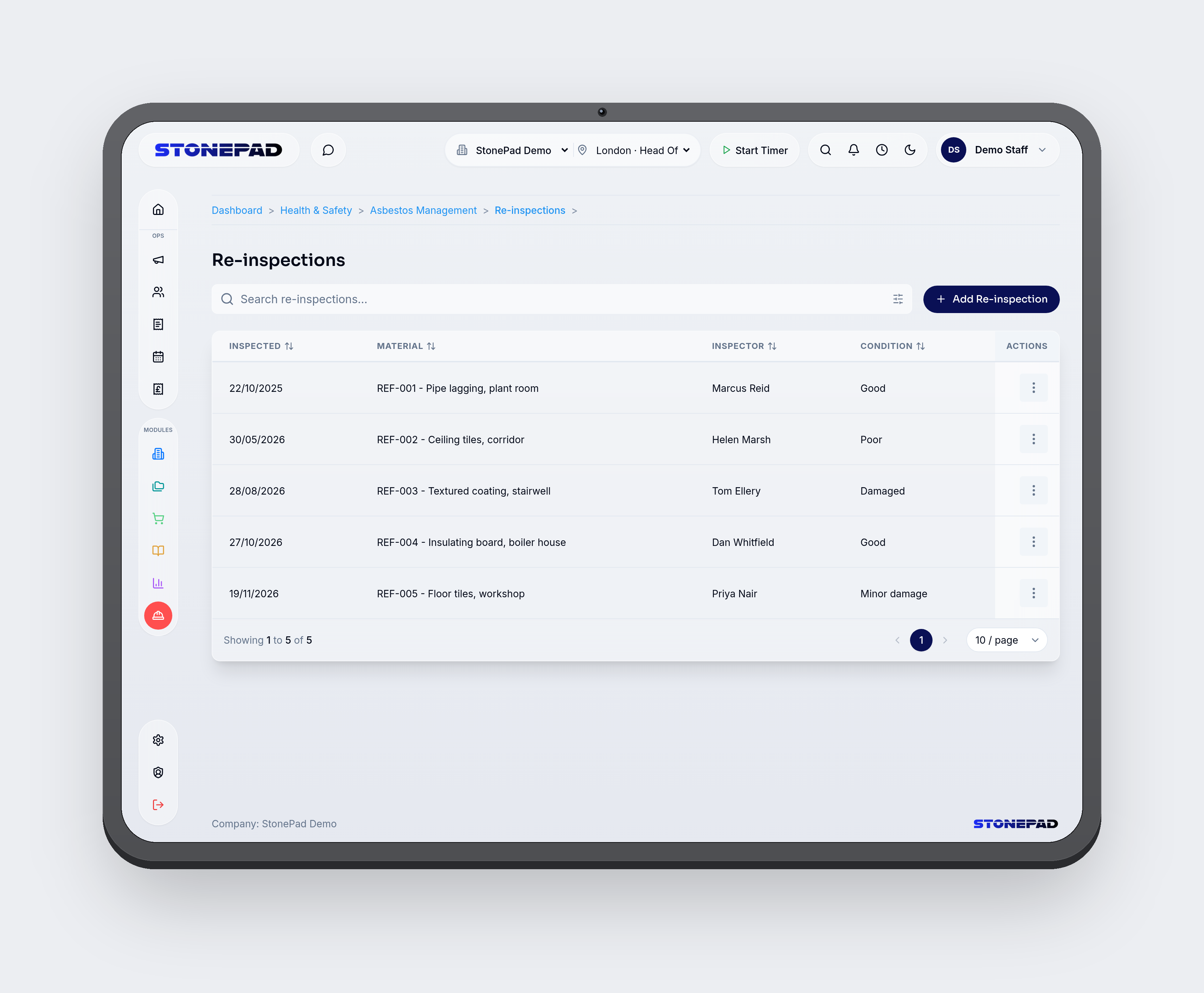
RE-INSPECTIONS
Log each re-inspection and restart the schedule

Included in StonePad

SURVEYS
Keep management, refurbishment and demolition surveys on record
NNLW NOTIFICATIONS
Record notifiable non-licensed work with its notification date
TRAINING AND MEDICALS
Track awareness training and medical recall dates
Gallery
See it in action
Take a look at some of the screenshots of this module in StonePad.


No items found.
Problems
Asbestos surveys filed away and re-inspections missed leave the duty to manage hard to prove.
Surveys filed with no register of what was found
Re-inspections that slip past their date
Damaged material not acted on
Non-licensed work not notified
Training and medicals out of date
Solutions
One register of surveys, materials, inspections and training, with every due date tracked for you.
One register of every ACM or presumed ACM
Re-inspection dates calculated for you
Damaged material flagged as due now
NNLW notifications recorded and tracked
Training and medical recall in one place
Ready to start?