
See how teams use
custom forms and
stay on top of inspections
Field types to build any form you need
11
Schedule options for how often each form is due
6
Build a form template in three simple steps
3 steps
Download every submission as a record
PDF


Working process
From paper checklists to
digital inspections

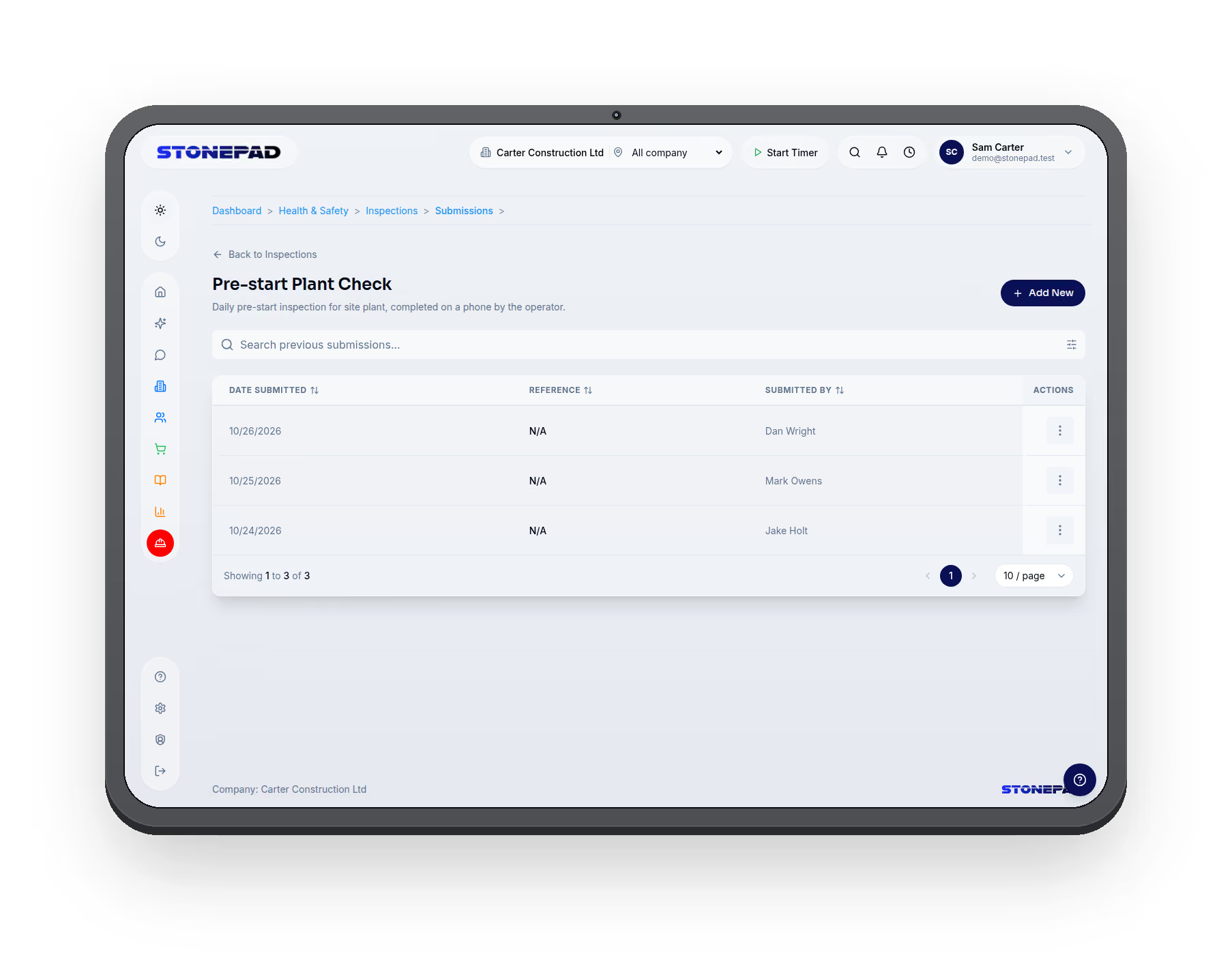
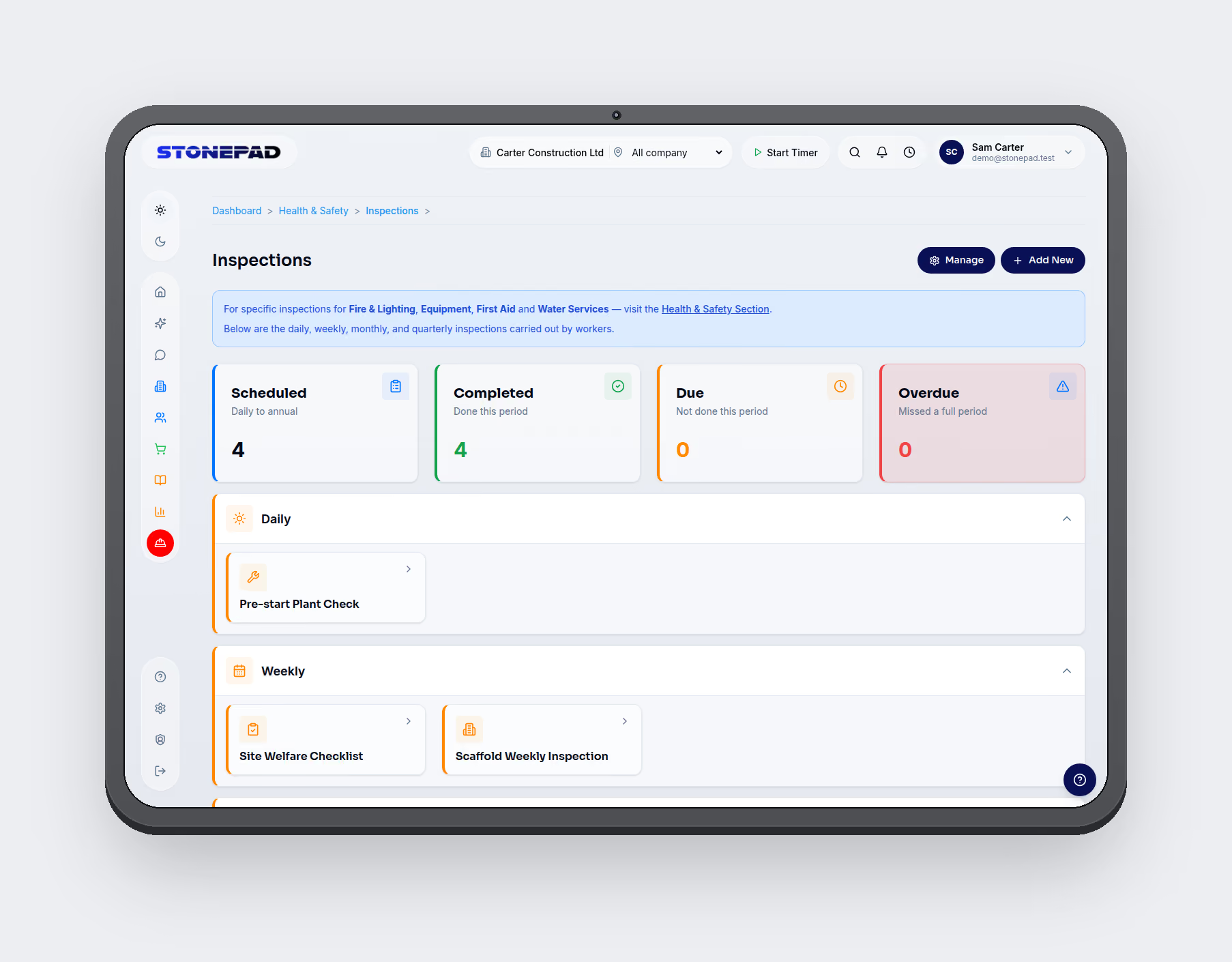
Browse the form library
01
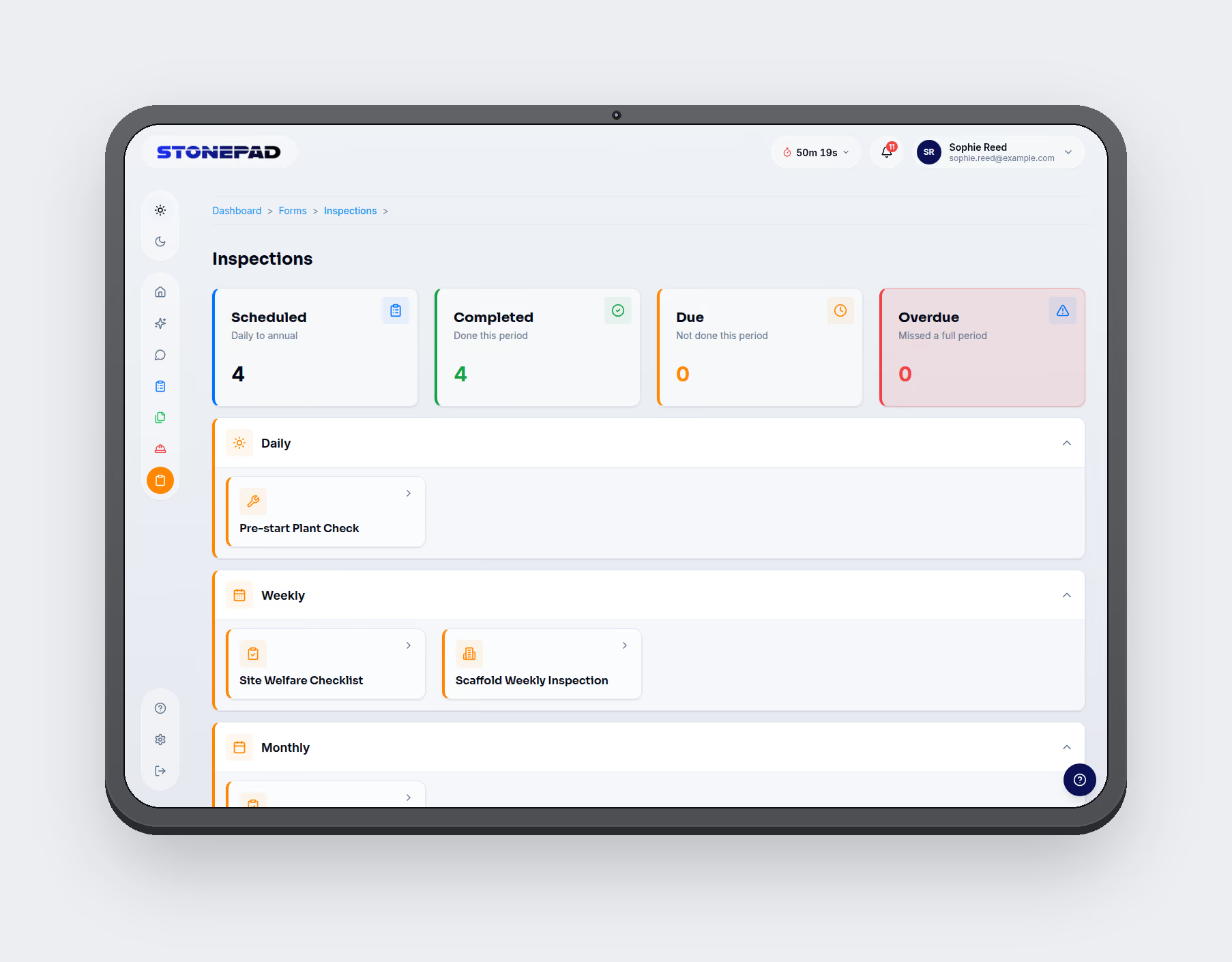
The Inspections hub groups templates Daily to Annual with due and overdue stats.
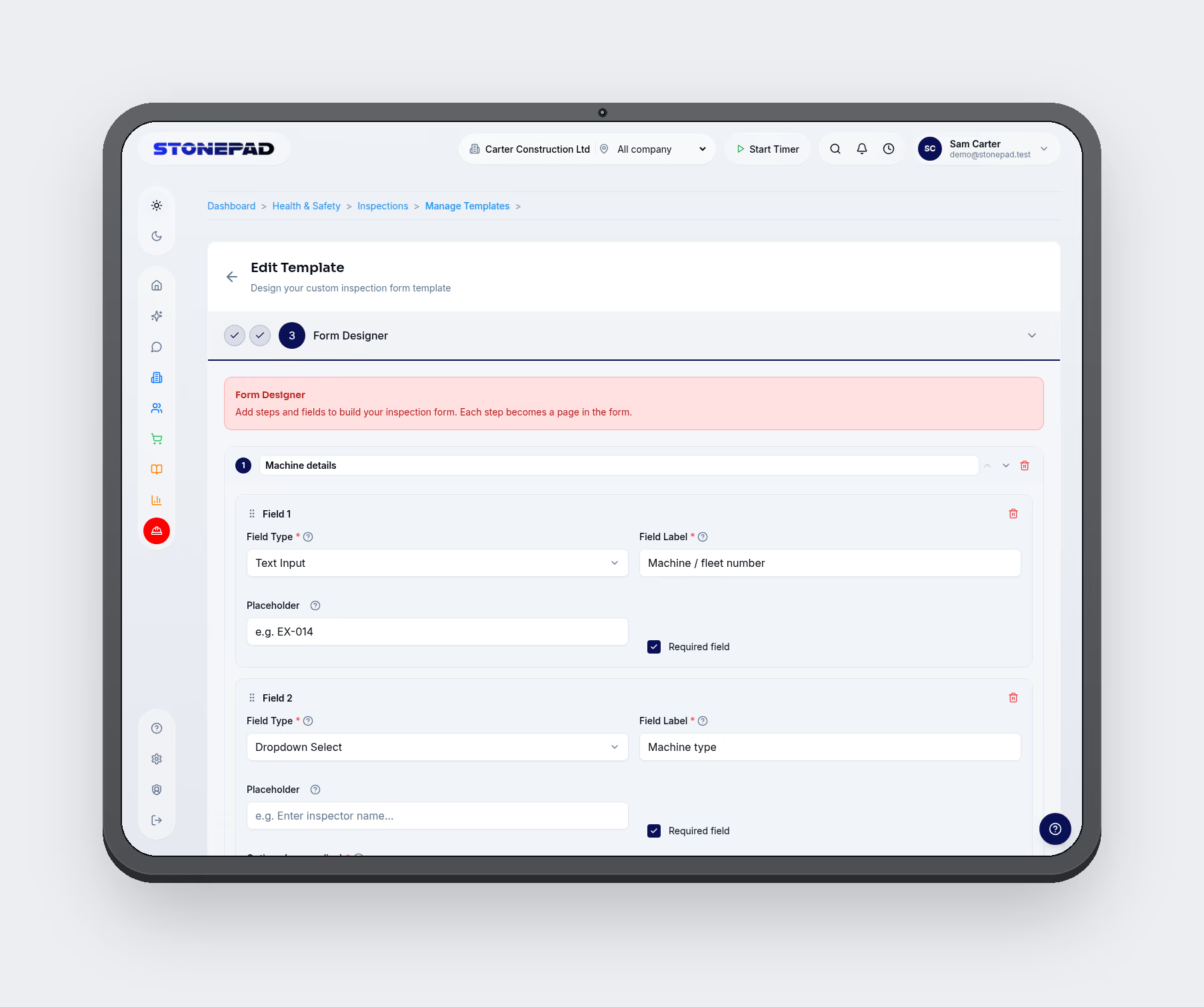
Design your template
02
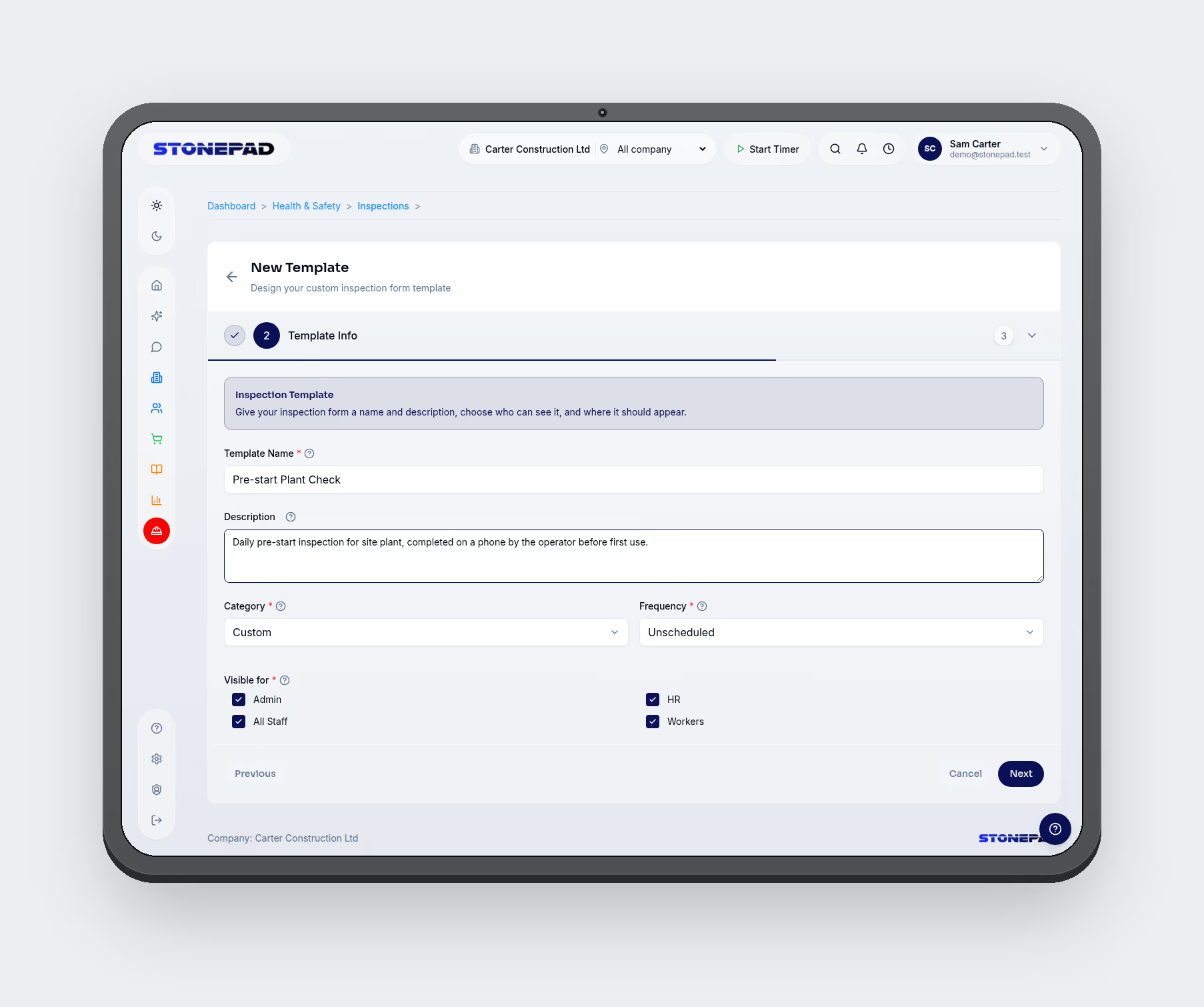
Choose Inspection Form or Checklist, add template info, then build steps and fields.
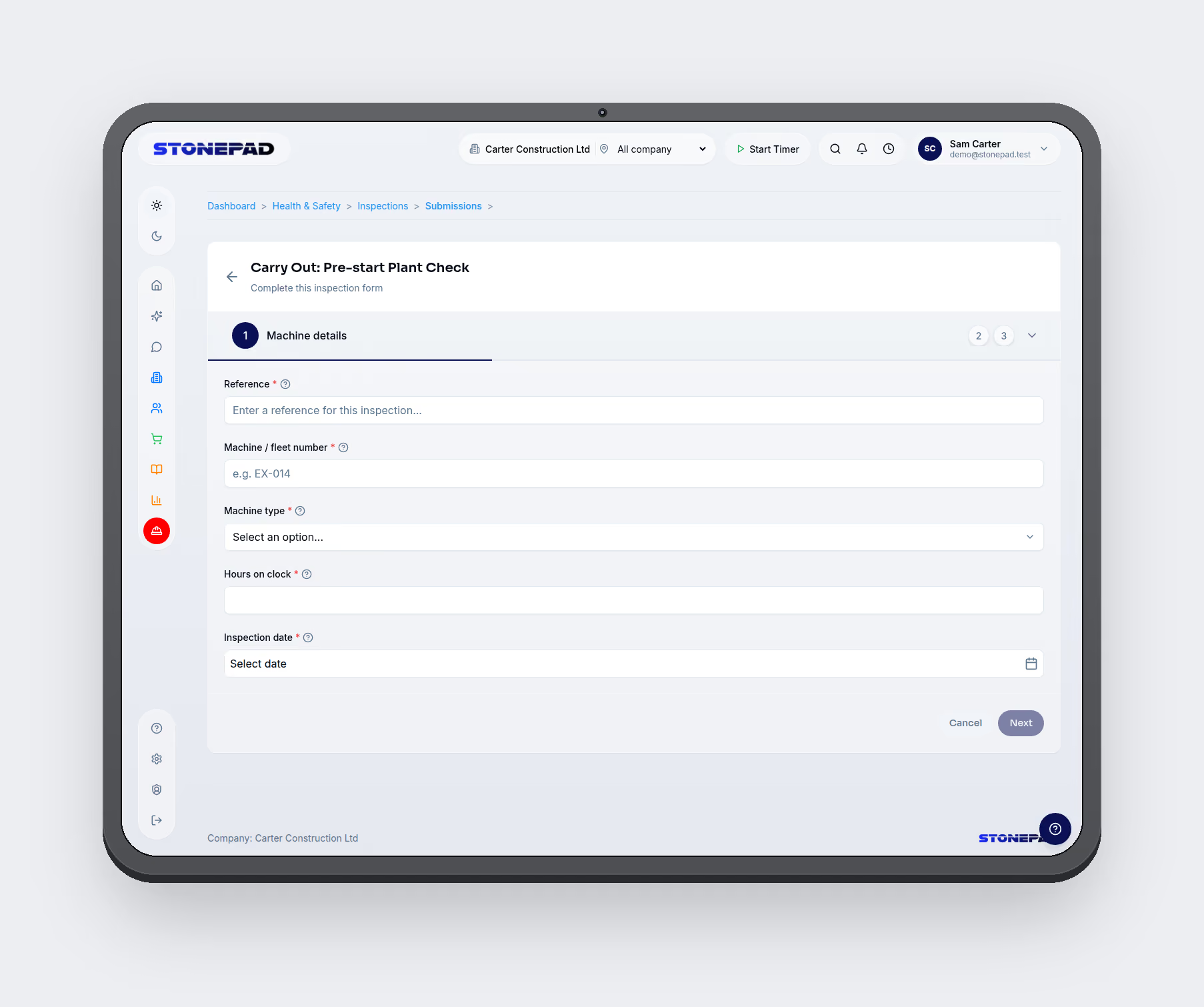
Carry out on any device
03
Staff and workers open the form and submit answers, photos and files.
Review at head office
04
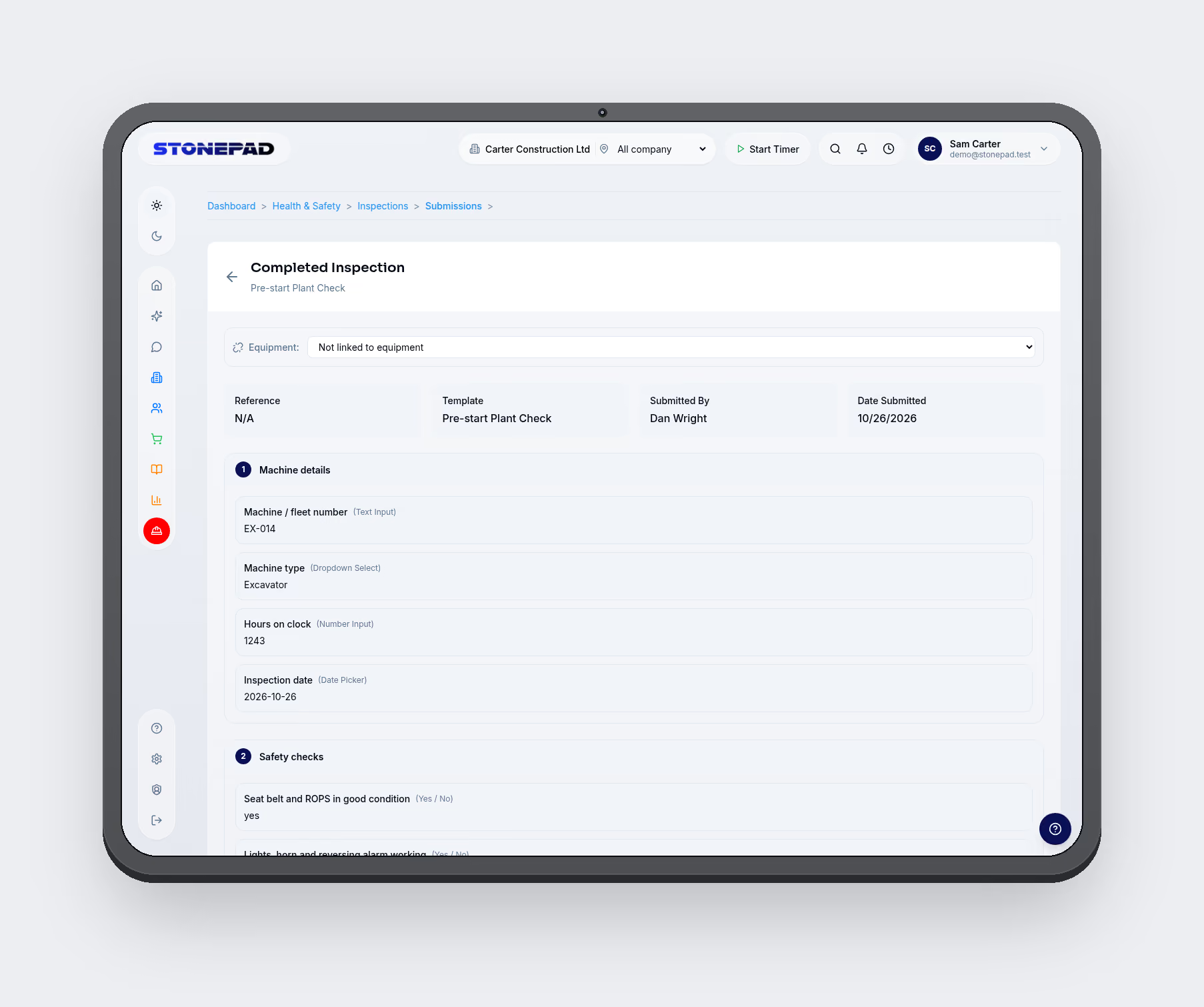
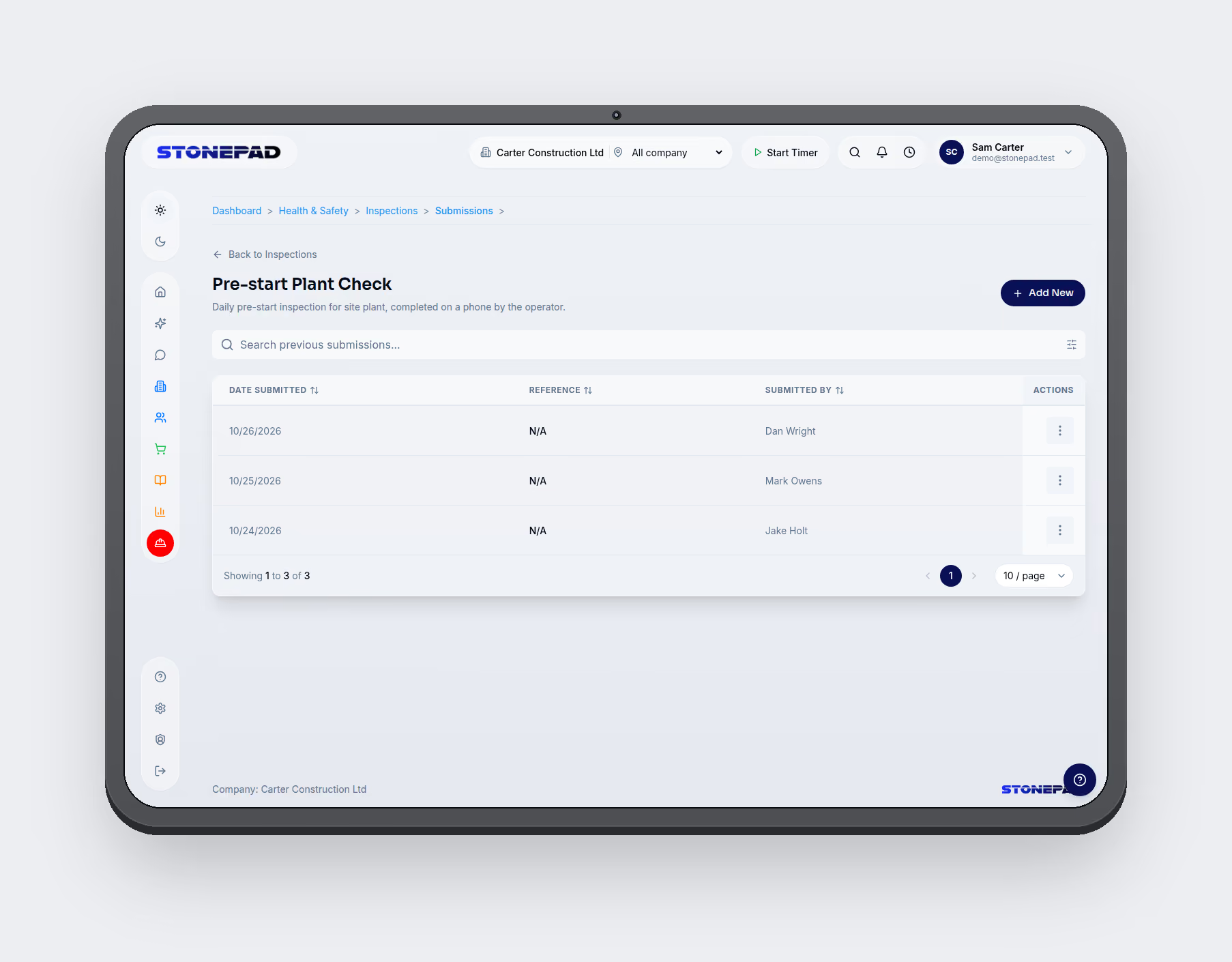
See every submission per template and download a PDF for your audit trail.
How It Works
Everything your inspections and forms need,
in one place
The Inspections hub groups templates Daily to Annual and shows Scheduled, Completed, Due and Overdue, while every submission is kept on record with a PDF for audits.
CARRY OUT
Carry out an inspection form step by step and submit it on any device
FORM DESIGNER
Build your own inspection form: add a Yes / No field in the designer

Included in StonePad

DUE & OVERDUE
Submit an inspection and see Due move to Completed in the hub stats
AI FORM DRAFT
Describe the inspection form you need and AI drafts it for you to edit
PDF REPORT
Open any submission and download an inspection PDF for your records
Gallery
See it in action
Take a look at some of the screenshots of this module in StonePad.


No items found.
Problems
Everyday inspection problems that lead to missed checks and patchy records.
Paper checklists that vary from site to site
Scheduled inspections quietly missed
Generic forms that don't fit your equipment
Building new forms takes too long
No easy way to evidence completed checks
Solutions
Built-in tools that help your team inspect on schedule and keep a clear record.
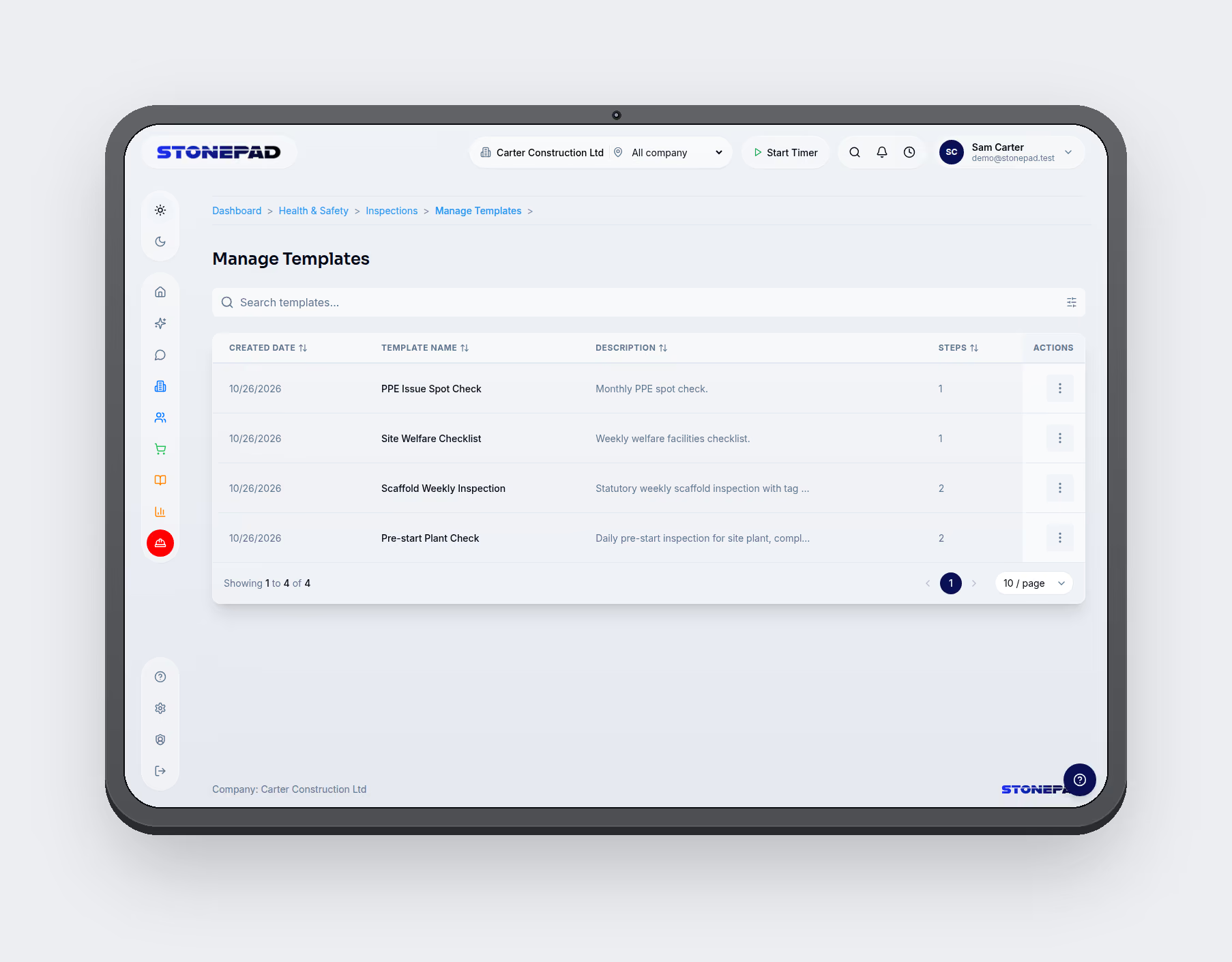
Custom templates with role-based visibility
Due and Overdue stats by frequency period
11 field types plus dynamic data sources
AI generator helps draft a template to edit
Submissions register with PDF export
Ready to start?