
See how contractors use
audit records to
show their management system works
Programme, audits, findings and actions
4 registers
Next audit date set from the last audit
Auto
Effectiveness check on each action
Built in
Audits and CAPA register as a PDF
1 click



Working process
From a scheduled audit to
a verified fix

Plan
01
Schedule the audit in a rolling programme.
Audit
02
Record the audit and what it found.
Act
03
Raise a corrective or preventive action.
Verify
04
Check the fix worked and record the evidence.



How It Works
Everything an internal audit programme needs,
in one section
Raise corrective, preventive or containment actions with an owner and due date, then verify effectiveness. A fix that did not work is flagged, and the whole register prints as a PDF.
AUDIT PROGRAMME
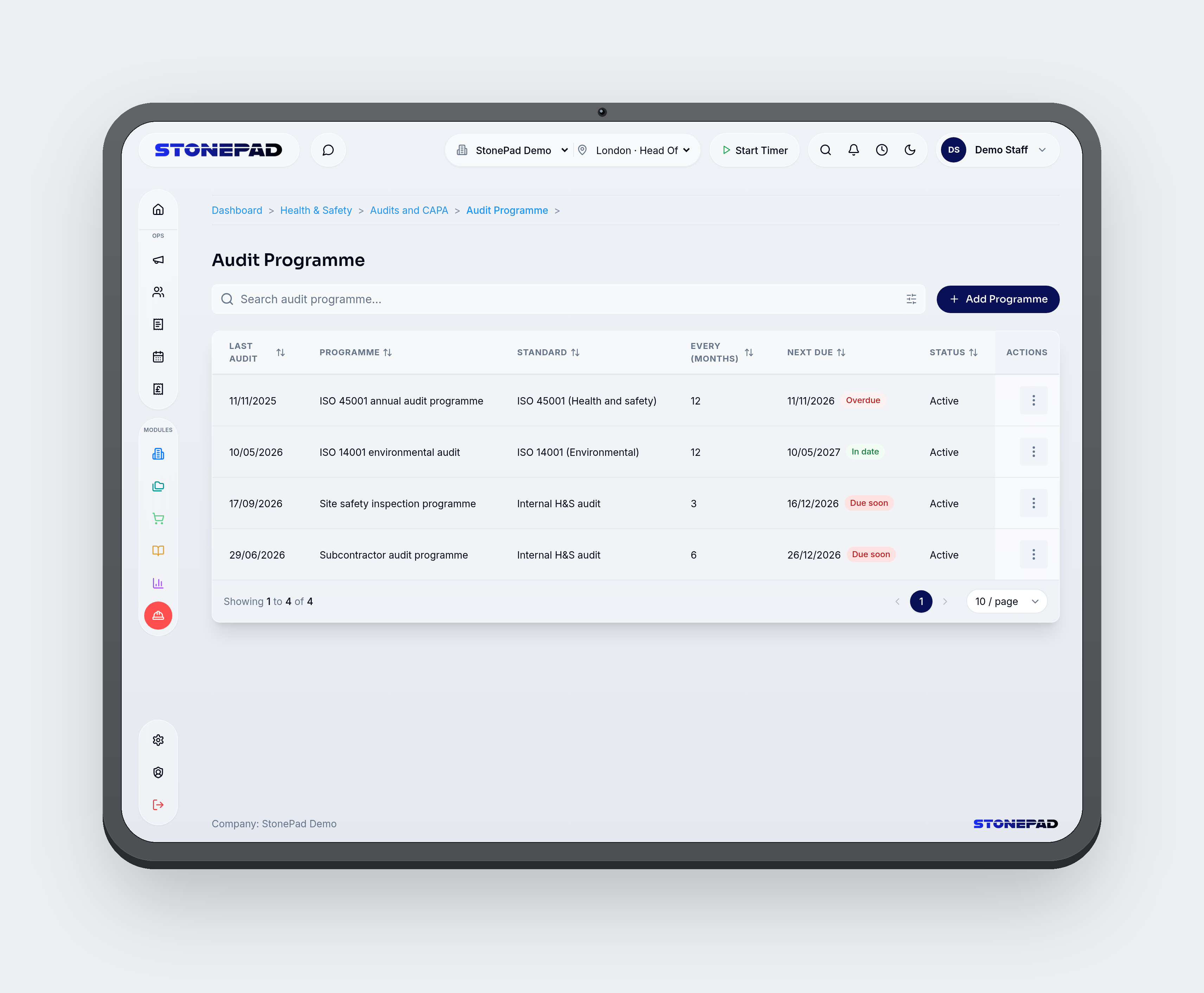
A rolling schedule with the next audit date worked out
FINDINGS
Nonconformities, observations and good practice

Included in StonePad

AUDITS
Plan and record every internal or supplier audit
CORRECTIVE ACTIONS
Owners, due dates and verification of effectiveness
AUDITS AND CAPA HUB
Open the programme, findings and actions from one place
Gallery
See it in action
Take a look at some of the screenshots of this module in StonePad.

No items found.
Problems
Audit findings tracked in spreadsheets drift past their dates, and nobody checks that the fix actually worked.
Audits that slip off the schedule
Findings with no owner
Actions closed with no check
Overdue actions nobody sees
Evidence scattered across folders
Solutions
Programme, audits, findings and actions linked together, with due dates in the compliance calendar and effectiveness checked.
Rolling audit programme
Findings linked to audits
Corrective and preventive actions
Verification of effectiveness
Due dates in the compliance calendar
Ready to start?