
See how contractors use
enforcement records to
answer an inspector with confidence
RIDDOR reports, notices, visits and fees
4 registers
Appeal deadline default in days
21
RIDDOR status on every report
Live
Enforcement register as a PDF
1 click



Working process
From a reportable accident to
a closed-out notice

Report
01
Mark the accident as RIDDOR reportable and see its deadline.
Submit
02
Record the F2508 reference and the date it was submitted.
Log the visit
03
Record the HSE inspector visit and its outcome.
Track the notice
04
Record the notice, comply-by date and appeal deadline.


How It Works
Everything RIDDOR and enforcement need,
in one section
Track fee for intervention invoices with their dispute and due dates, and print the enforcement register as a PDF.
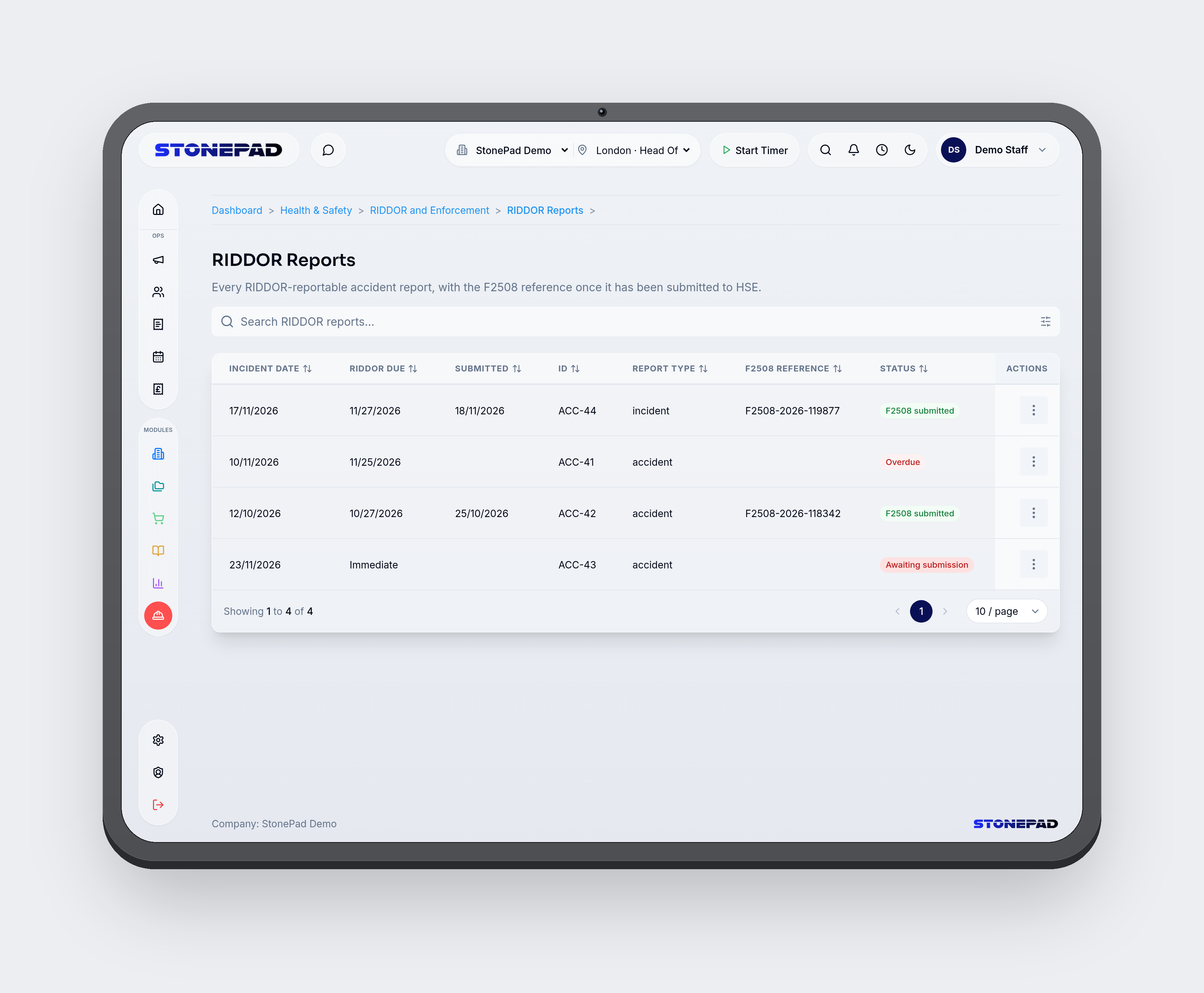
RIDDOR REPORTS
Every reportable accident with its F2508 status
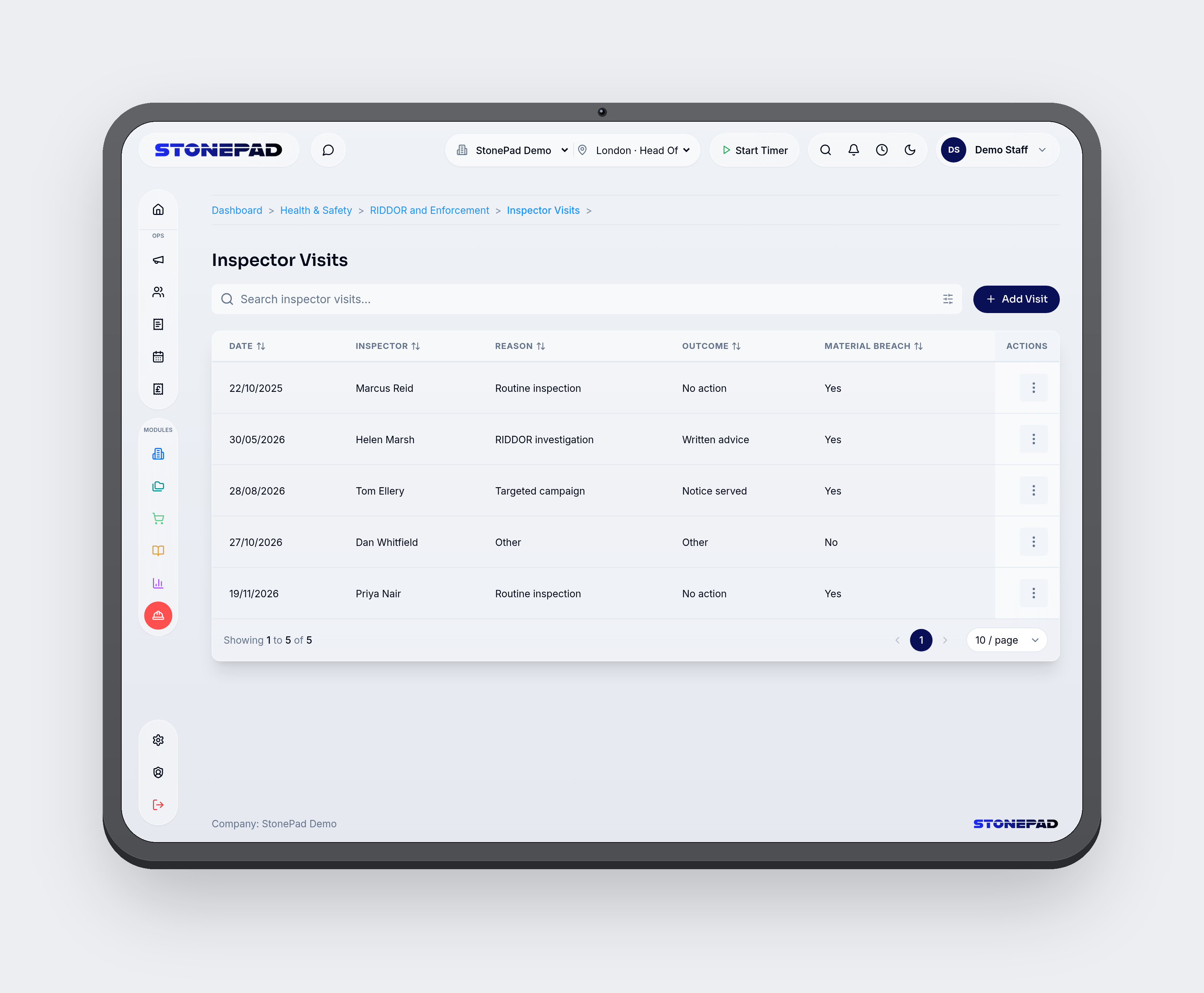
INSPECTOR VISITS
Log each HSE visit with outcome and summary

Included in StonePad

ENFORCEMENT NOTICES
Improvement and prohibition notices with deadlines
FEE FOR INTERVENTION
Track FFI invoices, dispute and due dates
ENFORCEMENT HUB
Open reports, notices and visits from one place
Gallery
See it in action
Take a look at some of the screenshots of this module in StonePad.

No items found.
Problems
RIDDOR deadlines and HSE notices tracked by memory leave appeal windows and F2508 submissions easy to miss.
F2508 submitted but not recorded
RIDDOR deadlines missed
Notice appeal windows forgotten
Inspector visits with no log
Fee for intervention invoices lost
Solutions
F2508 references, inspector visits, notices and fees held together, with deadlines worked out for you.
F2508 reference on the accident report
RIDDOR status: awaiting, overdue or submitted
Notices with comply-by and appeal dates
Every inspector visit logged
Fee for intervention tracked to payment
Ready to start?