
See how safety managers use
due dates and
stay ahead of every inspection
Health and safety areas tracked in one action plan
12
Add a new item in three simple steps
3 steps
See what is due, overdue and done on one dashboard
At a glance
Connects straight through to your Training Matrix
Linked


Working process
From forgotten inspections to
a clear action plan

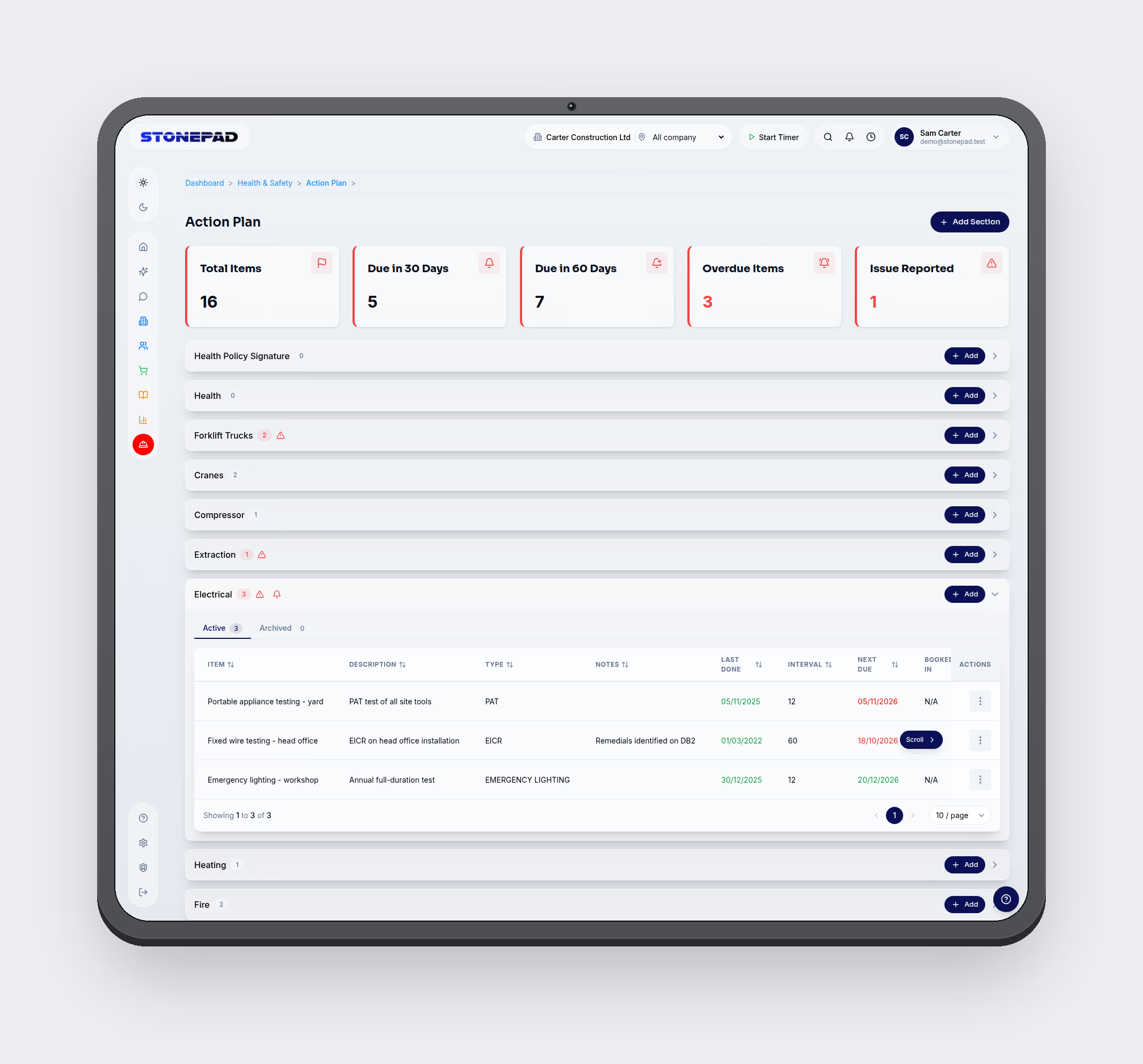
Review the dashboard
01
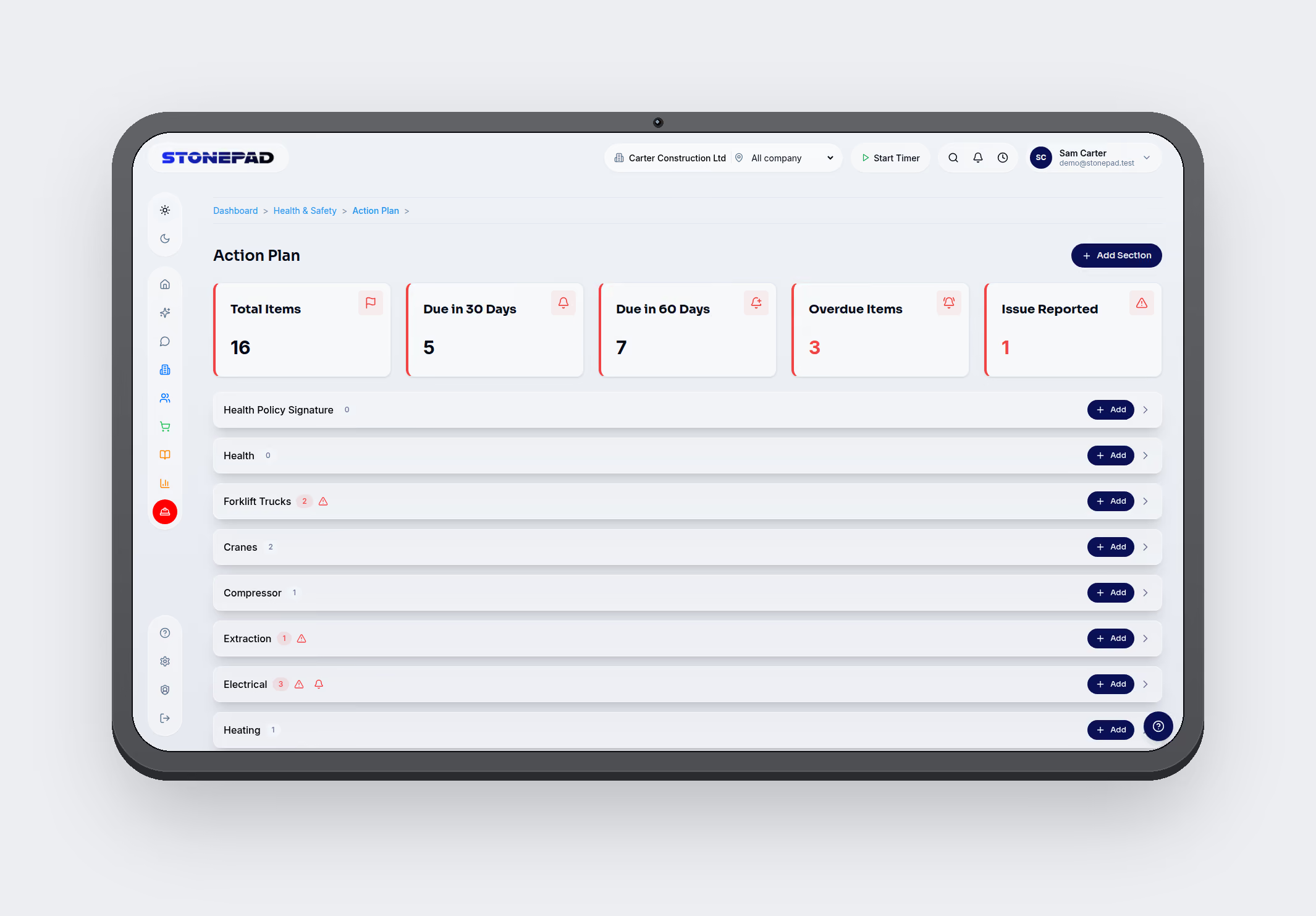
Open Action Plan to see total, due soon and overdue items at a glance.
Add items by section
02
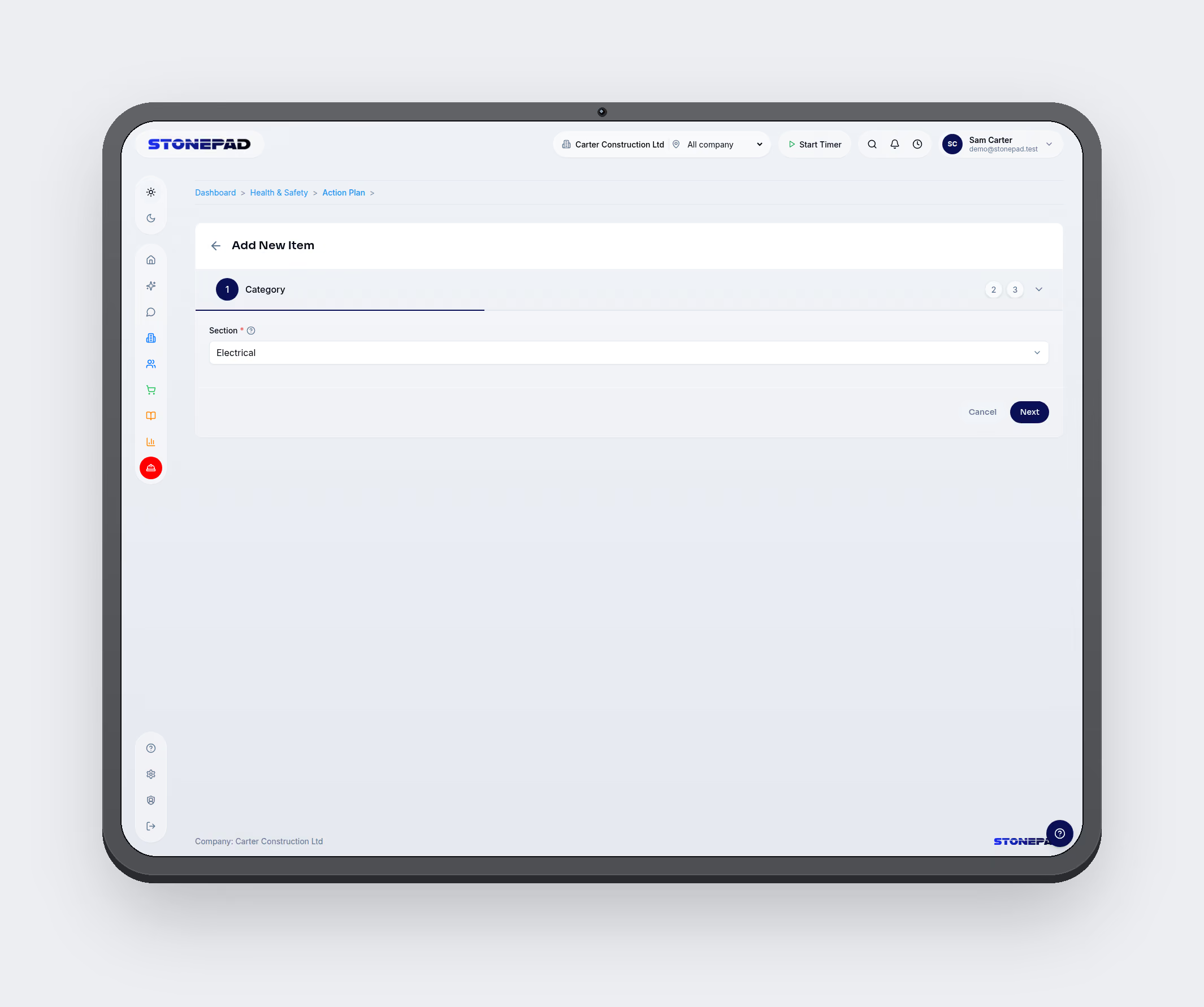
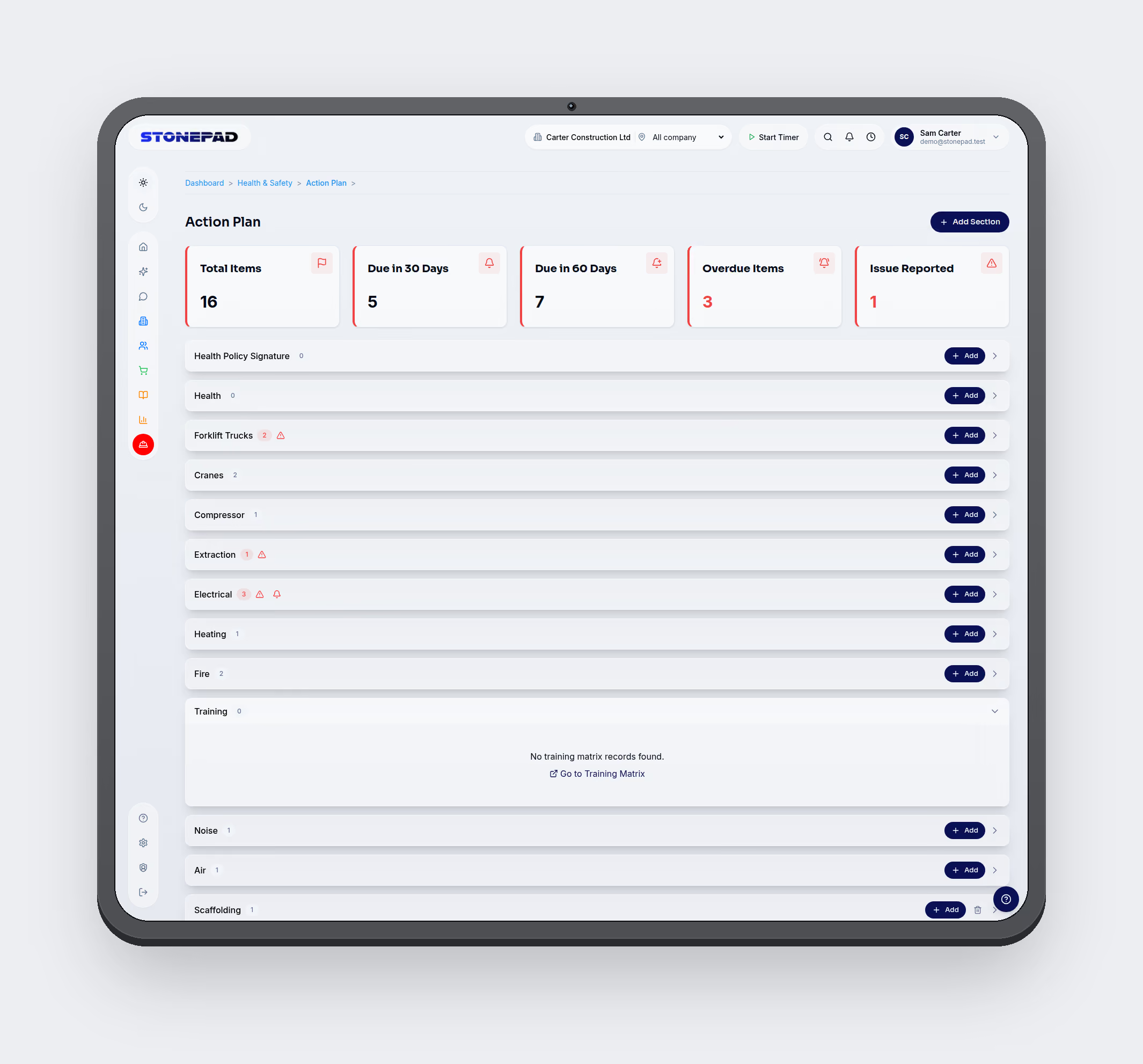
Use the 3-step wizard: Category, Item Details, then Service & Attachments.
Attach evidence
03
Store certificates on each item and set intervals so Next Due stays accurate.
Check the Due Dates Overview
04
Cross-check inspection forms, inspection checklists and equipment checklists alongside the plan.
How It Works
Every statutory check your site needs,
in one register
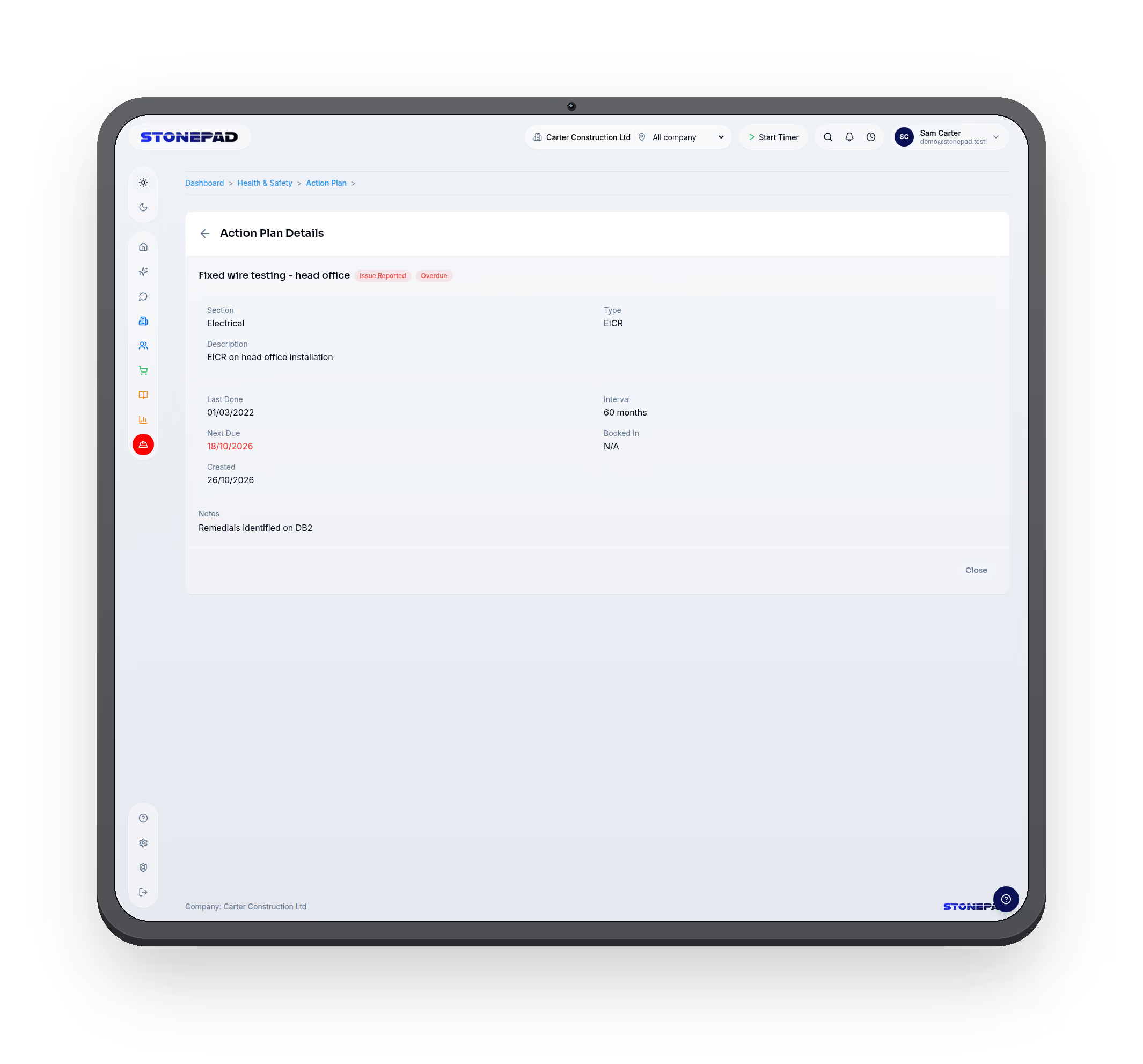
Stat tiles show Total Items, Due in 30 Days, Due in 60 Days and Overdue Items, while the Due Dates Overview brings in inspection forms and checklists.
ADD AN ITEM
Add an inspection or service to your Action Plan in three steps
CUSTOM SECTIONS
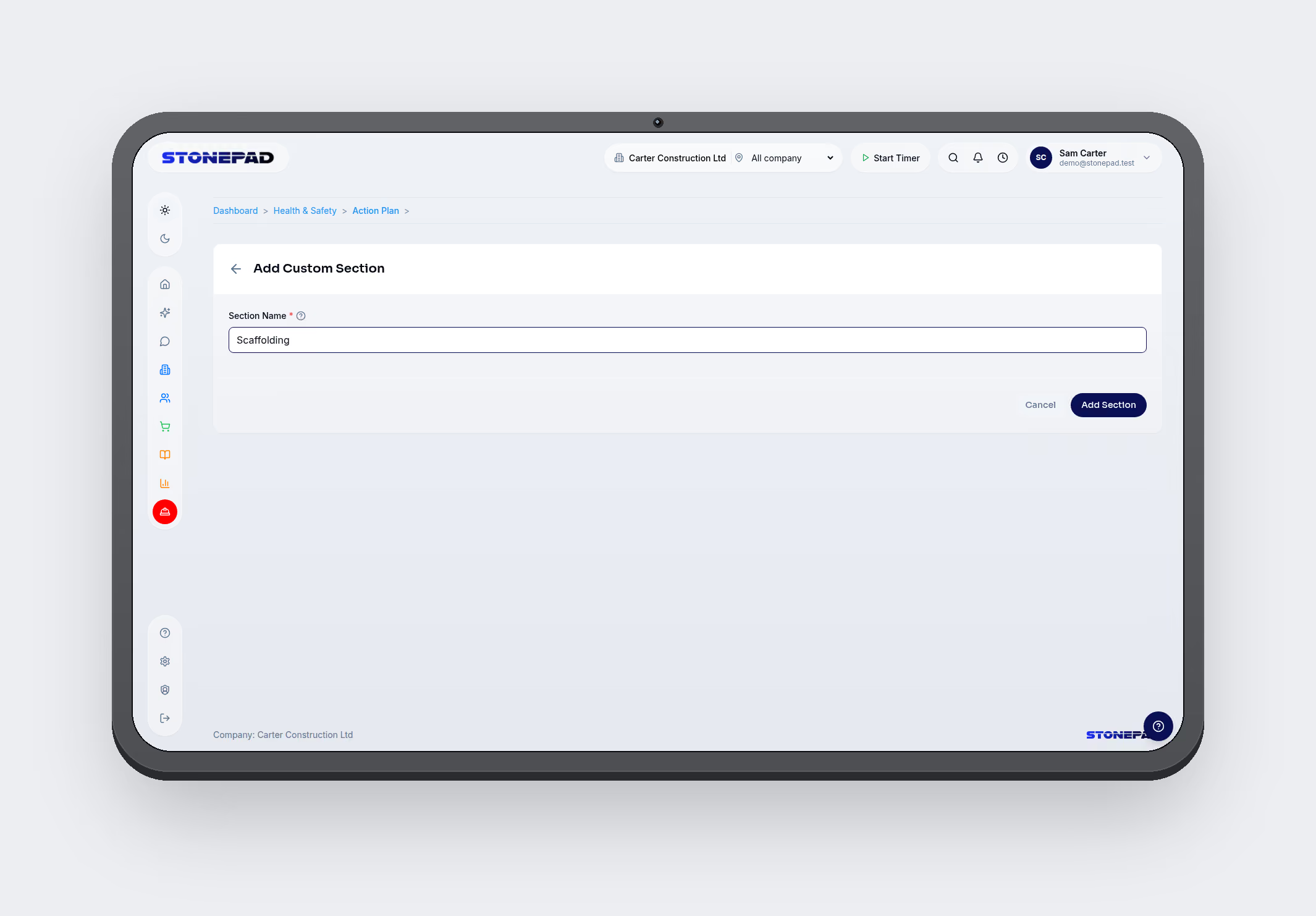
Add your own section to the Action Plan, such as Ventilation

Included in StonePad

ATTACH EVIDENCE
Attach certificates to an Action Plan item and keep them with it
TRAINING BOOKED IN
Set a Booked In date on a training renewal in the Training section
ARCHIVE ITEMS
Archive an old Action Plan item and find it under the Archived tab
Gallery
See it in action
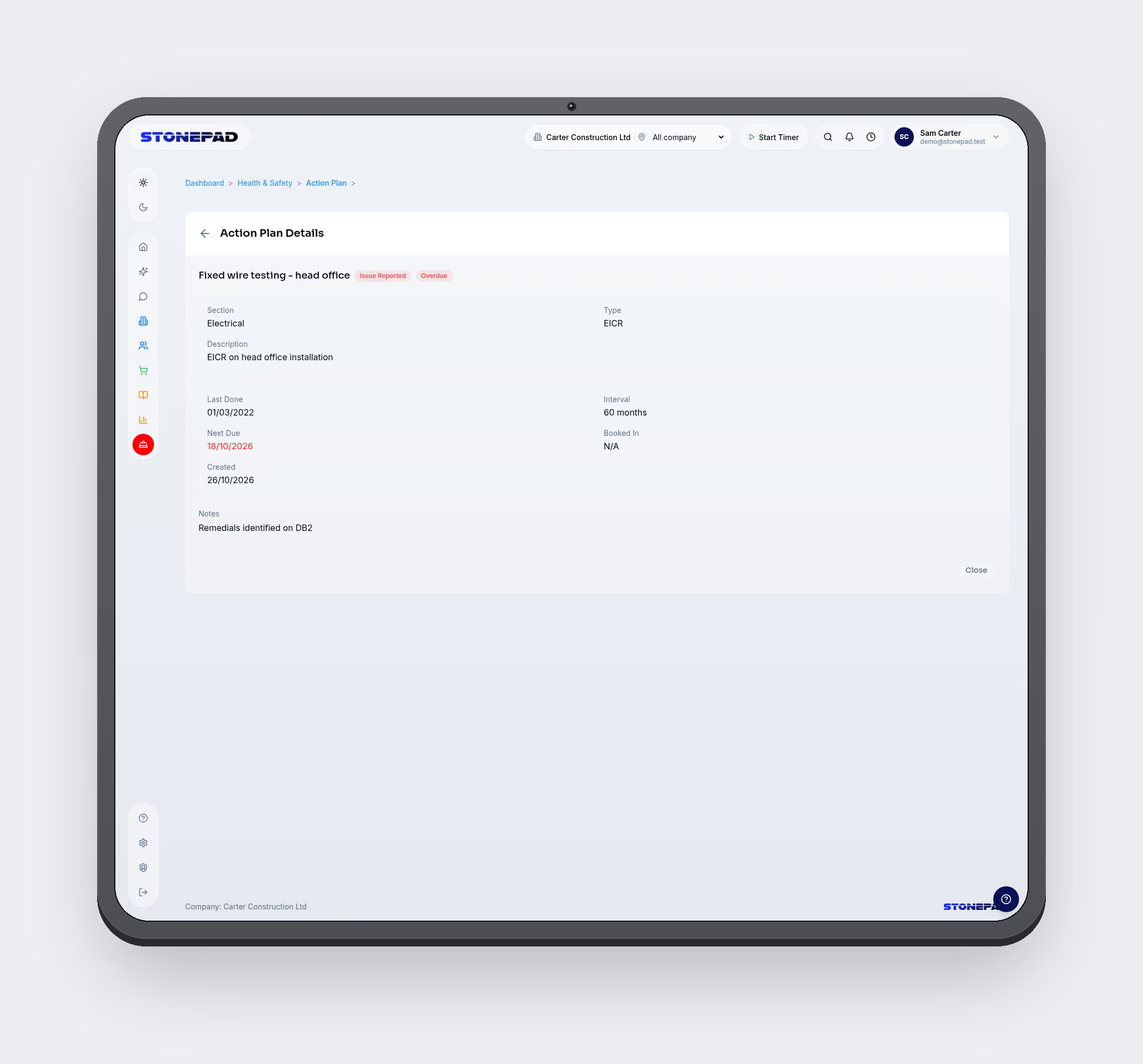
Take a look at some of the screenshots of this module in StonePad.
No items found.
Problems
Everyday gaps that let inspections, services and renewals slip through.
Statutory inspections forgotten until they lapse
No clear view of what is due soon
Certificates lost in email threads
Training renewals tracked somewhere else
Fixed lists that don't fit your site
Solutions
Built-in tools that help you see what is due and keep the evidence.
Sectioned register with intervals and Next Due dates
Due in 30 and 60 day counts plus overdue alerts
Evidence and certificates attached to each item
Training section mirrored from your Training Matrix
Add your own sections and custom types
Ready to start?