
See how contractors use
surveillance records to
keep people fit for work
Programme, referrals and restrictions
3 registers
Due dates restarted by each examination
Auto
Access limited to HR and admin
HR only
Health surveillance report as a PDF
1 click


Working process
From enrolment to a
fitness outcome

Enrol
01
Enrol the person against a hazard and set the frequency.
Examine
02
Each recorded examination restarts the due date.
Refer
03
Record the referral and its outcome.
Restrict
04
Add fitness-for-work restrictions with a review date.



How It Works
Everything a surveillance programme needs,
in HR
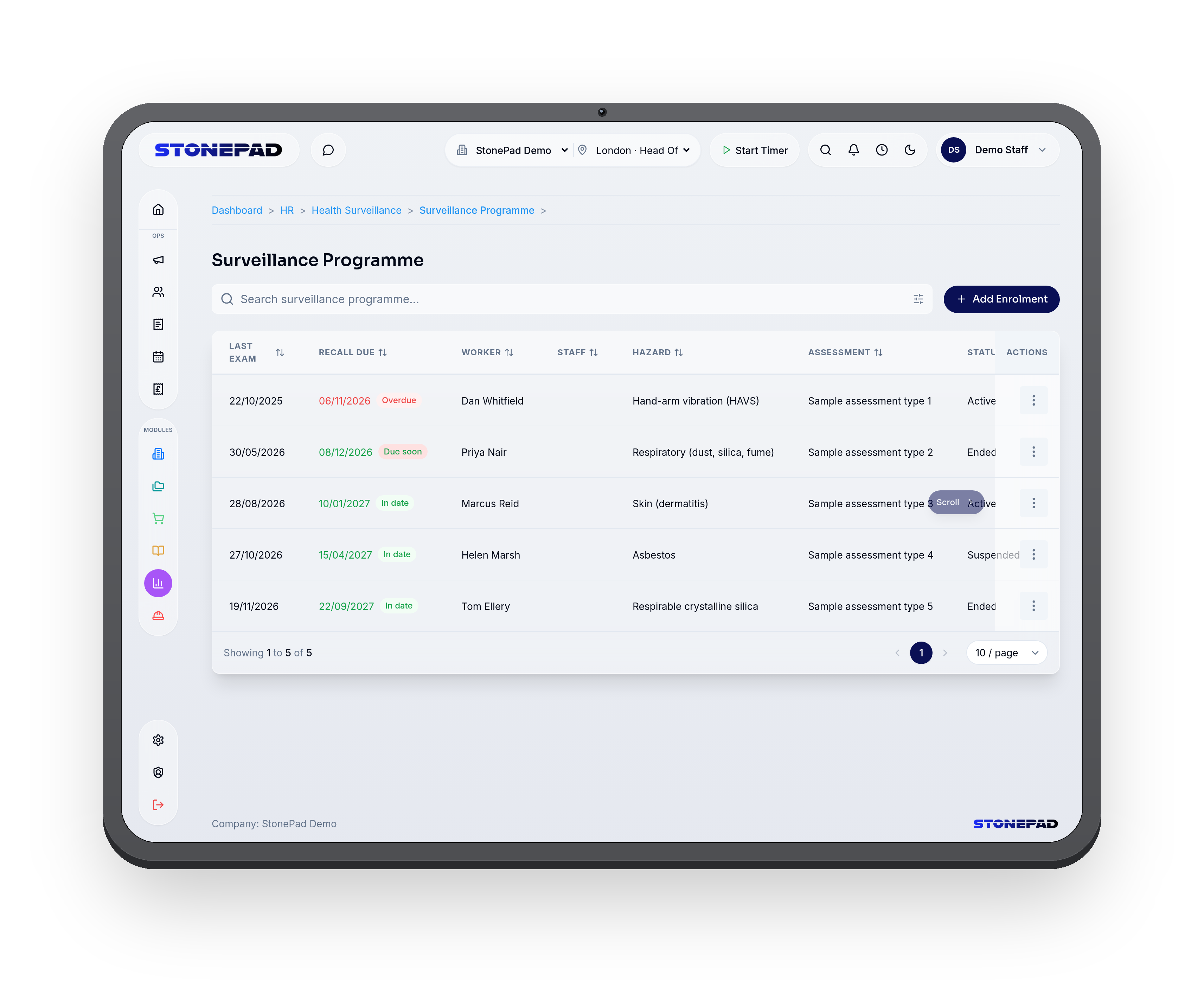
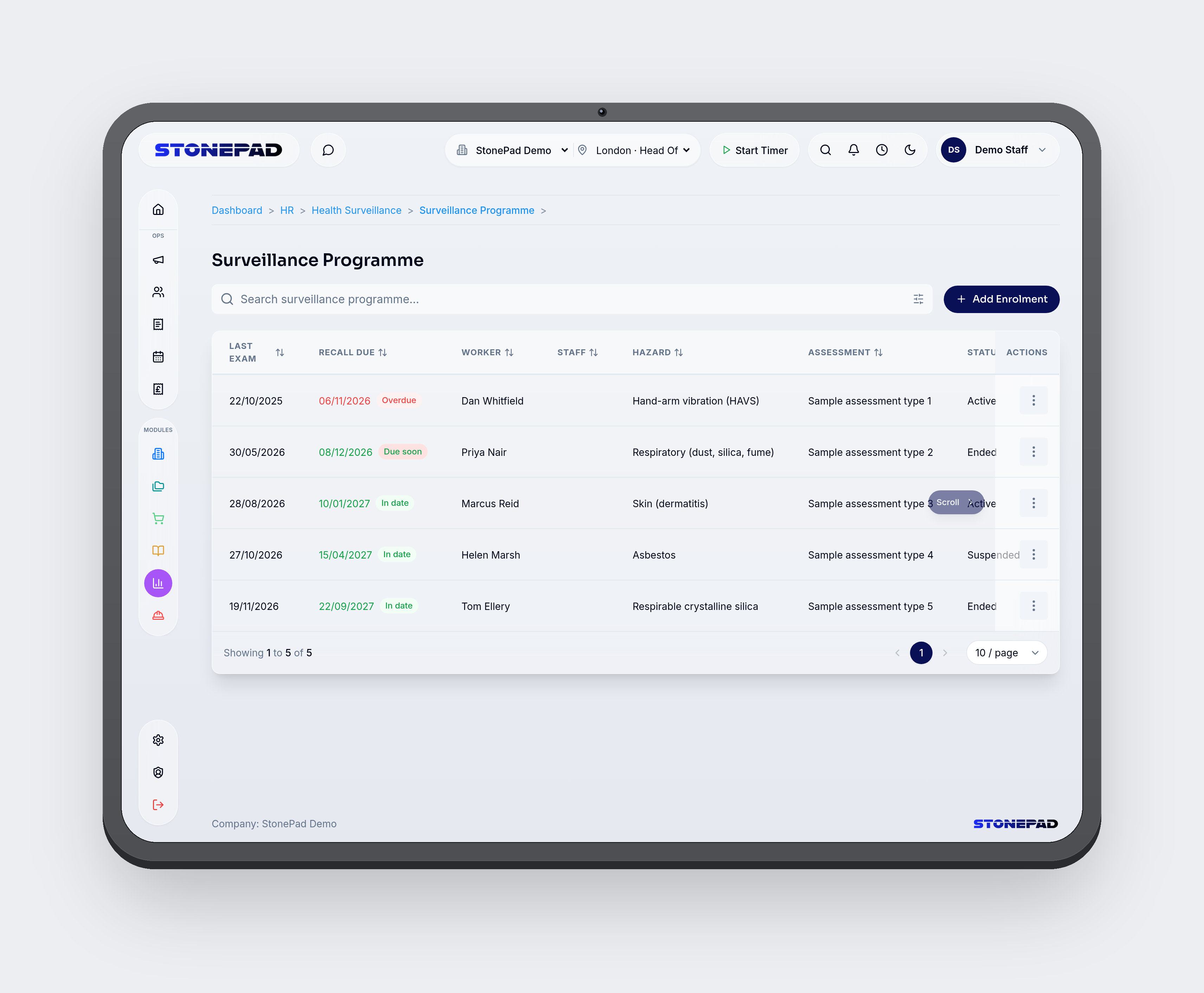
Recording a new health surveillance examination restarts the programme for you. The section is limited to HR and admin roles, and reports show fitness outcomes only. HAVS and noise exposure calculators are in the Calculators section.
SURVEILLANCE PROGRAMME
Enrol people by hazard with frequency and next due date
FITNESS RESTRICTIONS
Track restrictions, adjustments and review dates

Included in StonePad

REFERRAL OUTCOMES
Record referrals to occupational health and their outcomes
DUE DATES
See overdue and upcoming surveillance at a glance
CALCULATORS
Work out HAVS points and noise exposure in the app
Gallery
See it in action
Take a look at some of the screenshots of this module in StonePad.
No items found.
Problems
Health surveillance tracked in spreadsheets makes due dates, referrals and restrictions easy to miss.
Surveillance due dates in spreadsheets
Referrals with no recorded outcome
Restrictions that nobody reviews
Medical detail visible to too many people
HAVS and noise worked out by hand
Solutions
One programme per person and hazard, with due dates, referrals and restrictions kept in HR only.
Programme per person and hazard
Due dates restart with each examination
Referral outcomes recorded
Restrictions with review dates
HR and admin access only
Ready to start?