
See how contractors use
audits and snagging to
close out projects
Site safety inspections
Weekly
Snag lists for practical completion
Snags
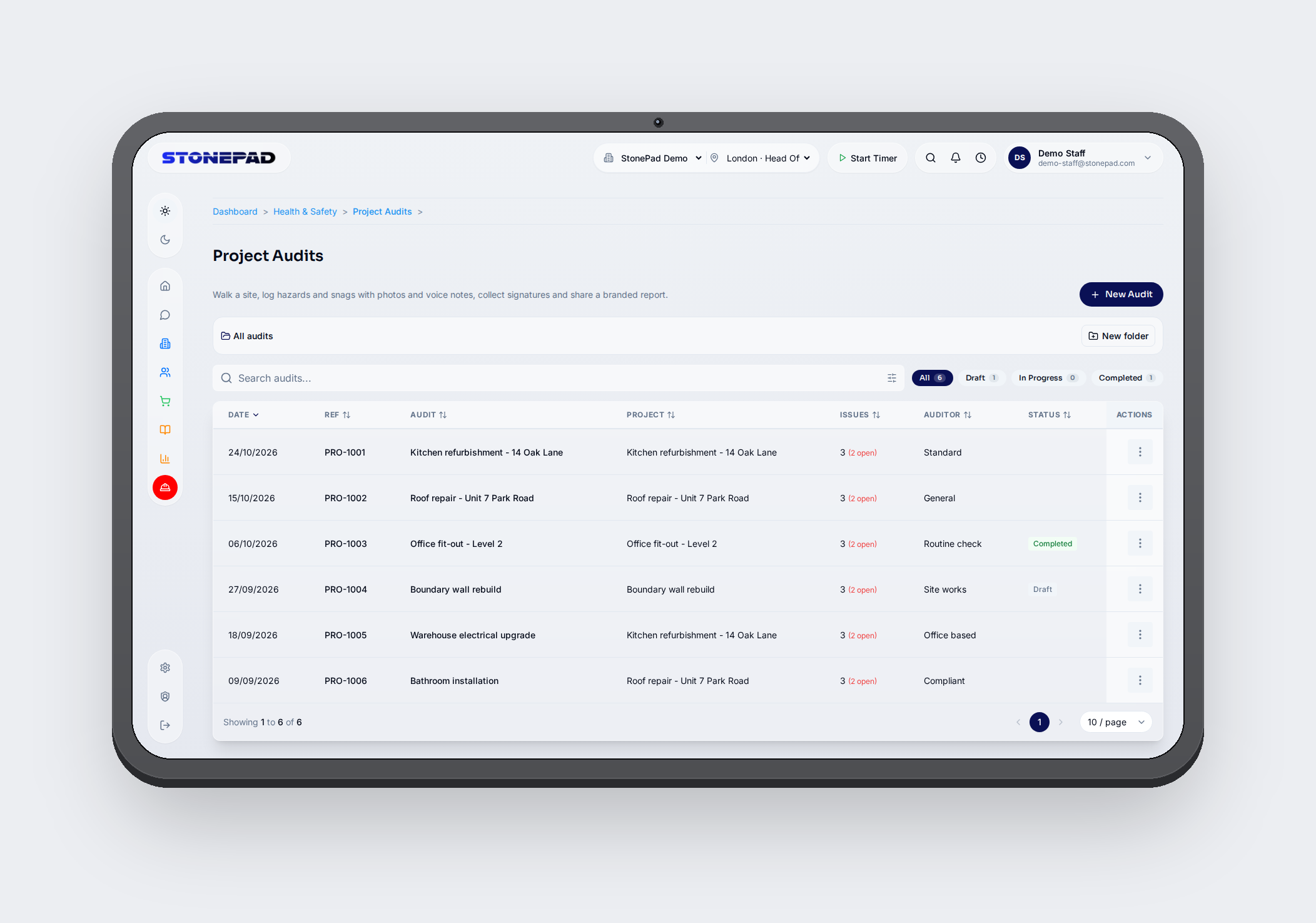
Issue and open counts per audit
Issues
Audits linked to their project
Projects



Working process
From a site walk to a
closed out project

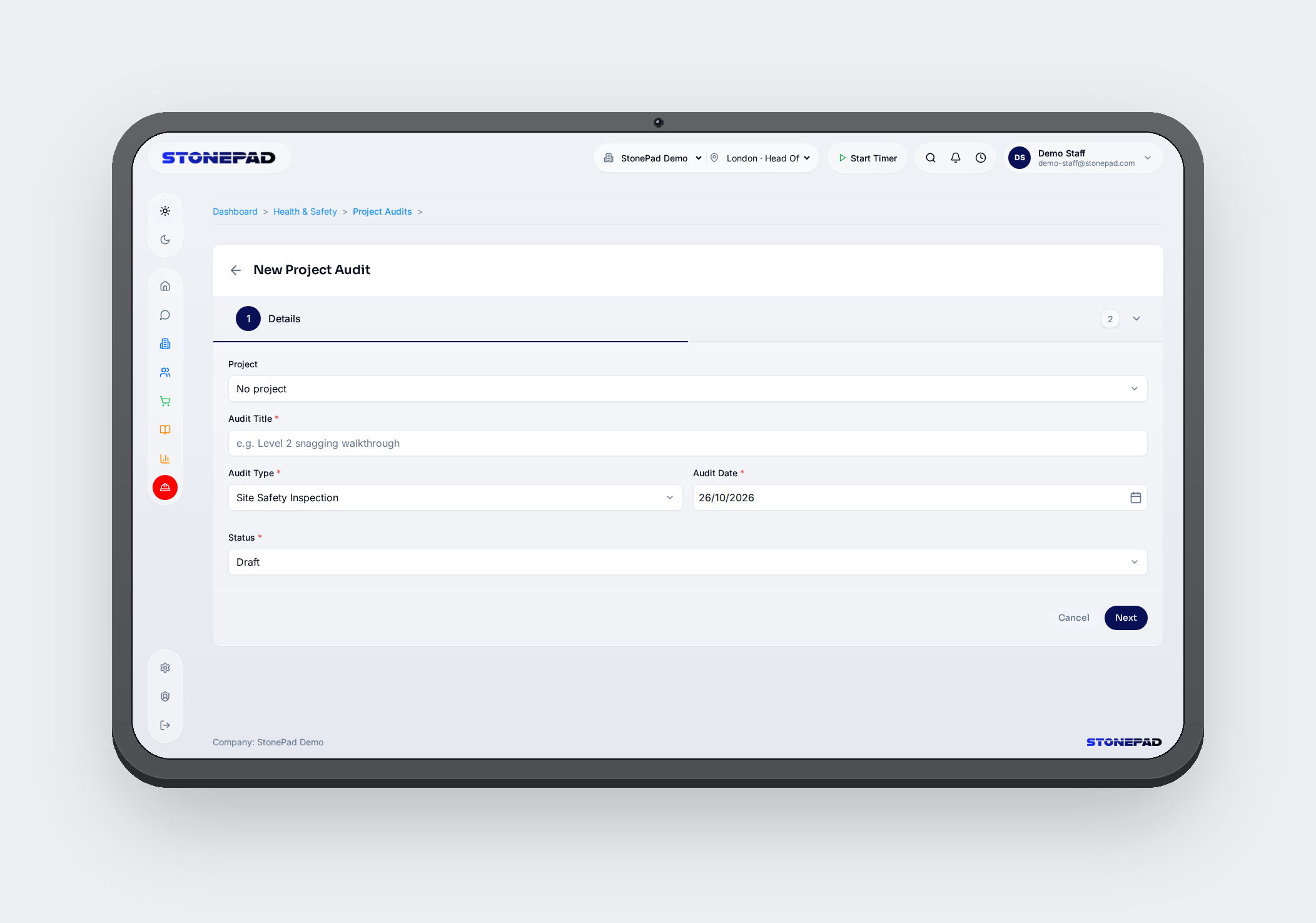
Start a new audit
01
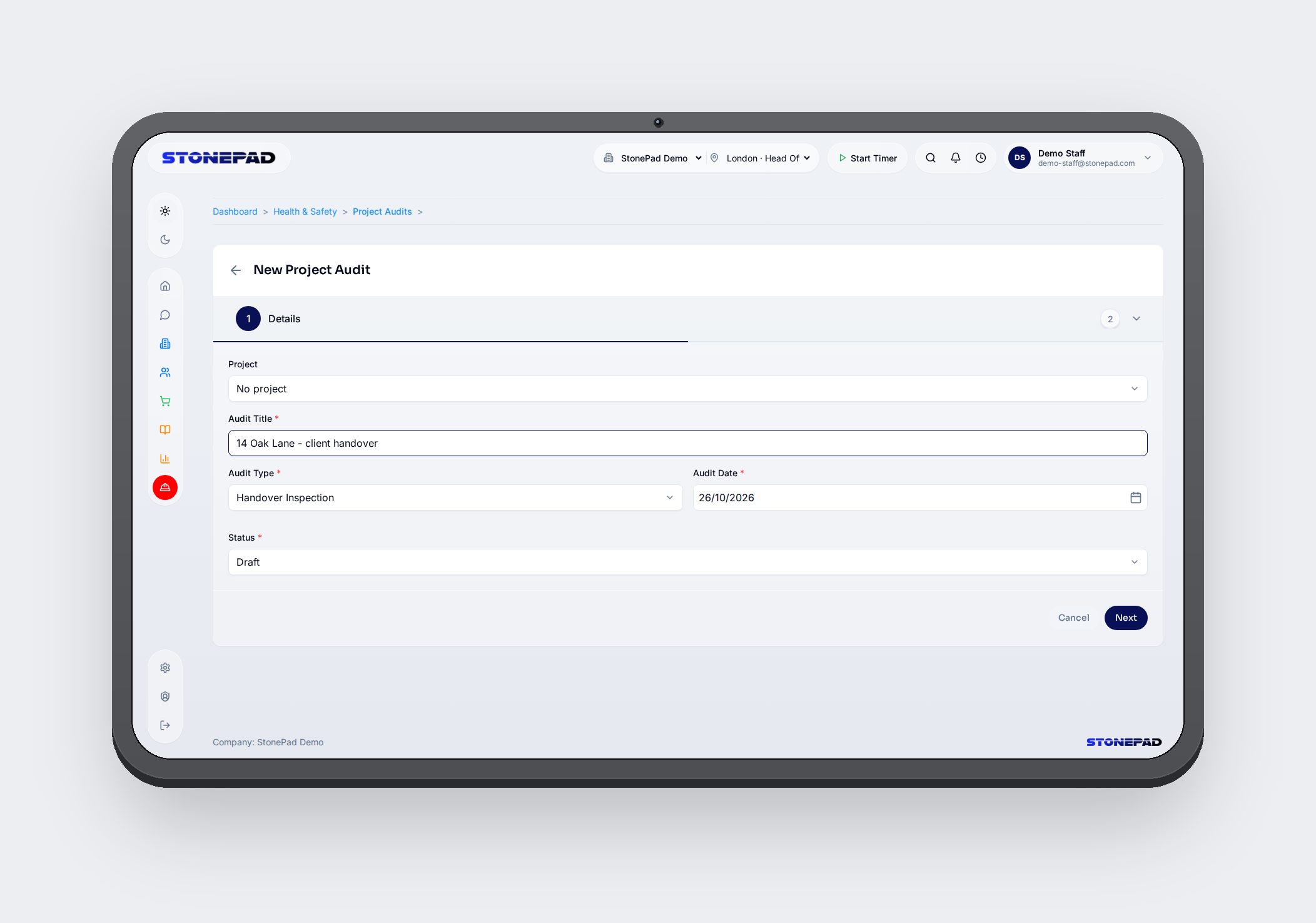
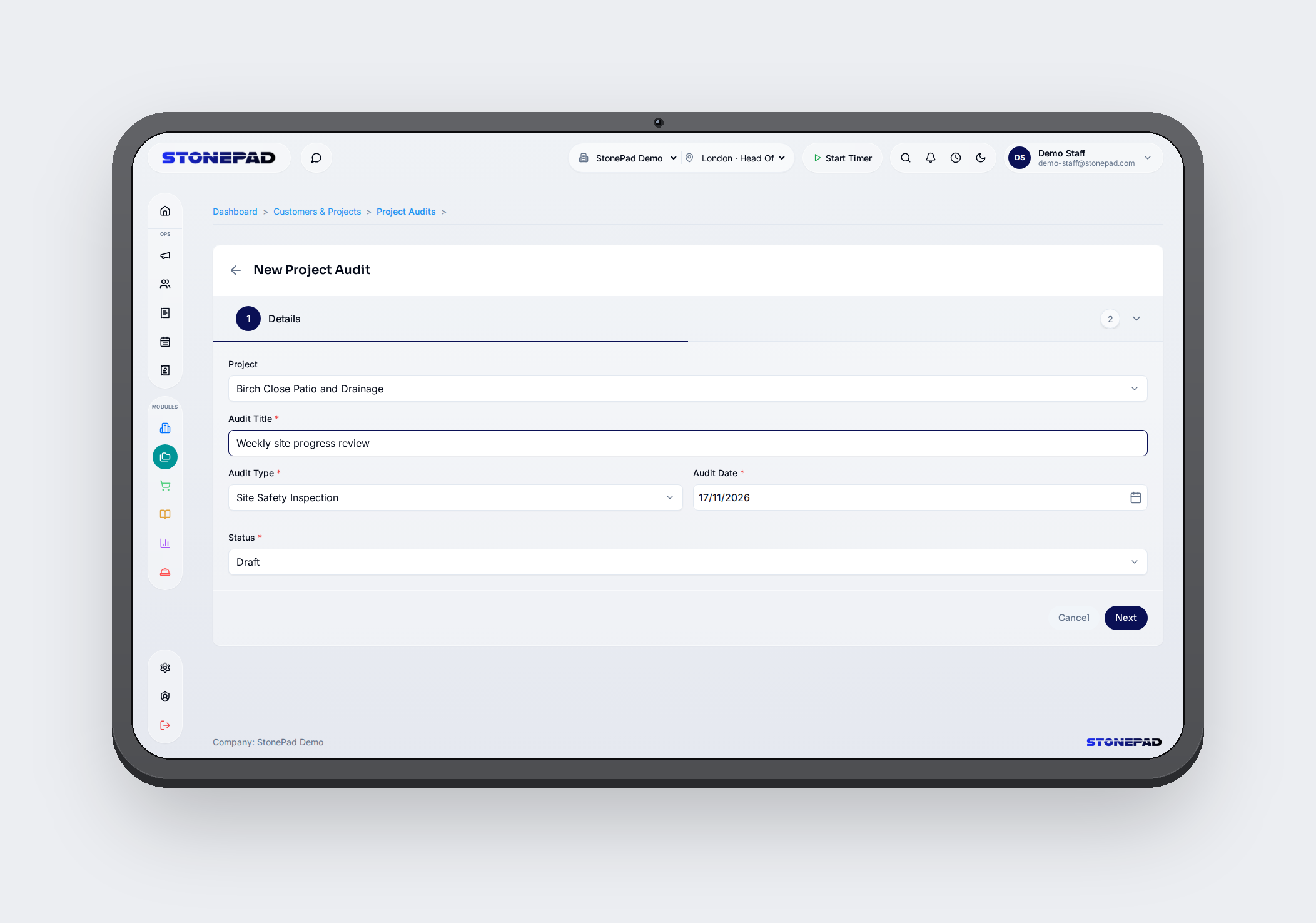
Choose the audit type and status, and link it to a project.
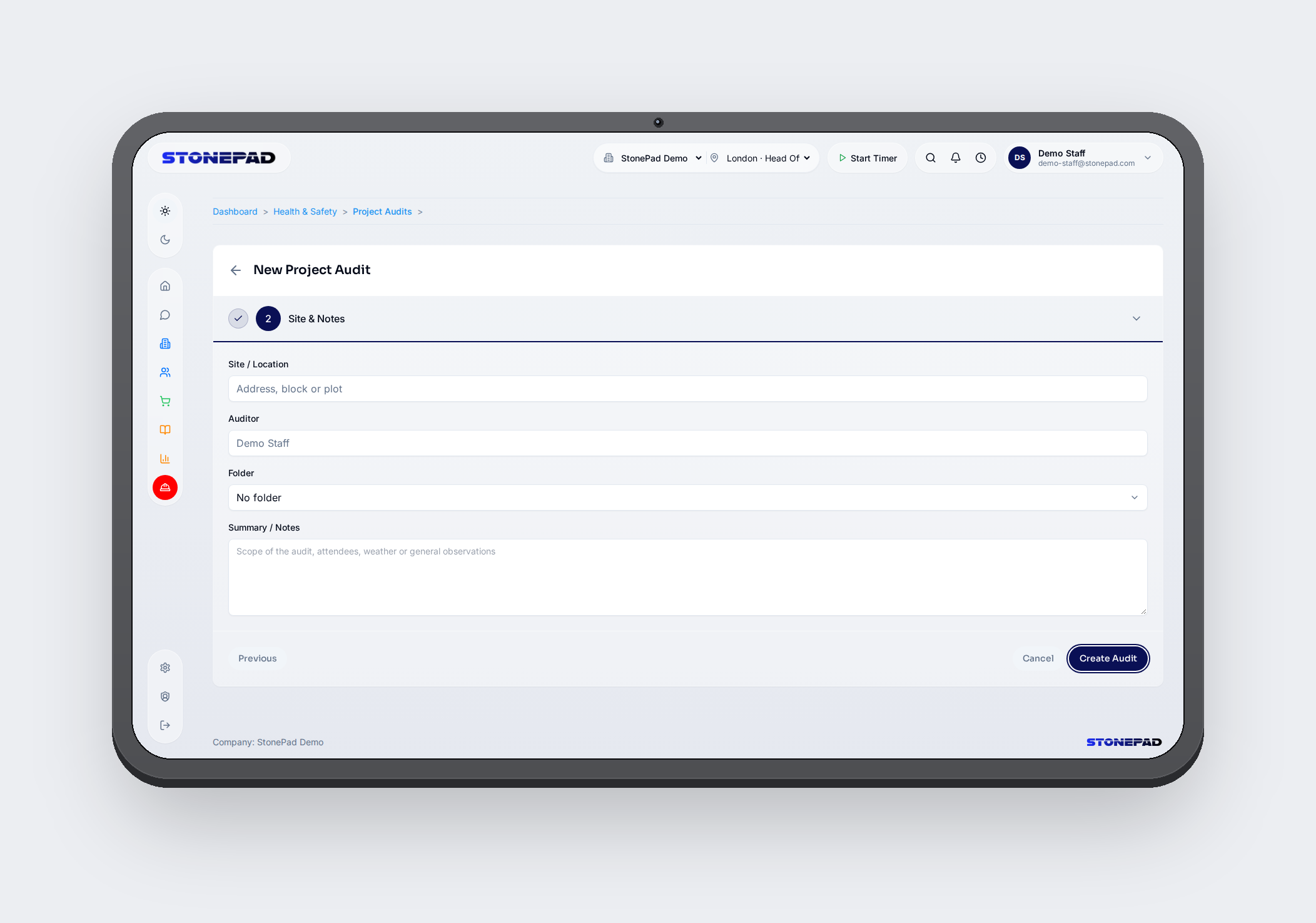
Fill in site and notes
02
Add the site details and notes for a weekly safety inspection.
Snag at completion
03
Use a snag list audit for practical completion, or a handover inspection.
Track open issues
04
Each audit shows issue and open counts so you can see what is outstanding.

How It Works
Everything an audit needs,
from first walk to handover
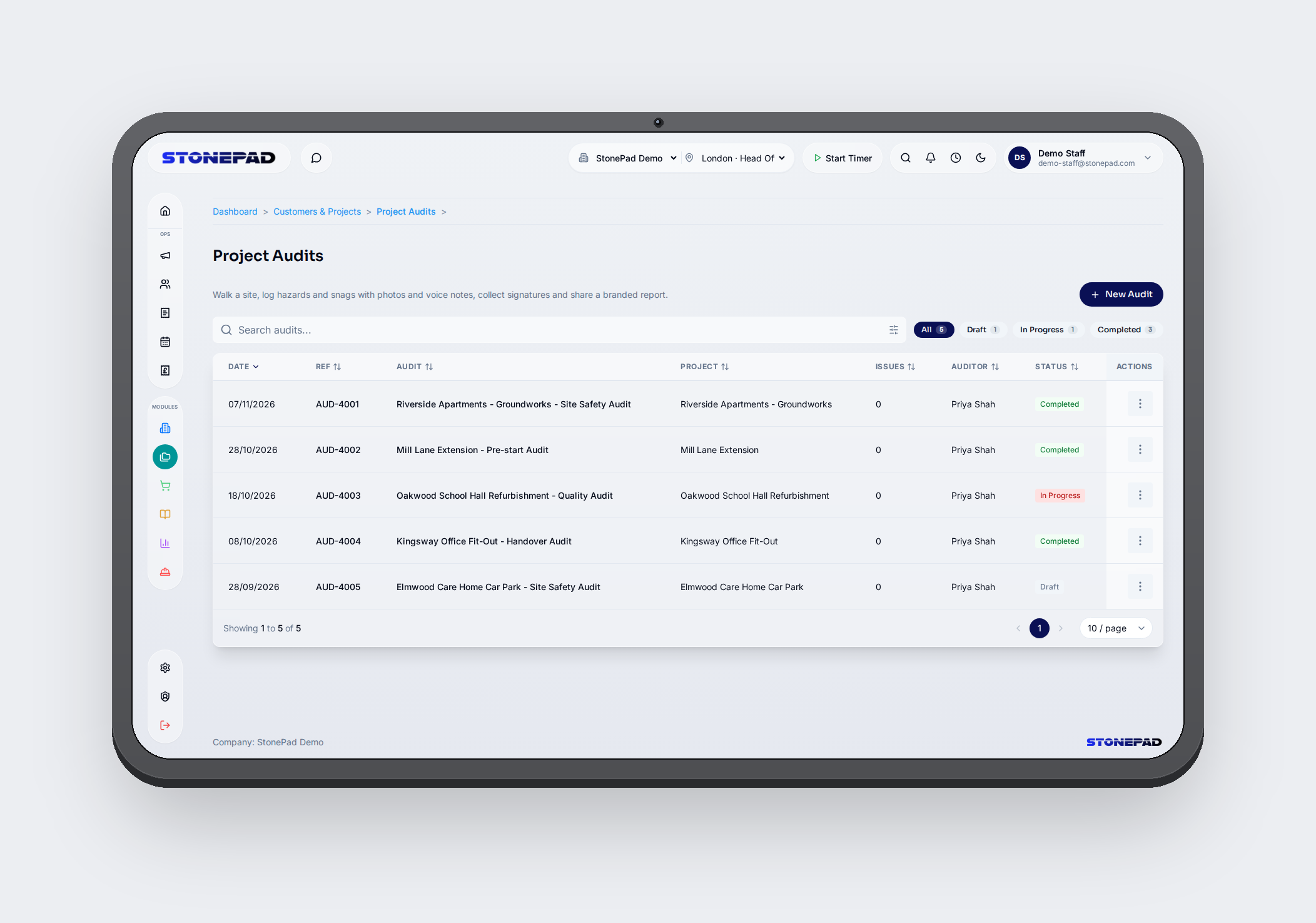
Audits can be linked to a project, and the Project audits list shows each audit with its auditor and issue counts.
AUDIT LIST
See every audit with status, issues and open counts
SITE SAFETY INSPECTION
Run a weekly site safety inspection with site and notes

Included in StonePad

NEW AUDIT
Choose the audit type, status and project
SNAG LIST
Run practical completion snagging as a snag list audit
PROJECT AUDITS
See every audit against its project with the auditor
Gallery
See it in action
Take a look at some of the screenshots of this module in StonePad.
No items found.
Problems
Paper snag lists and one-off inspections that leave open issues unclear.
Paper snag lists that get lost
Weekly inspections done but not recorded
No clear list of what is still open
Handover inspections with no record
Audits not linked to the project
Solutions
Inspections, handovers and snag lists in one place, linked to the project and counted until closed.
Audits and snag lists in one list
Weekly site safety inspections recorded
Issue and open counts on every audit
Handover inspections kept on file
Audits linked to the right project
Ready to start?