
See how HR teams stay
on top of right to work
and DBS dates
Warning window before a follow-up is due
60 days
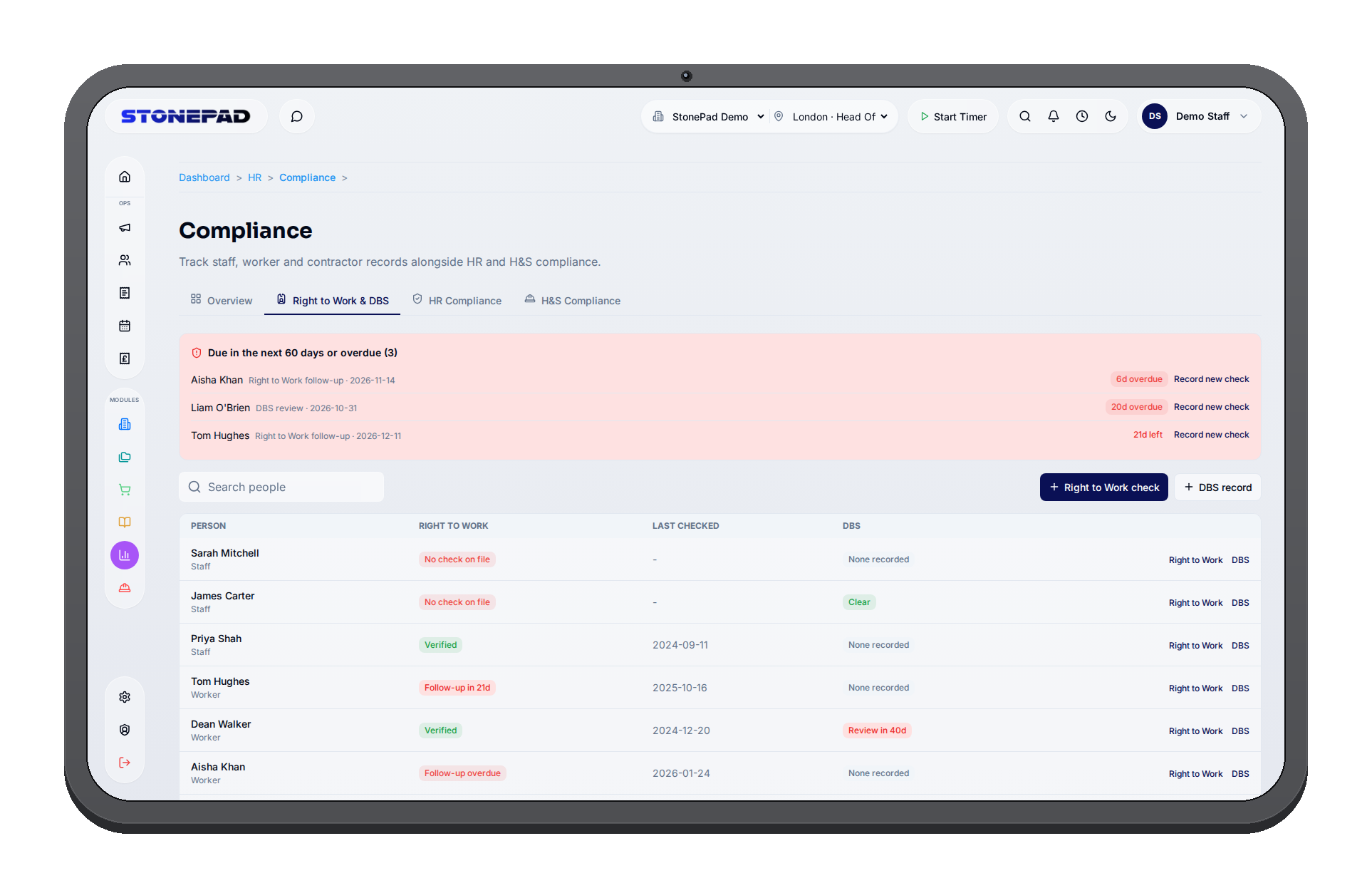
Right to work and DBS in one list
1 list
Capture the check when someone starts
Onboarding
Renew with a new check and keep history
History


Working process
From a new starter to
checks you can trust

Record the check
01
Add a right to work check with the share code, or a DBS record for the person.
Set the follow-up
02
Enter the date a right to work follow-up or DBS review is due.
Get warned early
03
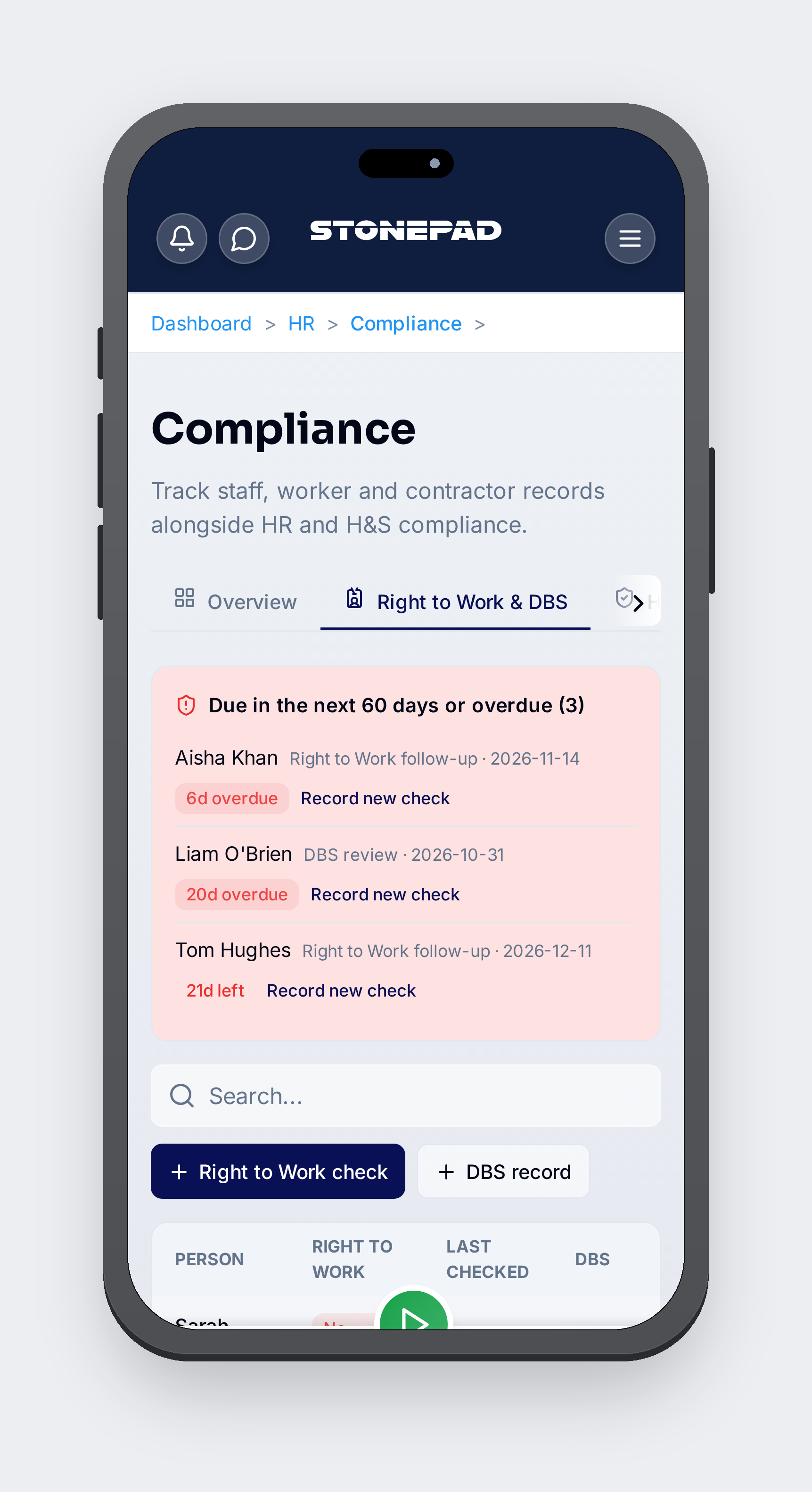
People due in the next 60 days or overdue show in a banner at the top.
Record the new check
04
Use Record new check to renew it and keep the history.


How It Works
Everything compliance needs,
in one place
The right to work step is part of the New Starters flow, and follow-ups due and overdue are counted on the HR dashboard.
CHECKS LIST
See right to work and DBS status for every person at a glance
NEW STARTERS
Capture the right to work check as part of onboarding

Included in StonePad

EXPIRY BANNER
Follow-ups due in 60 days or overdue appear at the top
DBS RECORDS
Record DBS certificates and set a review date
HR DASHBOARD
See follow-ups due and overdue on the HR dashboard
Gallery
See it in action
Take a look at some of the screenshots of this module in StonePad.
No items found.
Problems
Share codes in emails, DBS dates in spreadsheets and checks that expire without anyone noticing.
Share codes lost in email
DBS dates kept in spreadsheets
Right to work checks that quietly expire
No clear list of who needs a follow-up
Onboarding with no check recorded
Solutions
Record every right to work check and DBS certificate in StonePad and get warned before a follow-up is due.
Right to work and DBS in one list
Follow-up and review dates recorded
Warning for anything due in 60 days
Check captured in the New Starters flow
Follow-ups counted on the HR dashboard
Ready to start?