
See how teams use
annual leave tracking to
keep holidays organised
To request any time off
1 form
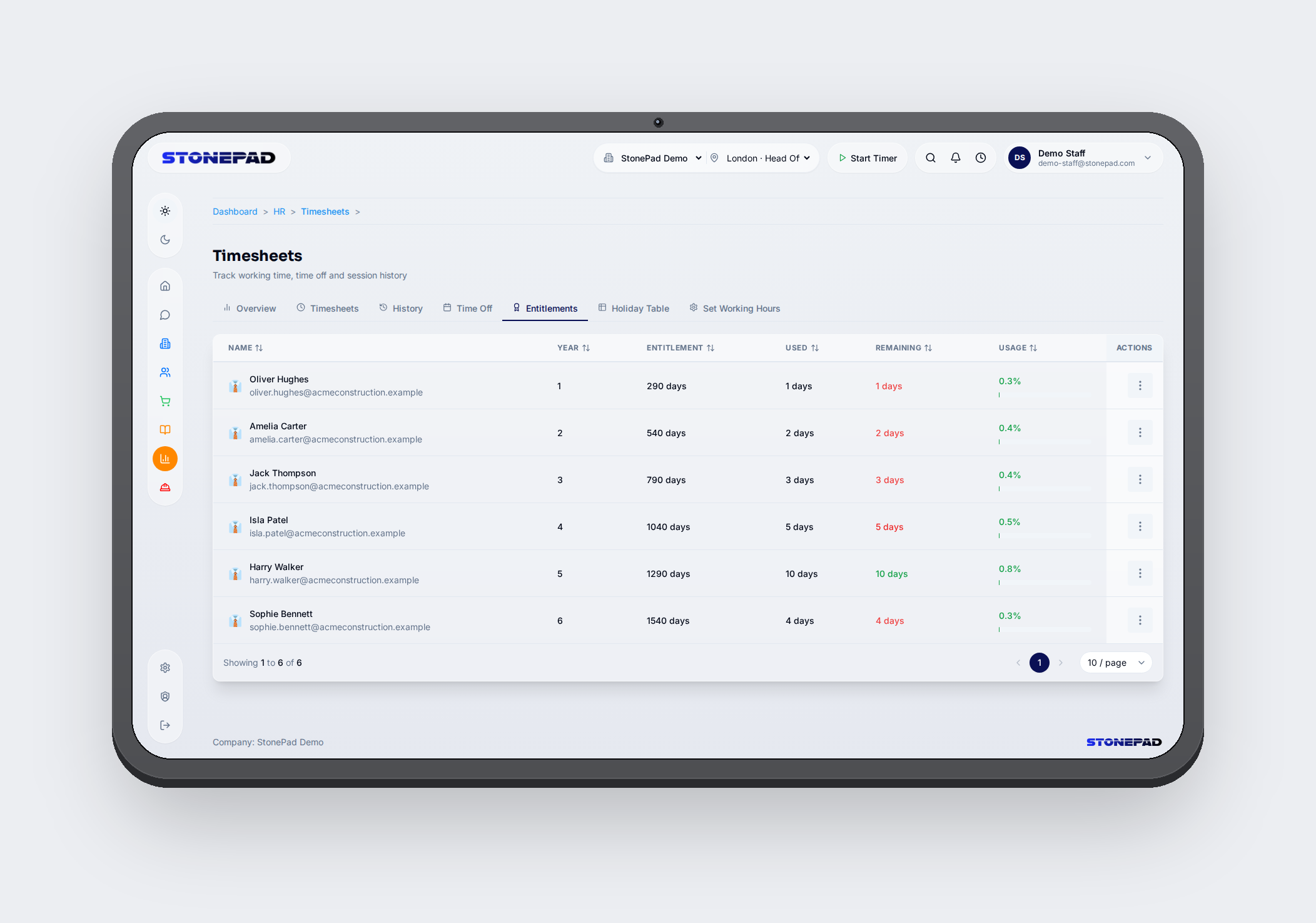
Entitlement, used and remaining
Days
Shown on every request
Status
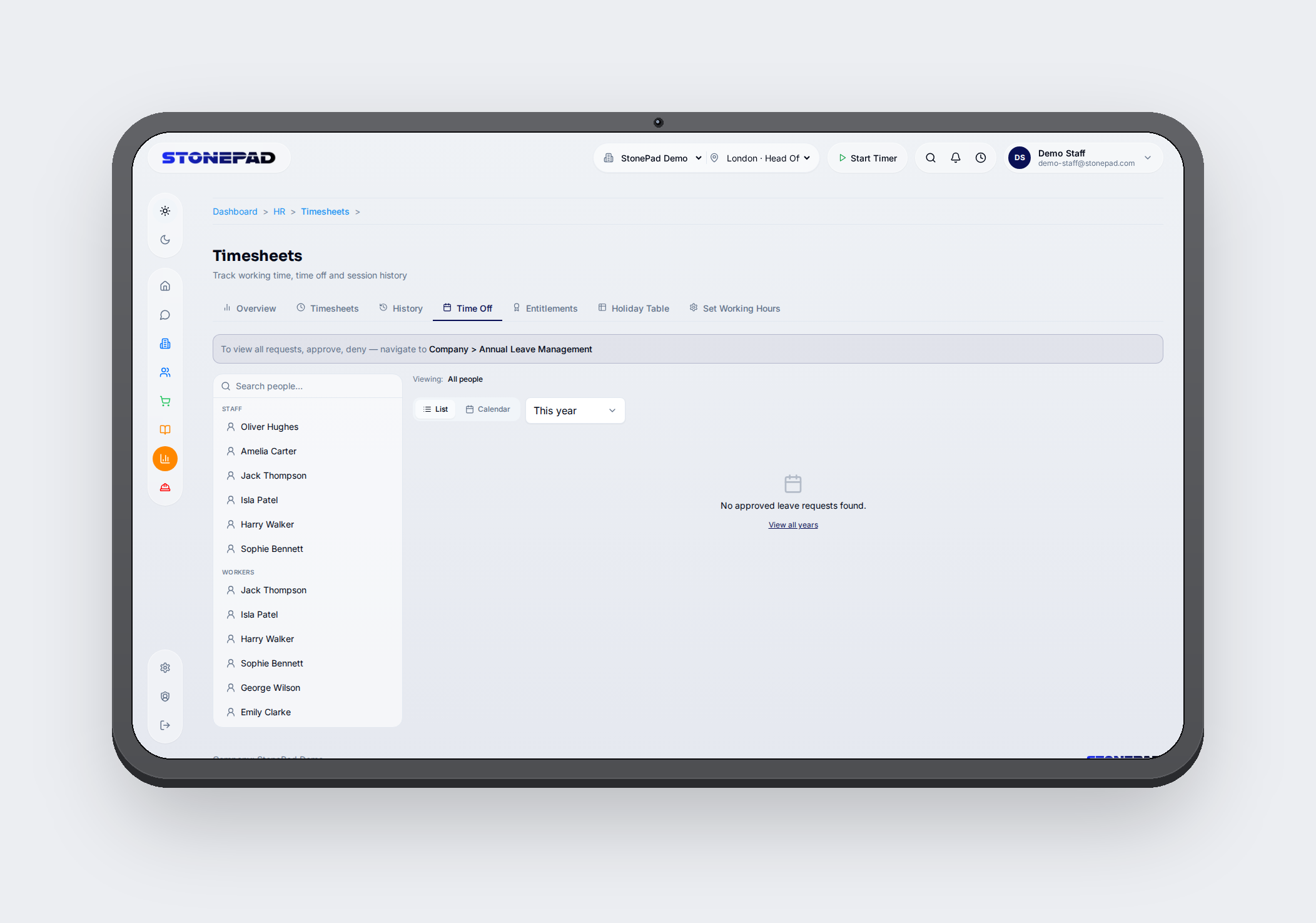
Approved leave shown on the Time off tab
Timesheets



Working process
From a leave request to
approved time off

Request time off
01
Pick the leave type and dates on the request form.
See the status
02
Every request shows its dates, duration and status.
Track entitlement
03
Entitlement, used and remaining days sit in one table.
Approved leave in timesheets
04
Approved leave shows on the Time off tab in timesheets.


How It Works
Everything leave needs,
in one place
Approved leave appears on the Time off tab in timesheets, keeping holiday and working time in the same place.
LEAVE REQUESTS
See every request with its dates, duration and status
ENTITLEMENTS
See entitlement, days used and days remaining

Included in StonePad

NEW REQUEST
Choose a leave type and dates in one short form
APPROVALS
Follow each request from pending to approved
TIME OFF IN TIMESHEETS
Approved leave appears on the Time off tab in timesheets
Gallery
See it in action
Take a look at some of the screenshots of this module in StonePad.
No items found.
Problems
Holiday requests on WhatsApp and spreadsheets that nobody can keep up to date.
Holiday requests sent by text or WhatsApp
Spreadsheets of days used that are out of date
Not sure who is off and when
Staff unsure how many days they have left
Time off missing from timesheets
Solutions
Requests, approvals and entitlements in one place, with approved leave showing in timesheets.
Staff request leave in one short form
Every request shows its status
Entitlement, used and remaining days in a table
Approved leave listed for the team
Approved leave on the Time off tab in timesheets
Ready to start?