
See how contractors use
the policy generator to
keep paperwork up to date
H&S, other policies, two handbooks and training
5 areas
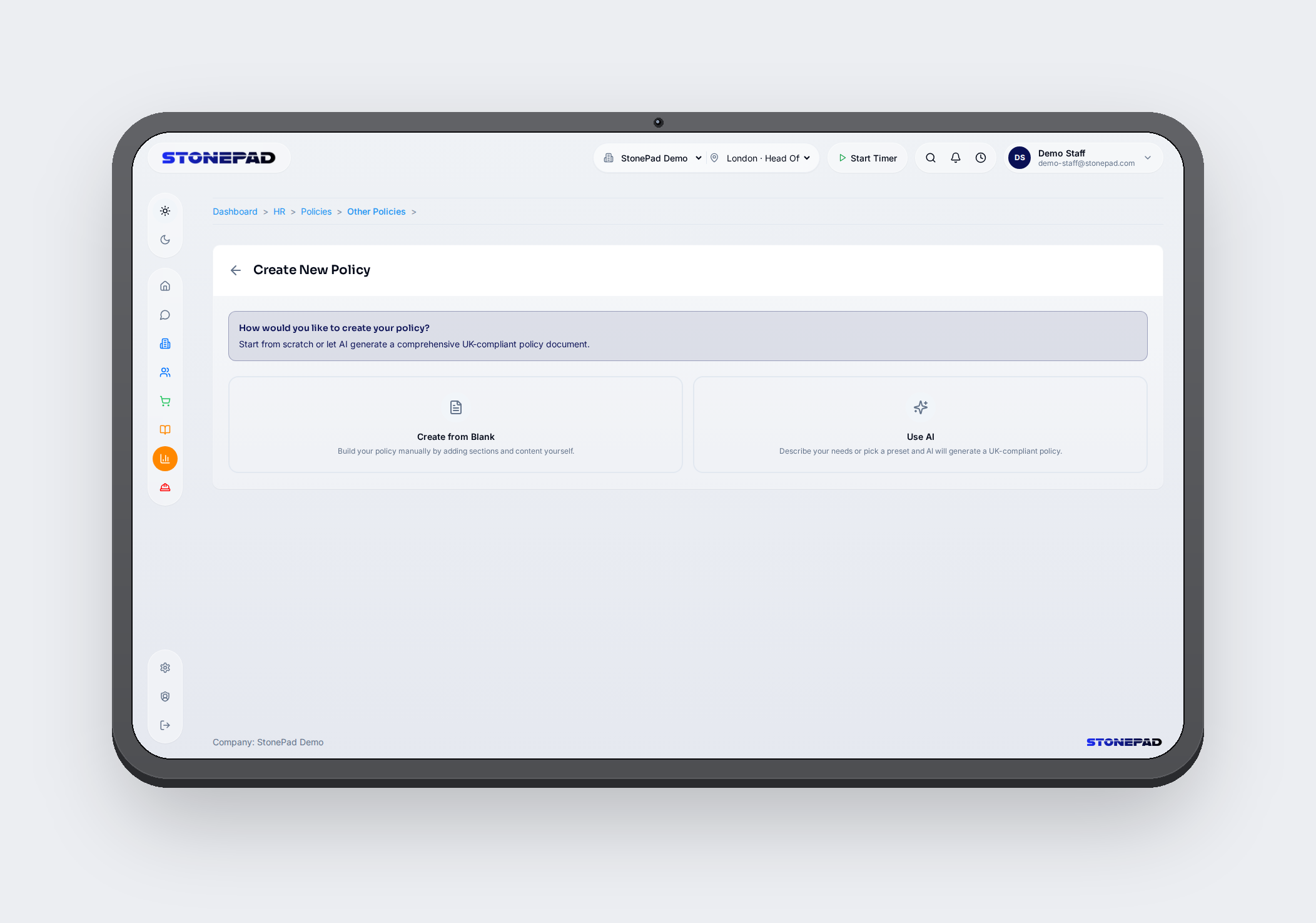
Upload, template or create a policy
3 ways
Draft help, edited by you
AI
For every company policy
1 hub



Working process
From a missing policy to a
policy ready to share

Open the policies hub
01
Find your H&S policy, other policies, handbooks and annual training in one place.
Choose how to start
02
Upload an existing policy, select a template or create one from blank or with AI.
Pick the policy type
03
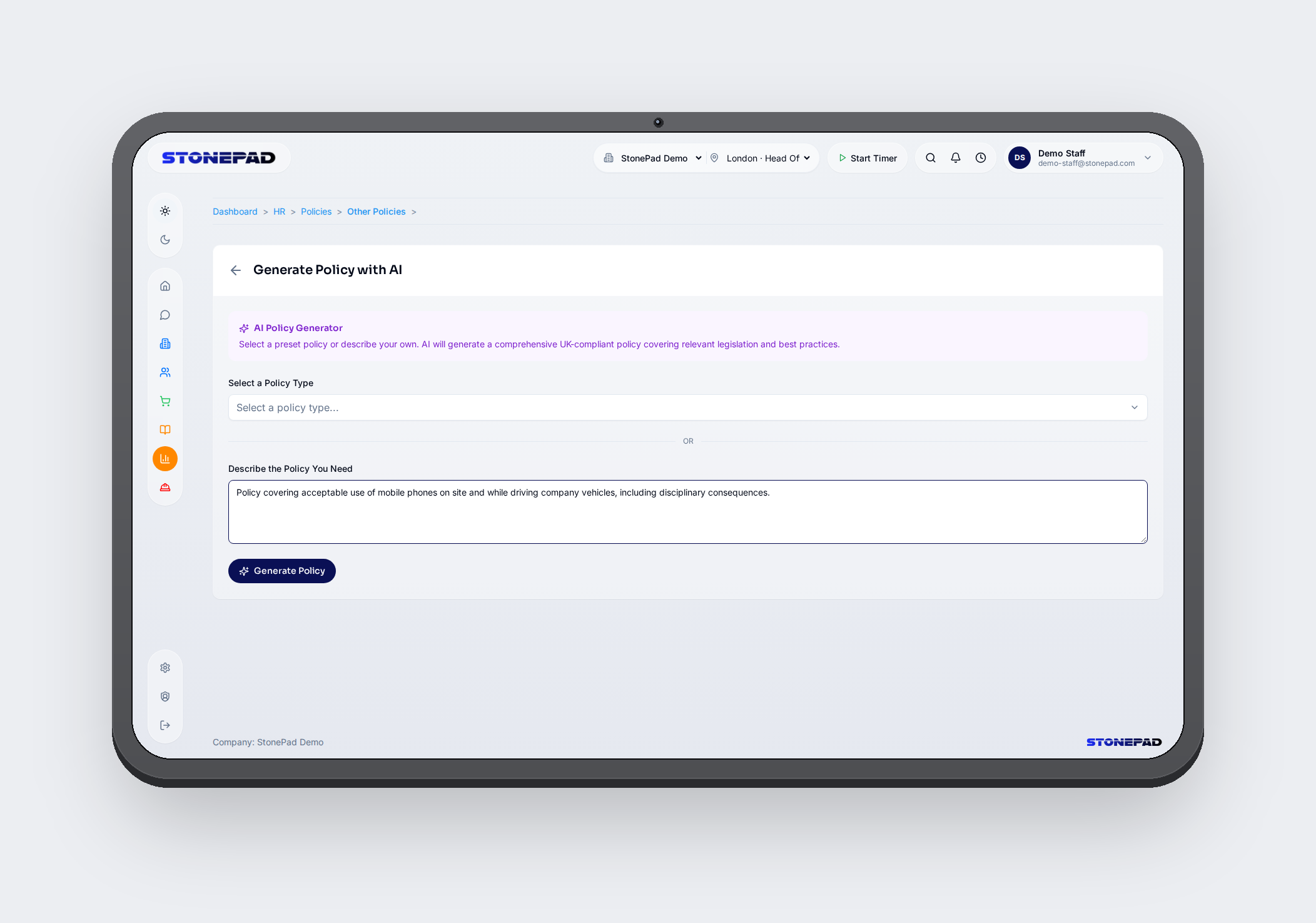
Choose the type of policy you need and generate a draft.
Review and keep it
04
Edit the draft to fit your company and store it with your other policies.


How It Works
Everything your policies need,
in one hub
The AI policy generator asks for a policy type and creates a draft. Treat it as a first draft: review it, edit it to fit your company and keep it with your other policies.
POLICIES HUB
Keep your H&S policy, handbooks and training in one hub
BLANK OR AI
Start from a blank page or let AI draft it

Included in StonePad

OTHER POLICIES
Upload, select a template or create a policy from one list
AI GENERATOR
Choose a policy type and generate a draft
HANDBOOKS
Keep the safety and HR handbooks beside your policies
Gallery
See it in action
Take a look at some of the screenshots of this module in StonePad.
No items found.
Problems
Policies written from scratch, buried in folders and out of date when a client asks.
Writing each policy from scratch
Policies stored in different folders
Out of date documents sent to clients
No handbook to give new starters
Unsure which policies you are missing
Solutions
Create, upload and keep every policy in one hub, with AI to get the first draft down.
Create a policy from blank or with AI
Upload or select a template in one list
One hub for every policy and handbook
Safety and HR handbooks kept beside them
A clear list of the policies you have
Ready to start?