

20% OFF
ON ALL PLANS*
HSE Software Since 2025
IOSHH & SSSTS Qualified
New
JustRAMS
Learn more
Learn more

Ask

StonePad Assistant
and stay
in control of every draft

StonePad Assistant sits inside your health and safety software. Use Ask mode for guidance on UK H&S, HR law or how to use StonePad, with suggested questions to get you started.

See how teams use

Ask and Generate
to get a head start on paperwork

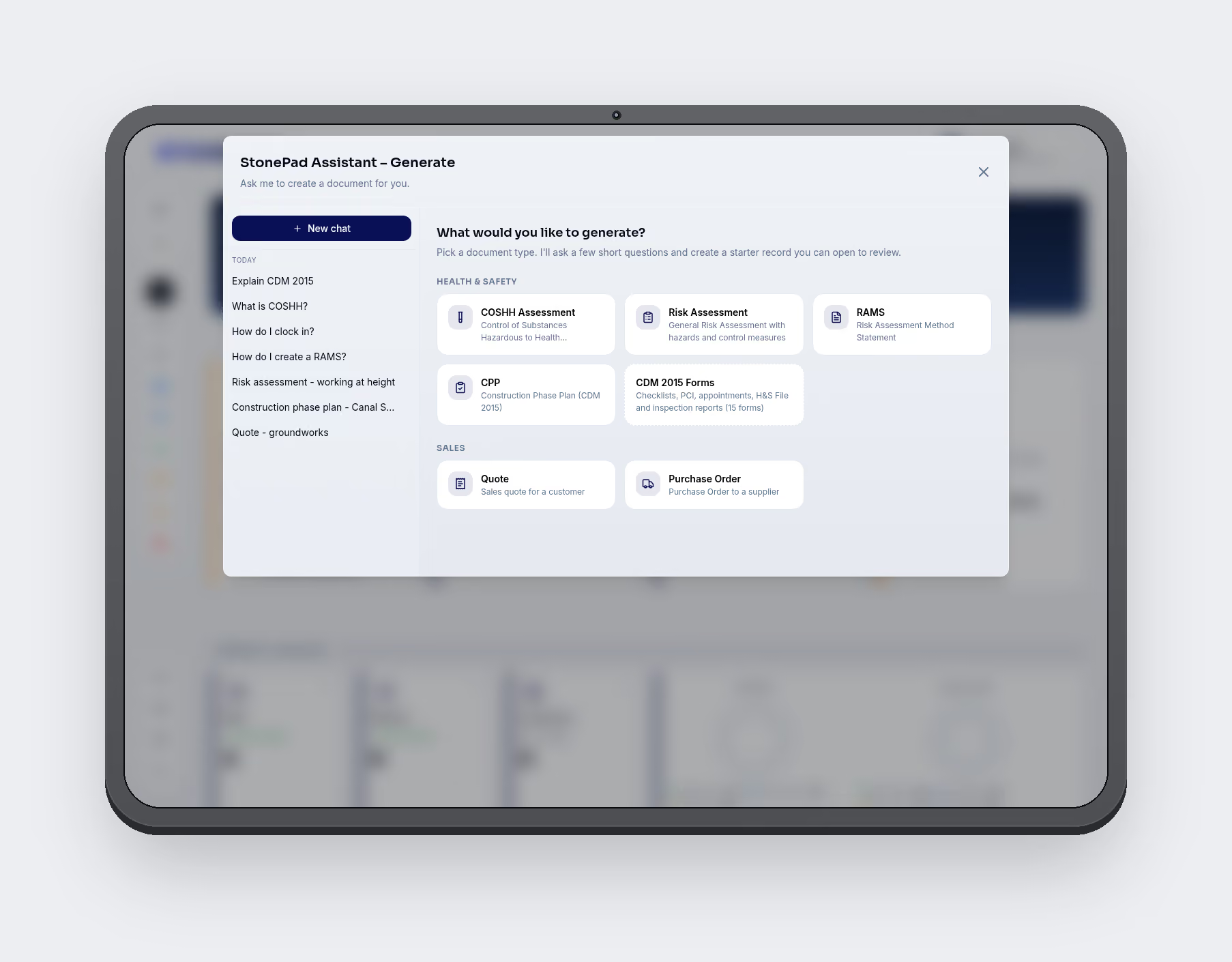
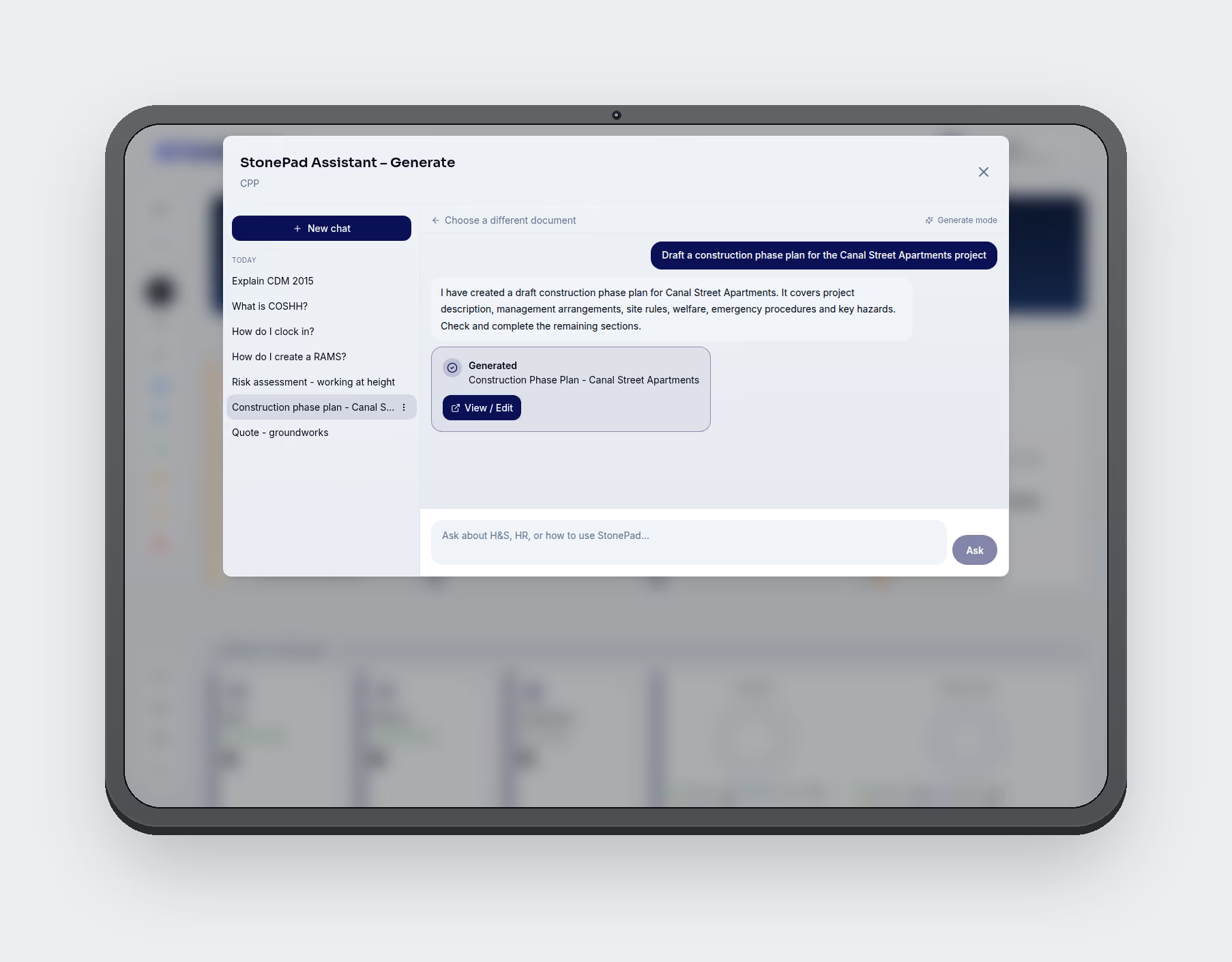
Use Generate mode to draft a COSHH Assessment, Risk Assessment, RAMS, CPP, Quote, Purchase Order or one of 15 CDM 2015 forms as a starting point for you to complete.

Types of document it can draft for you
21
CDM 2015 forms it can help you complete
15
Ways to work: ask questions or generate documents
2
Ready-made questions to get you started
6
StonePad AI Assistant on a tablet
Bridge saw cutting a marble slab
Working process

From a blank page to

a draft you control
Open the assistant
01

Open StonePad Assistant from the menu or button and choose Ask mode or Generate mode.

Ask for guidance
02

Ask about UK H&S, HR law or how to use StonePad, or tap a suggested question to start.

Pick a document to draft
03

In Generate mode choose COSHH, RA, RAMS, CPP, Quote, PO or a CDM 2015 form as your starting point.

Review and finish it
04

Open the draft with View / Edit, check every detail and complete it. A competent person reviews it before use.
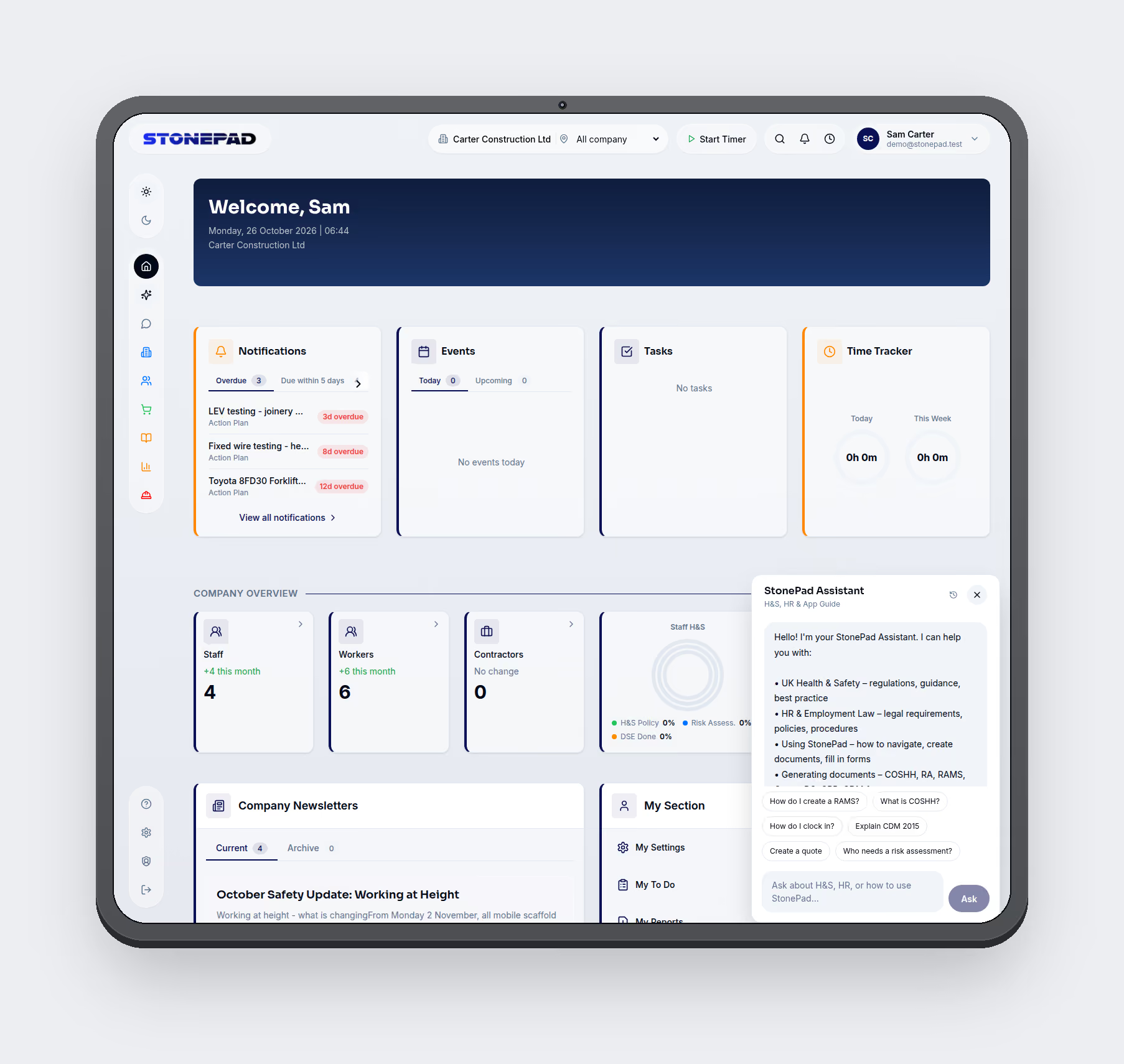
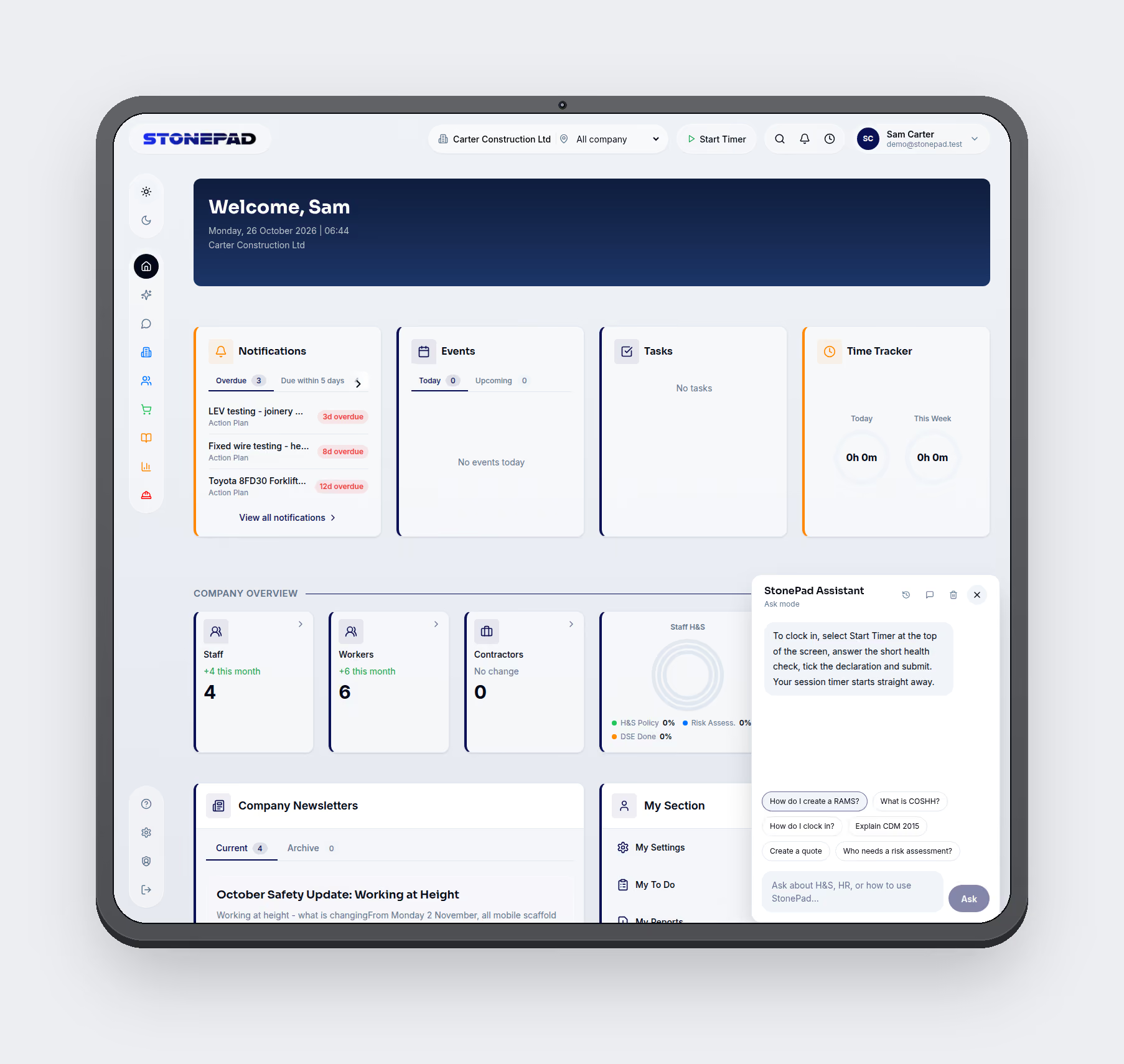
StonePad AI Assistant: assistant panel with suggested questions
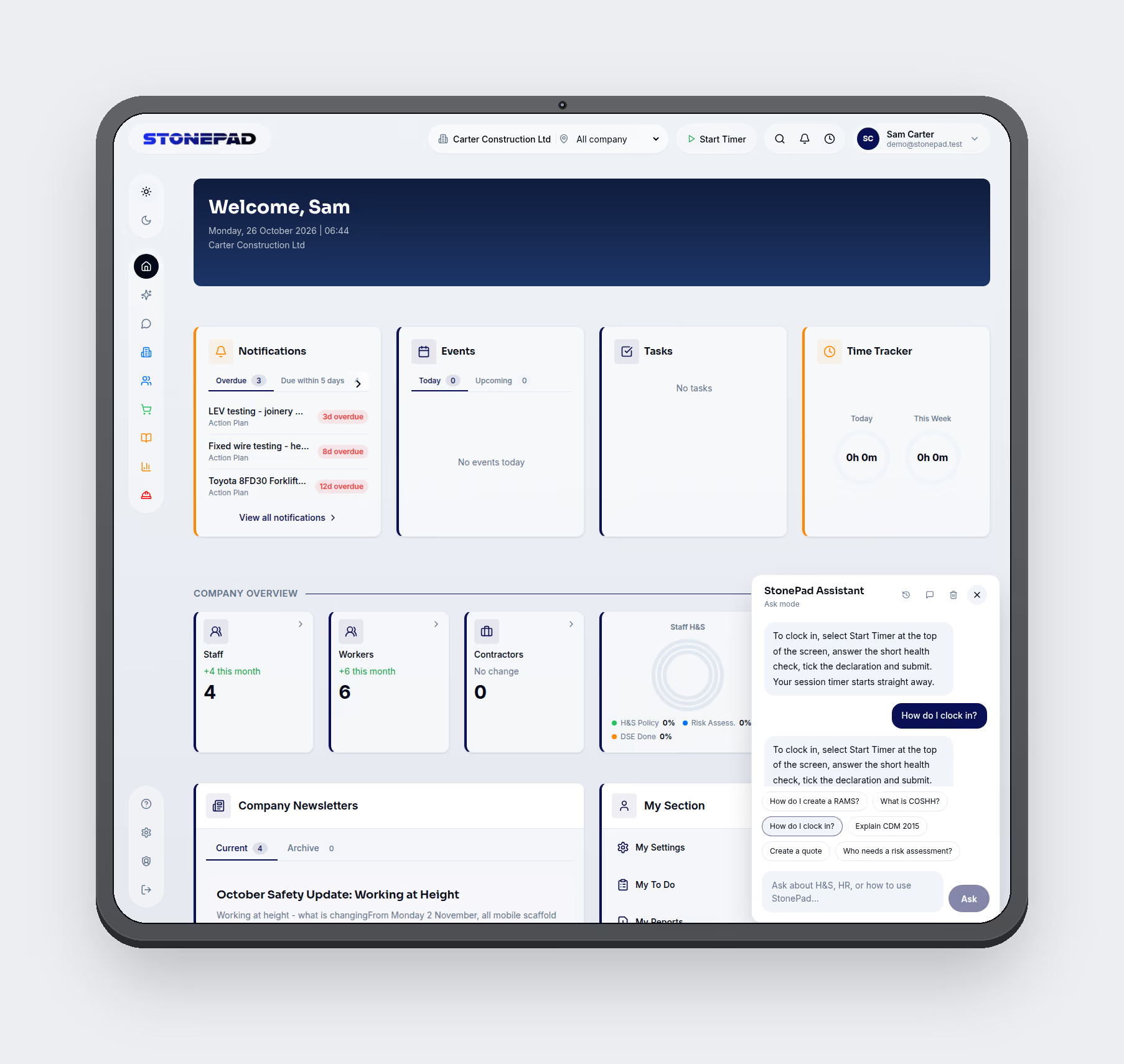
StonePad AI Assistant: ask how do i create a rams
StonePad AI Assistant: generate mode document types
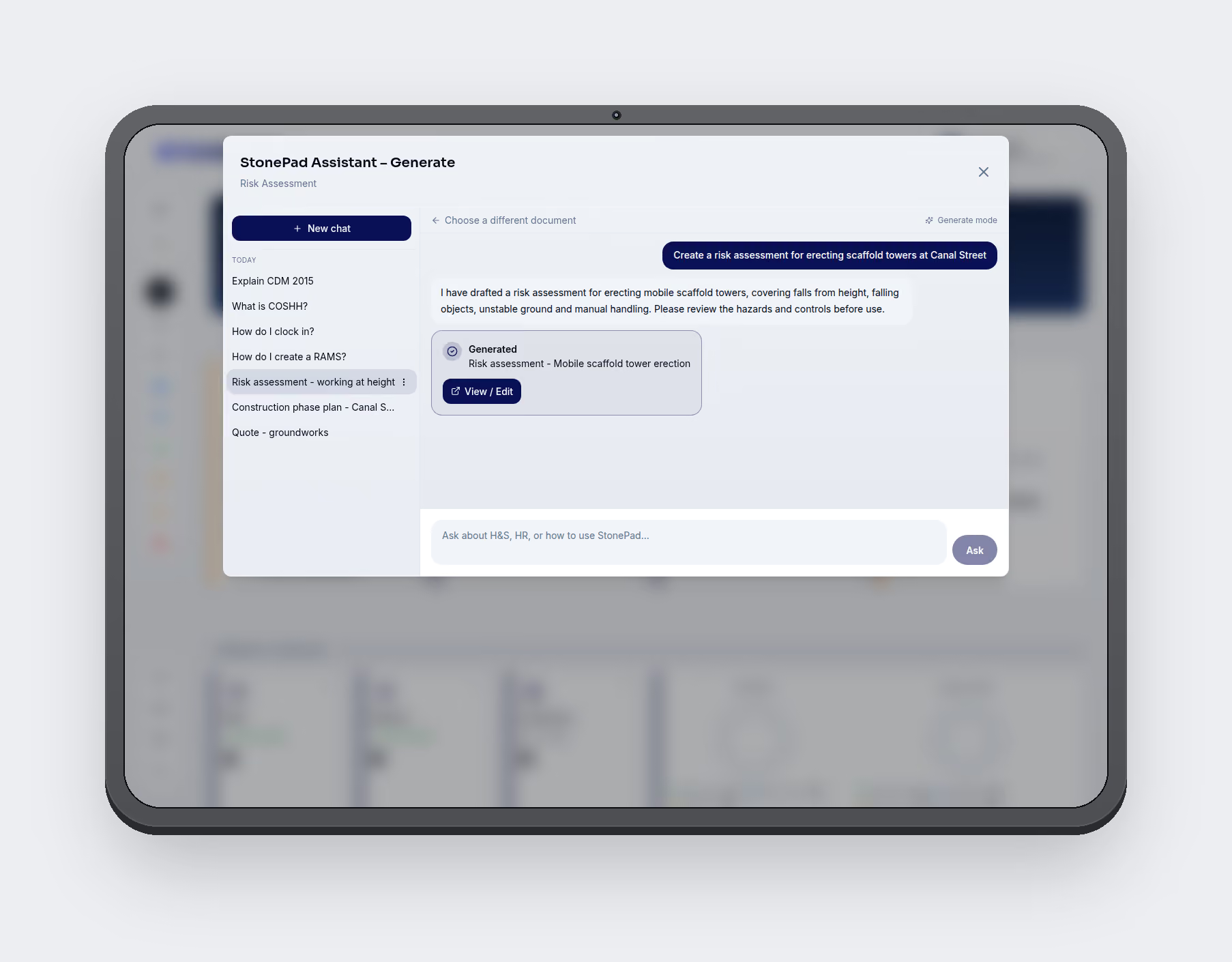
StonePad AI Assistant: generated risk assessment draft
How It Works

A helpful assistant for your safety paperwork,

with you in charge

You stay in control. Every draft opens with View / Edit so you can check and finish it, and all content must be reviewed by a competent person before use.

GENERATE A DRAFT
Generate a risk assessment draft, then review and edit it
ASK A QUESTION
Ask the StonePad Assistant how to use StonePad
Forklift lifting a large stone slab in a yard
Included in StonePad
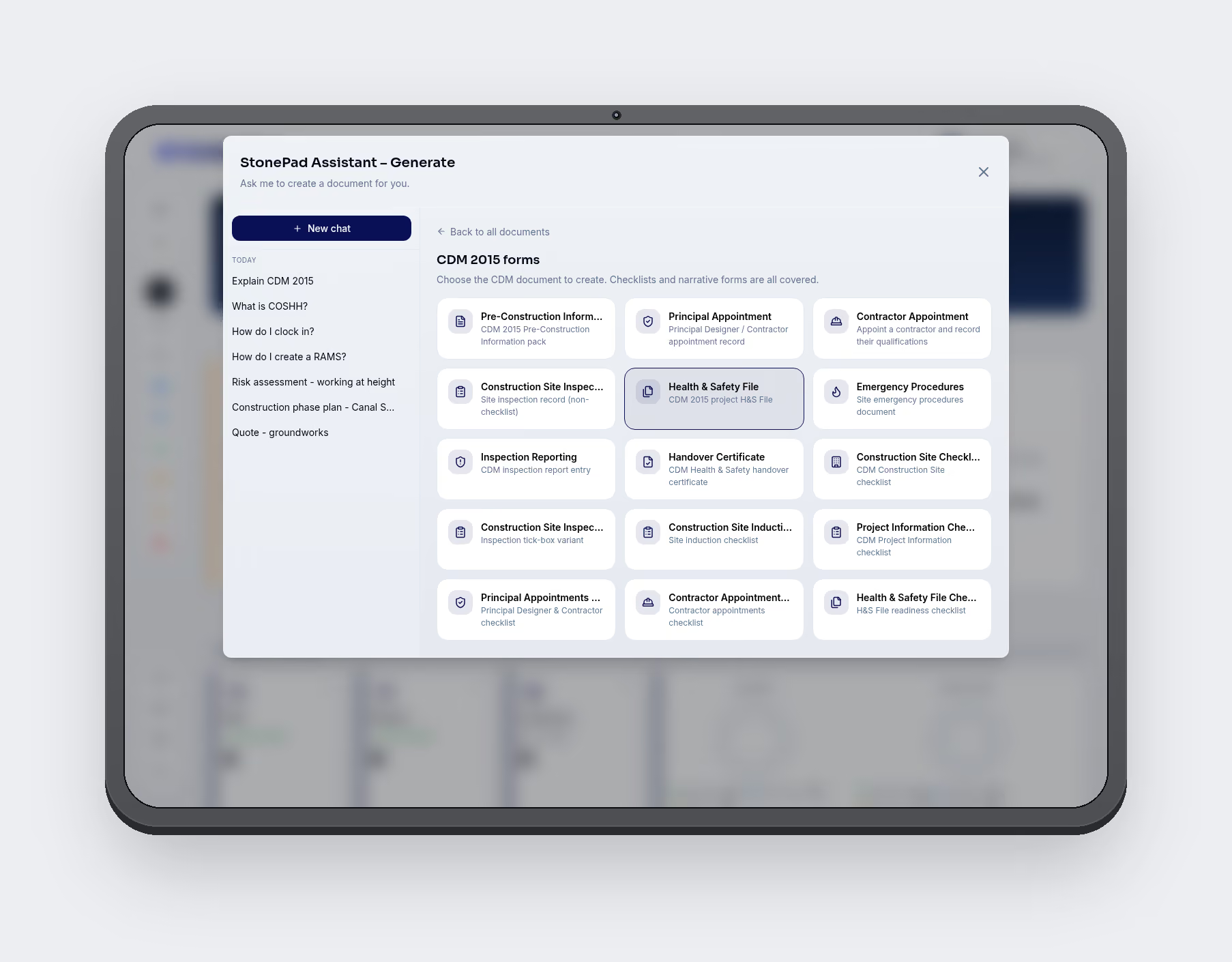
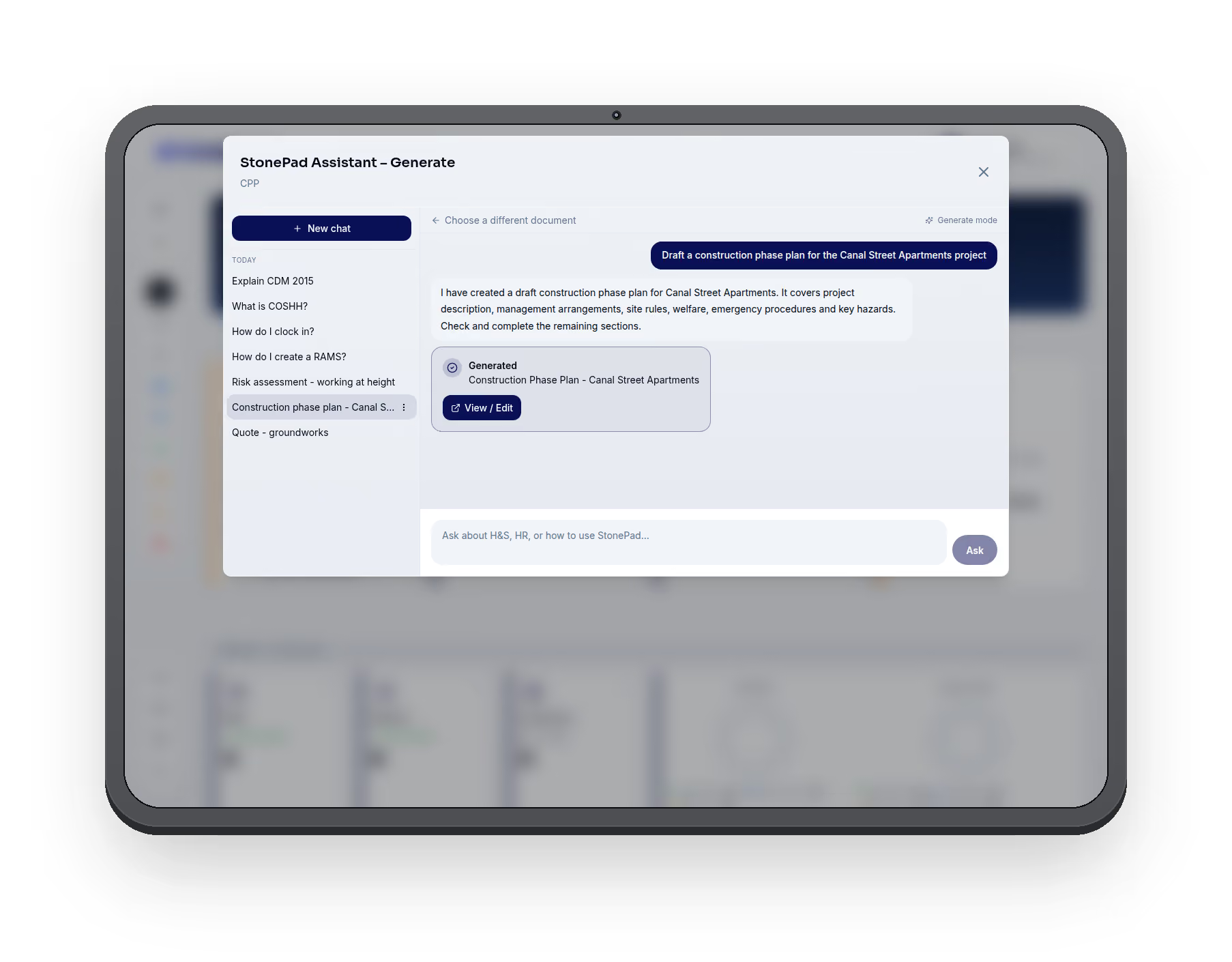
CDM 2015 FORMS
Choose a CDM 2015 form to draft from the Generate picker
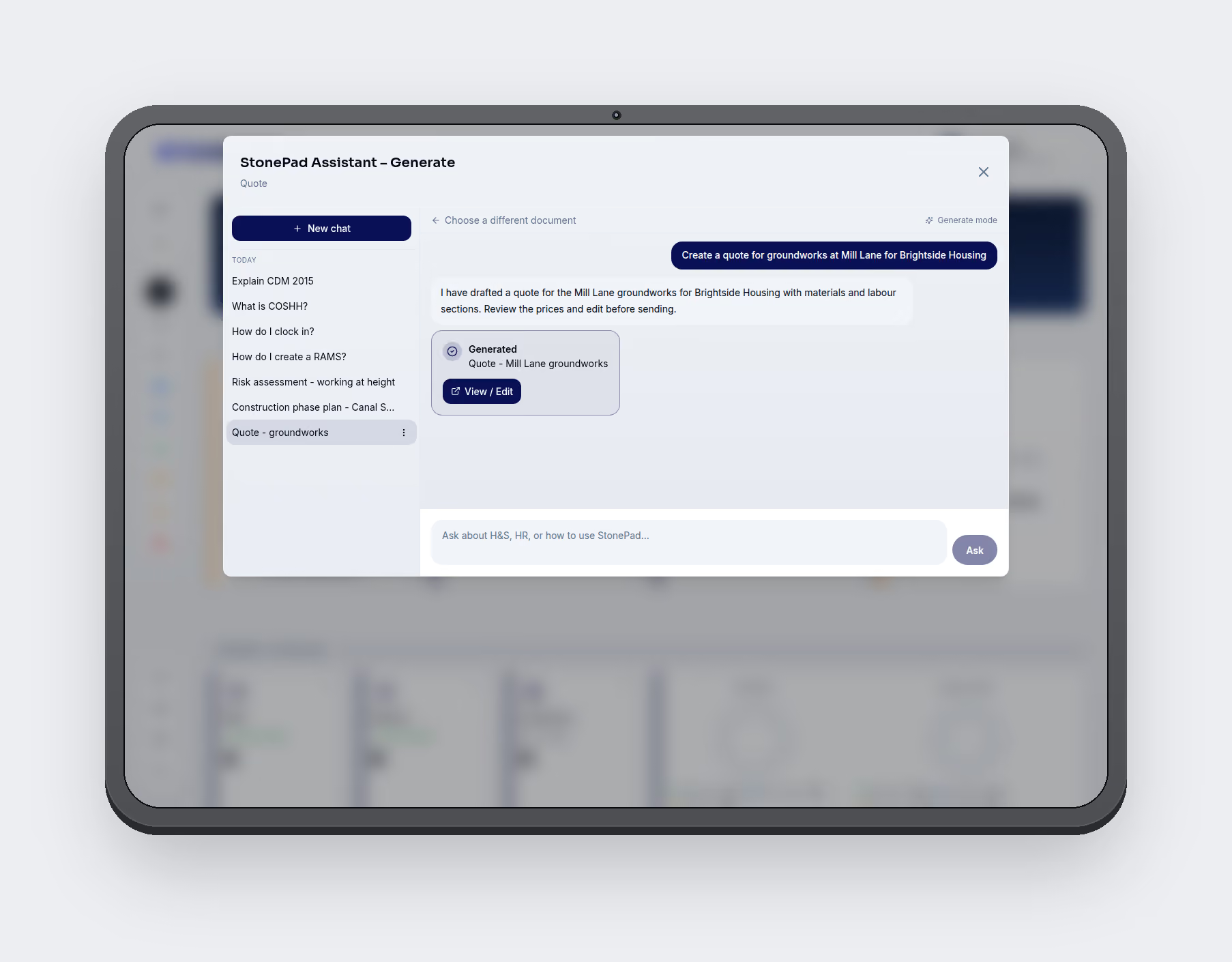
DRAFT A QUOTE
Draft a quote, review it and open the PDF
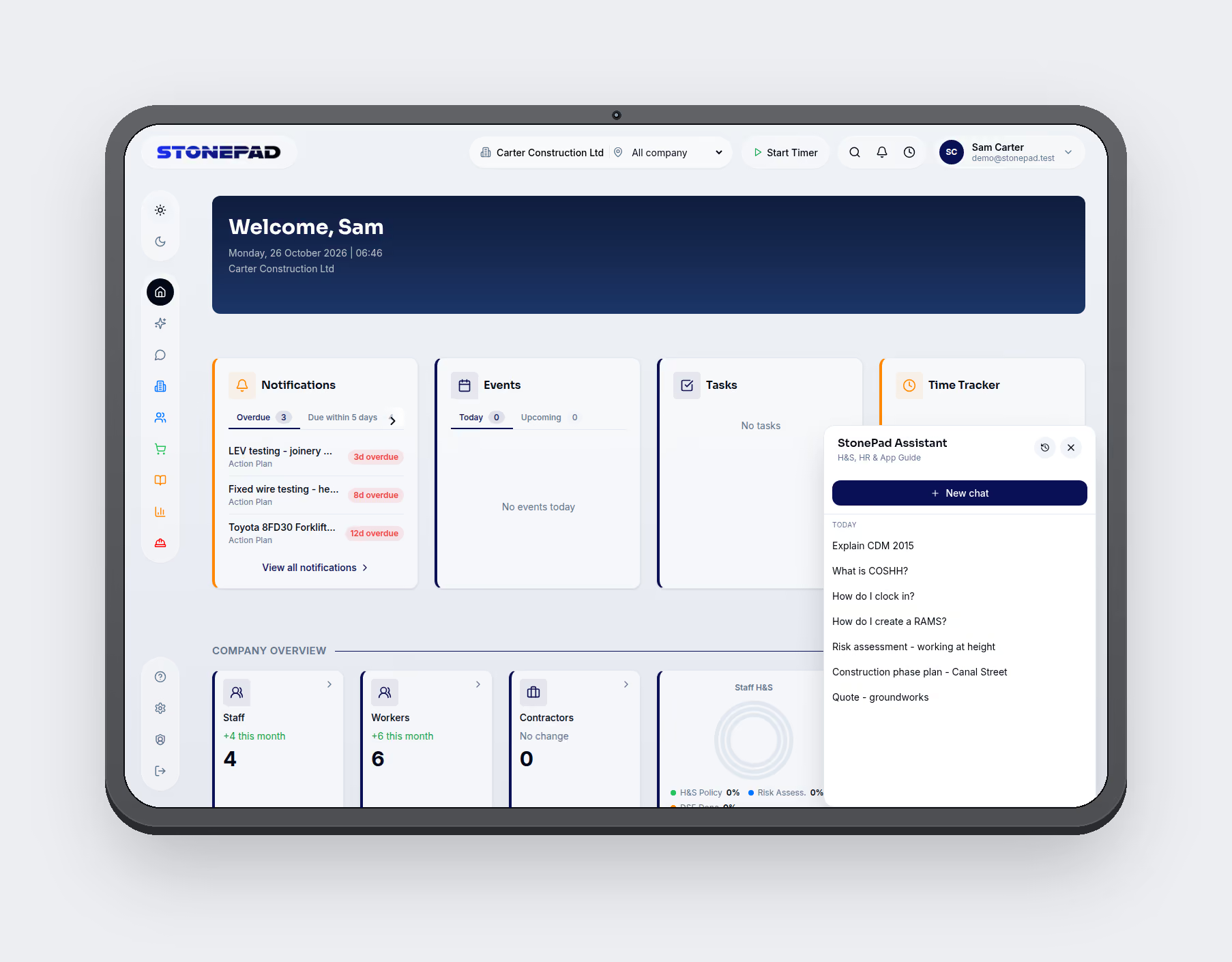
CHAT HISTORY
Reopen a past chat and its generated draft
Gallery

See it in action

Take a look at some of the screenshots of this module in StonePad.
Problems

Common hold-ups that leave paperwork half-started and staff searching for answers.

Staff unsure where features live in the app
Blank-page delays on COSHH, RA and RAMS
So many different CDM 2015 forms to prepare
Quotes and purchase orders slow to start
Unclear what AI help actually costs
Solutions

A built-in assistant that helps you find answers and start documents, while you make the decisions.

Ask mode guidance with suggested questions
Starting drafts for COSHH, RA, RAMS and CPP
15 CDM form and checklist drafts
Draft quotes and purchase orders to review
Clear AI Credits: 3 per message, 5 per draft
Ready to start?