
See how contractors use
lifting records to
show equipment was examined
Machines, accessories, examinations and plans
4 registers
Next examination dates worked out
Auto
Defects tracked to a remedial date
Tracked
LOLER register as a PDF
1 click



Working process
From register to a
thorough examination

Register
01
Add each lifting machine and accessory with its SWL and examination interval.
Examine
02
Record each thorough examination with its outcome and any defects.
Plan the lift
03
Write the lift plan with load, radius and appointed person.
Report
04
Print the LOLER register for the client or an inspector.


How It Works
Everything LOLER needs,
in one section
Plan lifts with lift plans that capture the load, radius, appointed person, sign-off and supervisor, then print the LOLER register as a PDF.
LIFTING MACHINES
Every machine with SWL, status and next examination
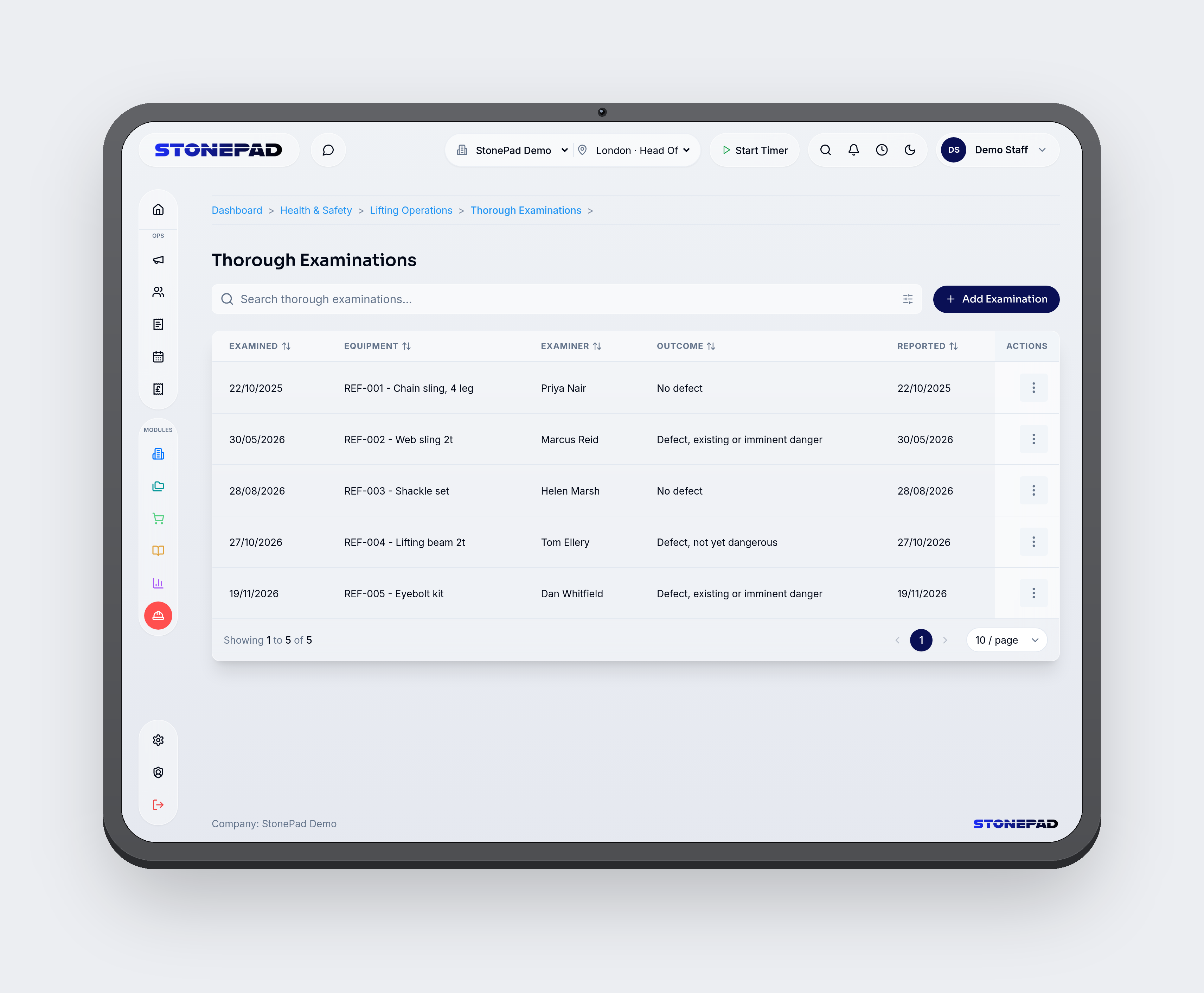
THOROUGH EXAMINATIONS
Record each examination with outcome and defects

Included in StonePad

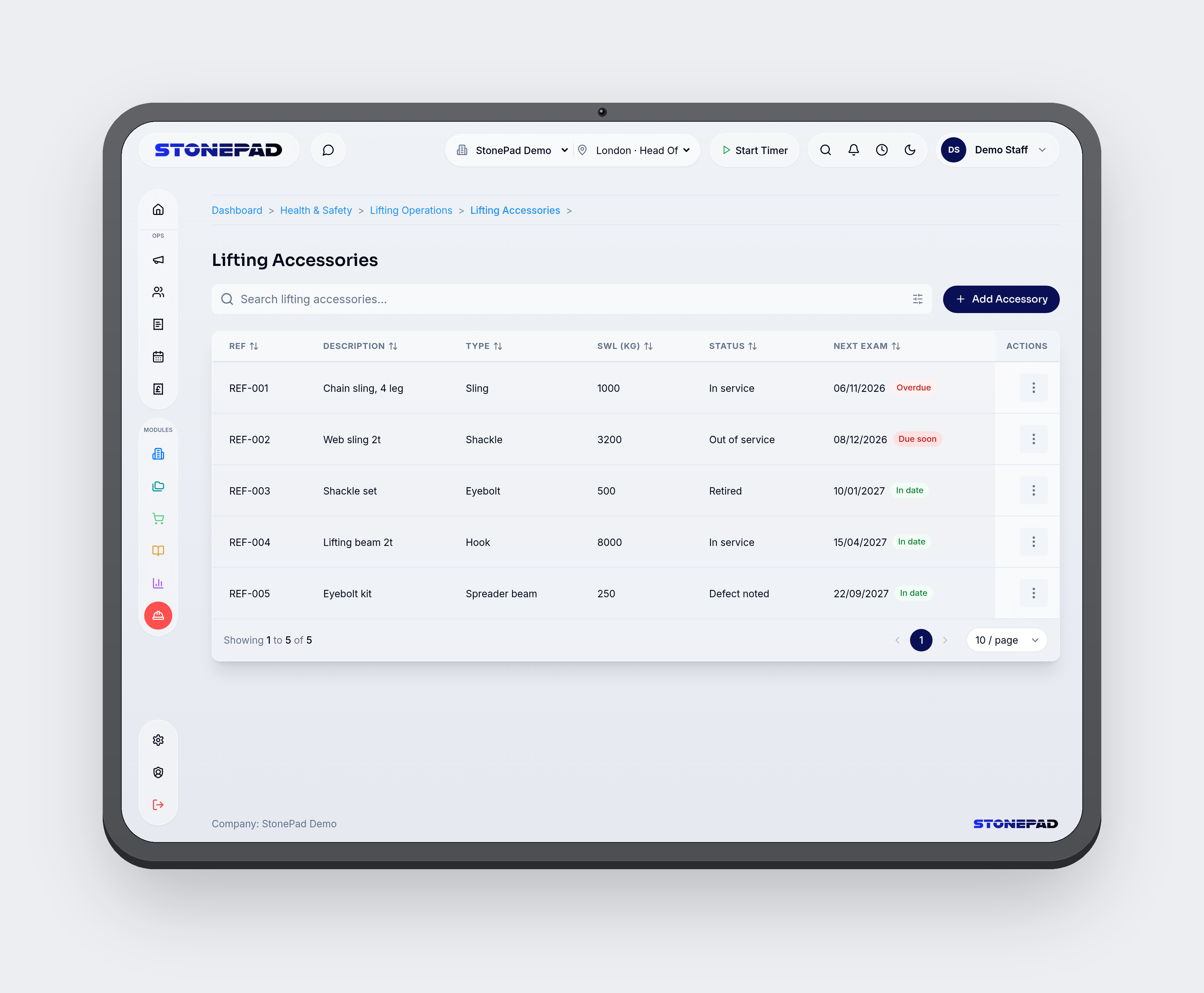
LIFTING ACCESSORIES
Slings, shackles and beams on their own register
LIFT PLANS
Plan each lift with load, radius and sign-off
LIFTING HUB
Open machines, examinations and plans from one place
Gallery
See it in action
Take a look at some of the screenshots of this module in StonePad.

No items found.
Problems
Lifting equipment with no examination history, and lifts with no plan, are hard to defend after an incident.
Slings and shackles with no register
Thorough examinations that lapse
Defect reports not followed up
Lift plans on loose paper
No proof of appointed person sign-off
Solutions
Machines, accessories, examinations and lift plans in one register with every due date tracked.
Machines and accessories on separate registers
Examination due dates calculated for you
Defects and remedial dates recorded
Lift plans with appointed person sign-off
LOLER register as a PDF
Ready to start?