
See how contractors use
observations to
fix problems before someone is hurt
Photos per observation
4
Observation types
3
Escalate to a corrective action
1 click
Counted in the safety KPI dashboard
Live


Working process
From a quick photo to
a closed out hazard

Spot
01
Take a photo of the hazard or good practice.
Report
02
Add a title and the position is recorded.
Assign
03
Give it an owner and a due date.
Close
04
Close out with notes or raise an action.


How It Works
Everything safety observations need,
in one section
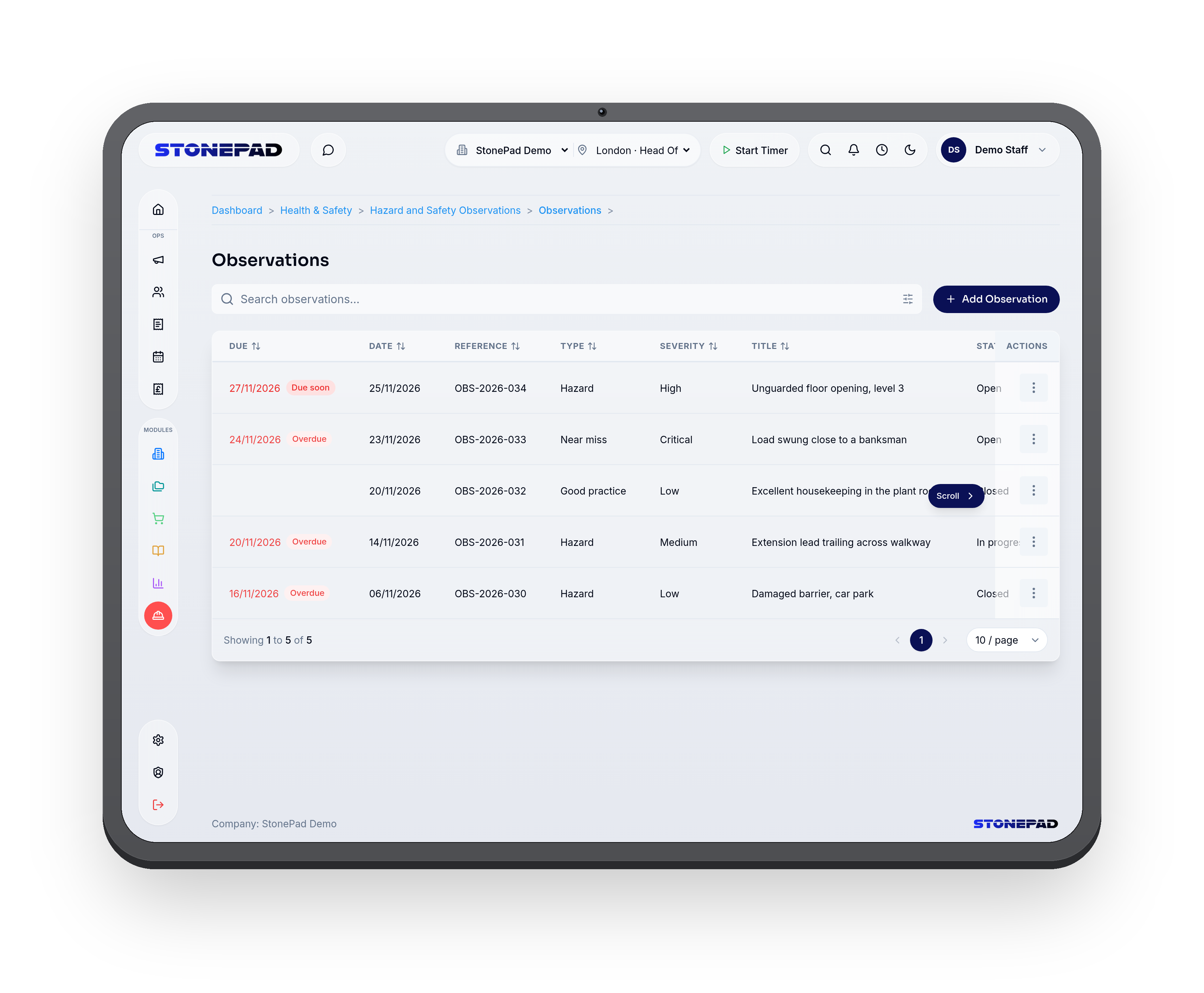
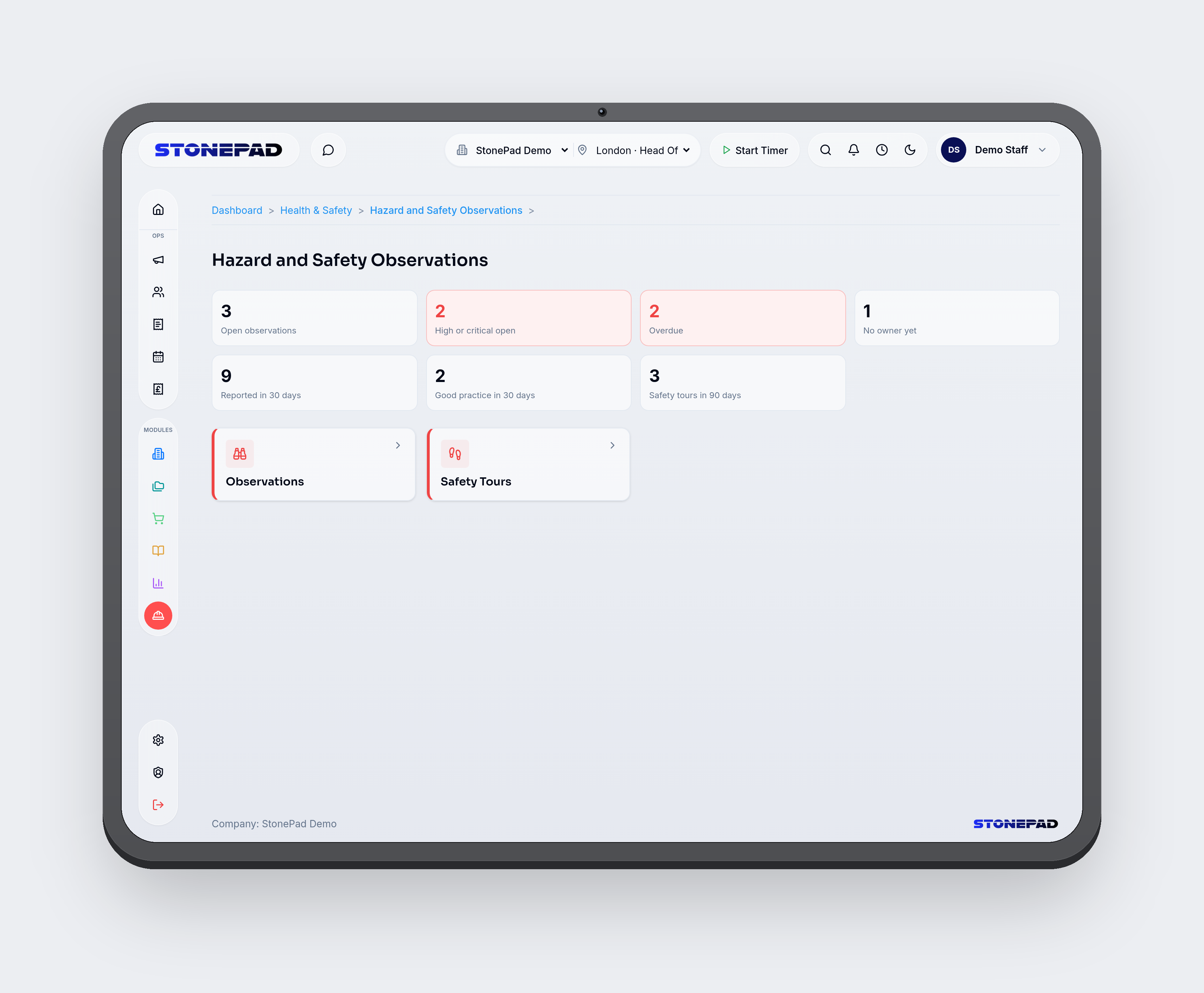
Log safety tours and link observations to them, raise a corrective action in one click, and see observations counted in your safety KPIs.
REPORT
Hazards, near misses and good practice in seconds
CLOSE OUT
Owner, due date and close-out notes

Included in StonePad

PHOTOS AND GPS
Up to four photos and an exact position
SAFETY TOURS
Log walk-rounds and link what you found
SAFETY KPIs
Observations counted in the safety dashboard
Gallery
See it in action
Take a look at some of the screenshots of this module in StonePad.
No items found.
Problems
Hazards are spotted and mentioned in passing, but nothing is recorded, nobody owns it and it is never closed out.
Hazards mentioned and forgotten
No photo or location
Nobody owns the fix
Near misses never recorded
Good practice goes unnoticed
Solutions
Workers report in seconds from their phone, and supervisors assign, close out or escalate each observation to a corrective action.
Photo and GPS from the worker app
Hazards, near misses and good practice
Owner, due date and close-out notes
Safety tours linked to findings
One-click corrective action
Ready to start?